Locations and Functions of Parts
1-22 Overview
Chapter 1 Overview
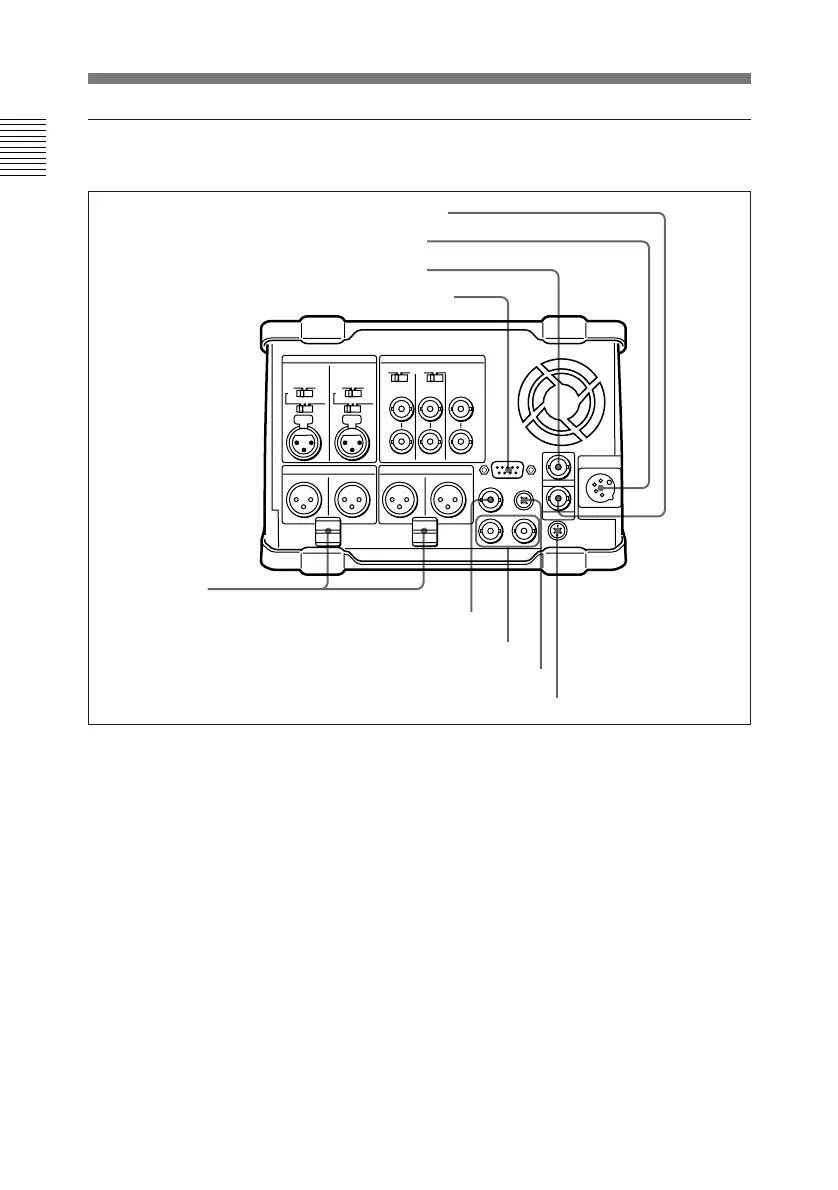
Digital signal/timecode/remote control/power input and output
section
1 REMOTE (9-pin remote control)
connector (D-SUB 9-pin)
When editing with two DNW-A25/
A25P units, connect this connector on
each unit using a 9-pin remote control
cable (not supplied). When editing
with this unit and D-1, D-2, Betacam
VTR, Digital Betacam VTR or other
external equipment, connect the
external equipment.
2 TC IN (timecode input)
connector (BNC type)
To record timecode from an external
device, input the timecode from the
external device’s timecode output
connector.
3 DC IN (external power input)
connector (XLR 4-pin, male)
To power this unit with AC power,
connect to the DC output connector of
the AC-550/550CE AC adaptor. You
can also connect a BP-90(A) battery
pack using the DC-210 Battery
Adaptor.
5 AUX connector
6 DC OUT connector
7 SDI OUT connectors
8 SDI IN connector
Cable clamps
2 TC IN connector
3 DC IN connector
4 TC OUT connector
1 REMOTE connector



 To Next Page