Preparations 2-7
Chapter 2 Preparations
If “ERROR-10” appears in the
sub LCD
This means that there is condensation
inside the unit.
For the steps to take in this case, see
“Moisture Condensation” (page A-2).
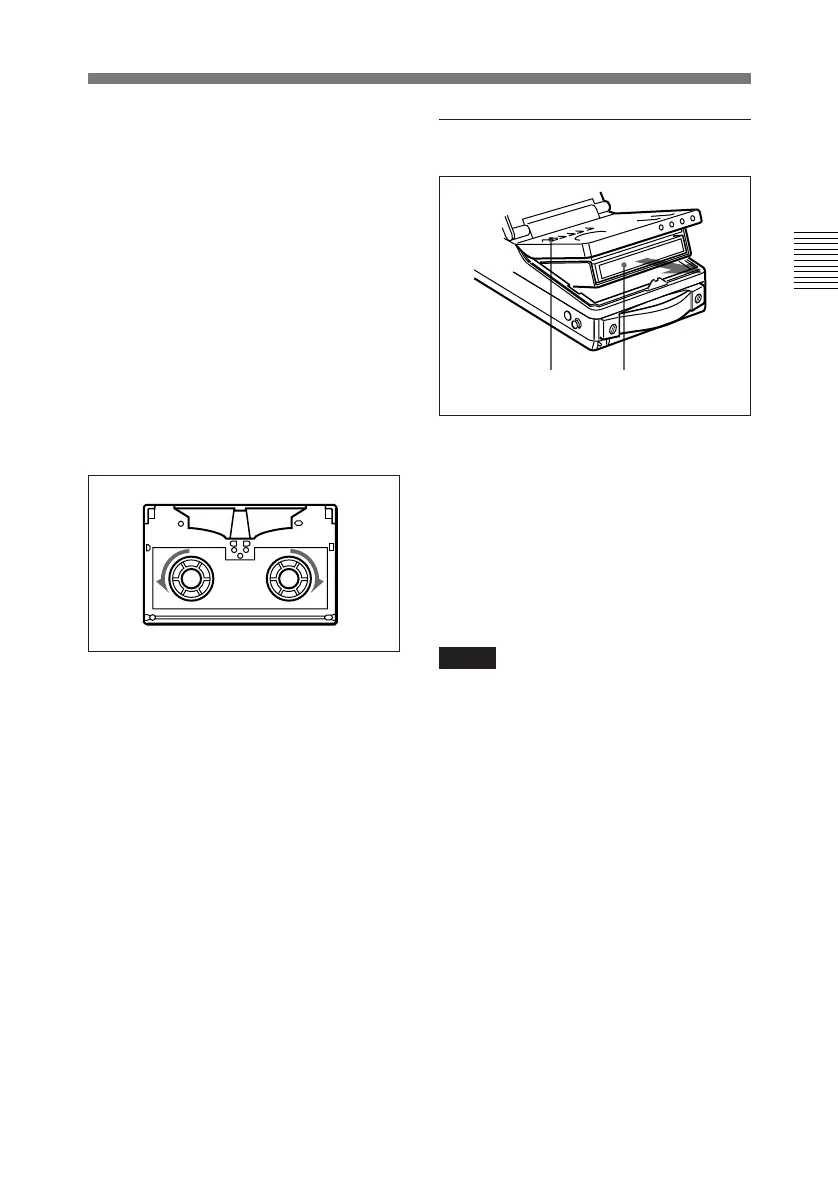
If there is slack in the tape
Take up the slack by rotating the reels
in the directions shown by the arrows
in the figure, keeping one reel fixed by
pressing it with your finger as you
rotate the other reel.
The reels stop rotating when there is
no more slack.
To eject the cassette
1 With the unit powered on, press
the EJECT button.
The control panel lifts up and the
cassette compartment opens.
2 Remove the cassette and close the
control panel.
Notes
• Do not shut the display panel while
the control panel is still open. Doing
so may damage the lock mechanism
of the display panel.
• The EJECT cannot be used to eject a
cassette when battery power falls to
below about 9 V. Remove the
cassette manually (see next page).
1 2



 To Next Page