22
Accessory Attachment
Attaching/Detaching a Camera Adaptor
To use the DXC-327B/327BP camera head as a stand-
alone camera, set up the camera head with a camera
control unit or portable VTR using as interface the
optional Sony CA-537/537P or CA-327/327P Camera
Adaptor. Refer to the CA-327/327P operations
manual for instructions on how to attach and detach
that unit. Refer to the below procedure to attach the
CA-537/537P Camera Adaptor.
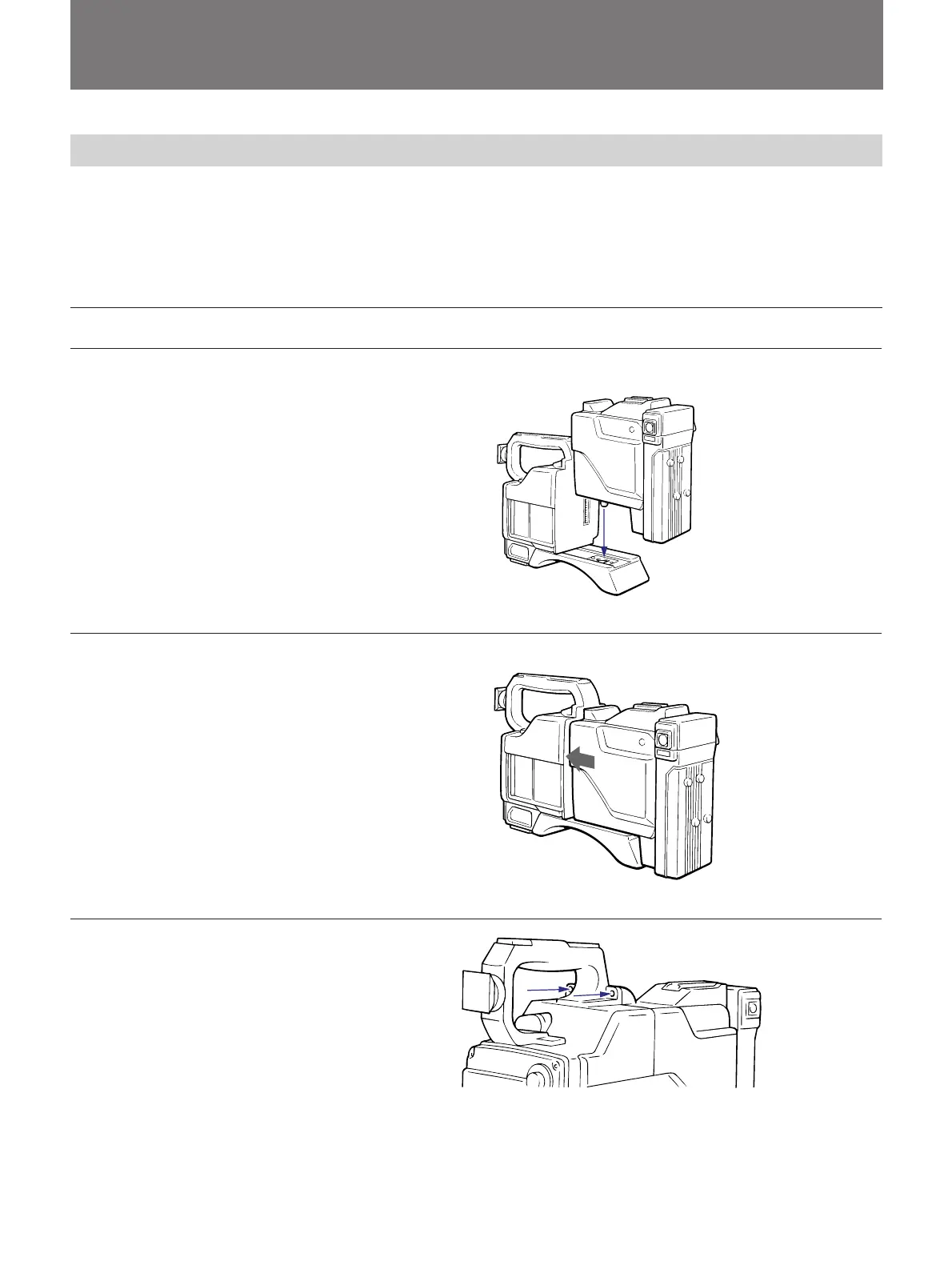
Attaching the CA-537/537P camera adaptor
Camera head
1 Place the camera adaptor on
the camera head aligning the
guide with the guide hole.
2 Push the camera adaptor
forward along the grooves
until its 50-pin connector locks
into the PRO 50-pin connector
on the camera.
3 Fix the camera adaptor to the
camera head using the two
screws.
Screws



 To Next Page