29
Attaching a Microphone
In order to attach an ECM-670/672 External
Microphone (optional), first fit a CAC-12 Microphone
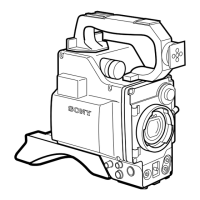
Holder (optional) to the camera head.
Note
The ECM-670 should be used with a VTR or adaptor
which has the phantom-powering function.
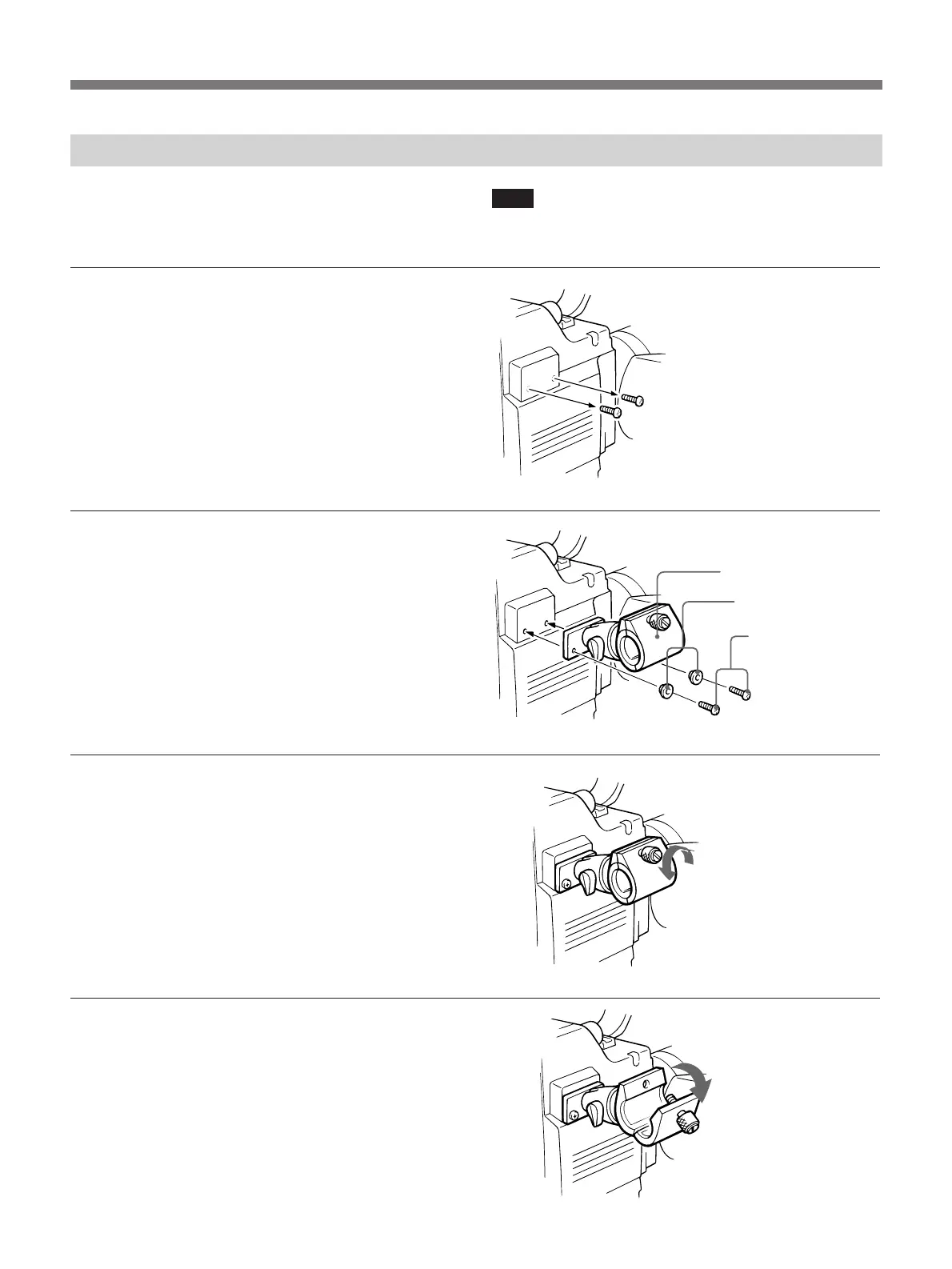
1 Remove the two screws from
the side of the camera head.
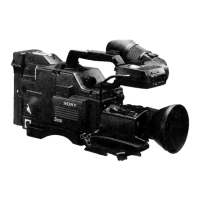
2 Using the screw removed in
Step 1, attach the CAC-12
Microphone Holder.
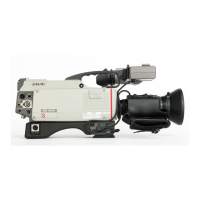
3 Loosen the microphone holder
bolt.
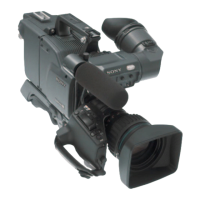
4 Open the microphone holder.
CAC-12
Washers (supplied
with the CAC-12)
Screws
Open


 To Next Page