71
Using the Optional Carrying Case
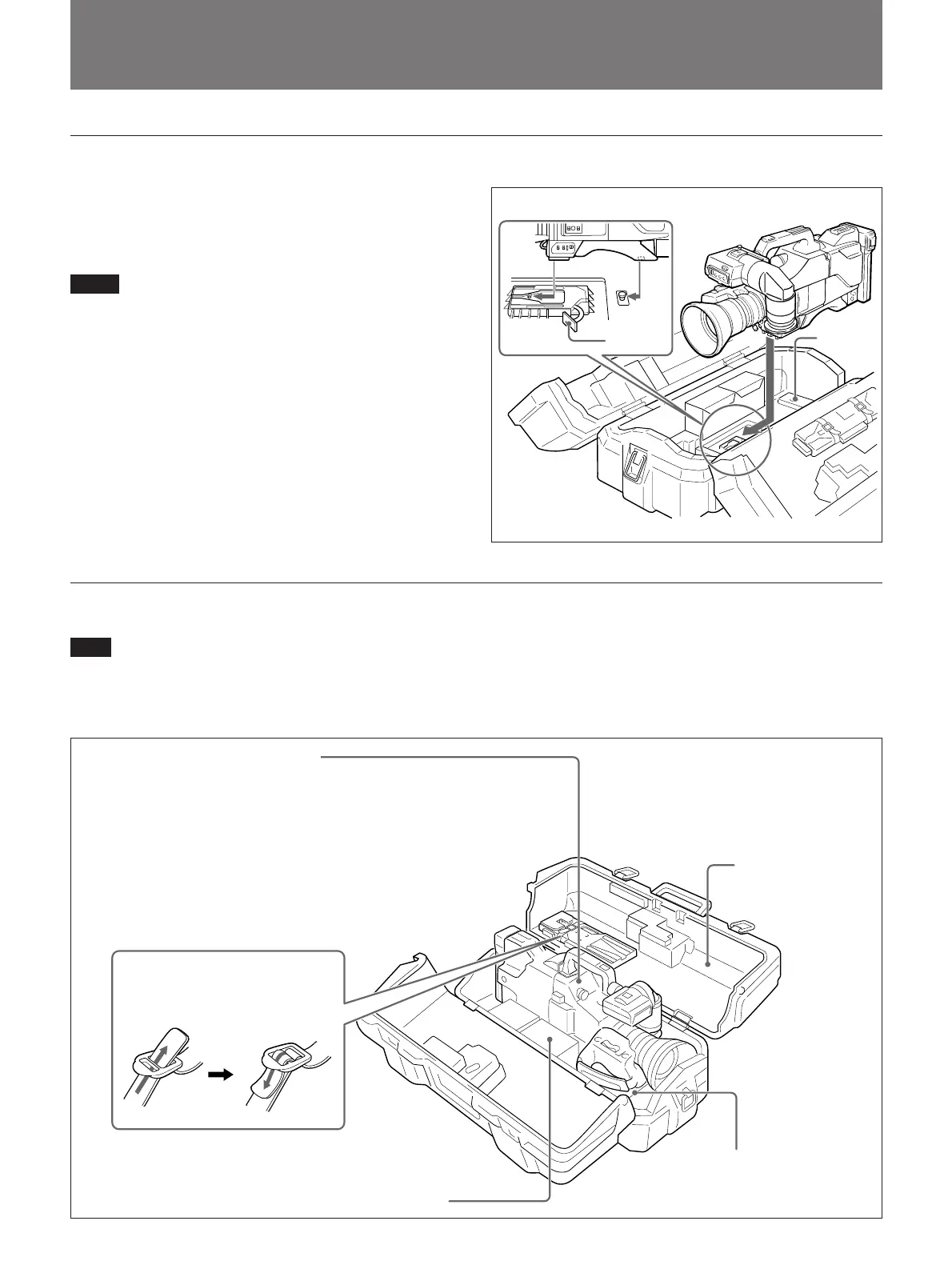
Storing the Camera
Align the camera with the base of the case, and slide
the camera in forward.
Checking that the pin at the rear engages correclty,
push forward until it locks into place.
Notes
•Position the eyecup of the viewfinder downward,
slide the viewfinder fully rearward and to the left,
then fix before storing.
•When an optional microphone (ECM-670/672, etc.)
is attached, loosen the microphone fixing screws,
move the microphone to the lowest position, and fix
before storing.
Example of fully-stored carrying case
Note
The camera cannot be stored in the LC-421 carrying
case with the CAC-4 when the PVV-1/1P/1A/1AP/3/
3P is attached.
Align the camera with the base of the carry case.
Lever
Base
VCT-U14 Tripod Adaptor
Betacam SP cassettes, camera cables, etc.
NP-1B Battery Packs
(maximum two)-fasten straps
DXC-327B-series Color Video Camera
This can be stored with the following system component fitted.
• CA-537/537P/327/327P/325A/325AP/325B Camera Adaptor
or EVV-9000/9000P or PVV-1/1P/1A/1AP/3/3P Videocassette
Recorder
• DXF-601/601CE Viewfinder
• ECM-670/ECM-672 Microphone
• Zoom Lens (VCL-714BX , etc.)
• CAC-12 Microphone Holder
• CAC-4 Chest Pad
LC-421 Carrying Case
Fasten straps



 To Next Page