33
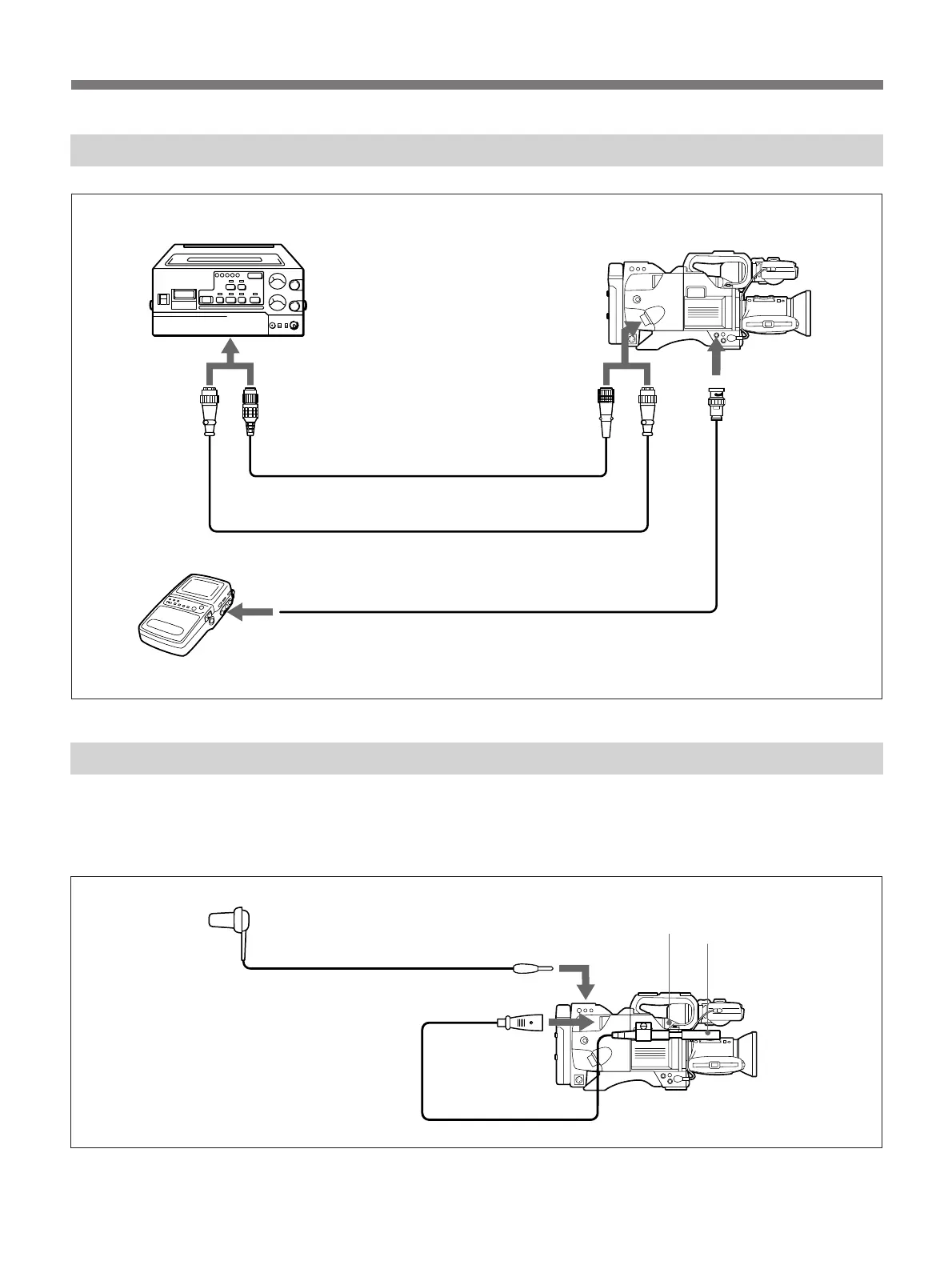
DXC-327B/327BP
to camera connector
Connecting a Portable VTR
Connecting an External Microphone
To avoid recording noise made while handling the
camera, connect an external microphone to the MIC IN
connector on the camera adaptor (see figure below).
With the below connections, note that the built-in
microphone automatically shuts off.
Earphone (not supplied)
EARPHONE
MIC IN
CA-537/537P DXC-327B/327BP
CA-537/537P
VIDEO OUT
VTR/CCU/CMA
or CCZ-A camer cable
1)
(not supplied)
CCZQ-A camera cable
1)
(not supplied)
When monitoring the picture
using a video monitor.
to video input
Video monitor
Portable VTR
1)
The camera cable can be extended up to 10 meters (33 feet) long.
Consult your authorized Sony dealer.
Built-in
microphone
External
microphone
(not supplied)



 To Next Page