46
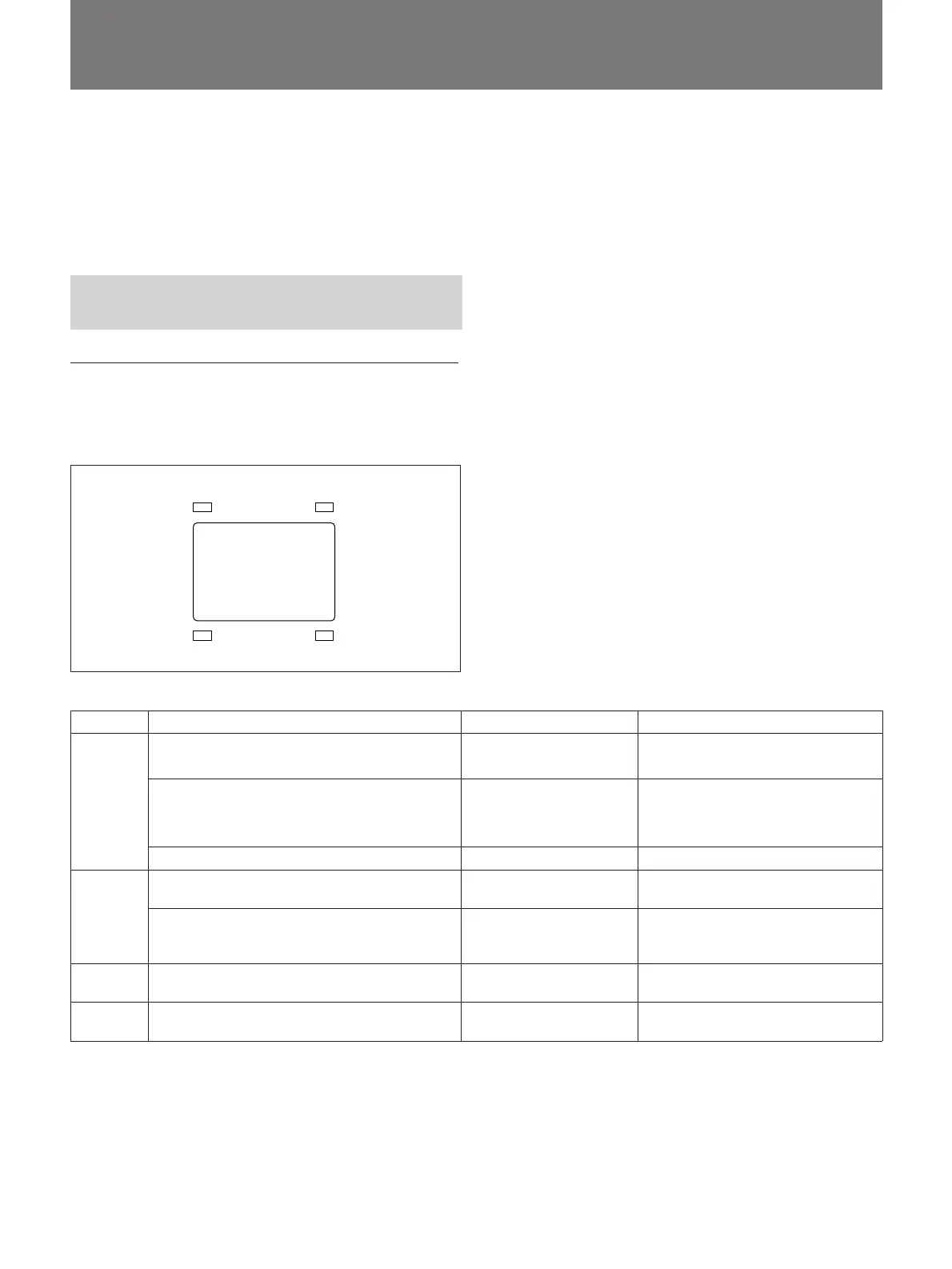
REC/TALLY BATT
SHUTTER GAIN UP
Adjustment and Settings
In the electronic viewfinder, the viewfinder screen
itself shows you the settings of switches such as black/
white balance and gain. At the periphery of the screen
the viewfinder indicators show the status of operations
such as battery level.
Reading Indications in the
Electronic Viewfinder
Viewfinder screen and status indicators
Four indicators (see illustration below) correspond to
the status of the camera and connected equipment.
Indicator Operates when... Blinks Lights up
While recording, using a VTR connected Until the VTR enters During recording
with a CCZQ-A camera cable the standby mode
REC/ While using a VTR (equipped with a warning While the VTR is —
TALLY system), which is connected with a CCZQ-A malfunction
camera cable
While using the CCU-M5/M5P/M7/M7P — When this camera is selected
While the camera is powered by the battery — When the battery power becomes
pack weak
BATT When a VTR is connected to the camera When the battery power If you keep on operating the
becomes weak connected equipment after the
indicator starts blinking
SHUTTER Any time —
When the SHUTTER switch of the
camera is set to ON
GAIN UP Any time —
When the GAIN selector is set to 9
dB or 18 dB
Viewfinder screen



 To Next Page