49
L.L.IND
BATT
WHITE
BLACK
GAIN
SHUTTER
: ON
: 12.5V
: PRESET
: AUTO
: 0DB
: OFF
: LOW LIGHT
: SHUTTER : 1/100
TITLE SET?
A. IRIS
DETAIL
M. PED
SHUTTER
: NORM
: 00
: 00
: OFF
A. IRIS
DETAIL
M. PED
SHUTTER
: NORM
: 00
: 00
: OFF
A. IRIS
DETAIL
M. PED
SHUTTER
: NORM
: 00
: 00
: OFF
A. IRIS
DETAIL
M. PED
SHUTTER
: NORM
: 00
: 00
: OFF
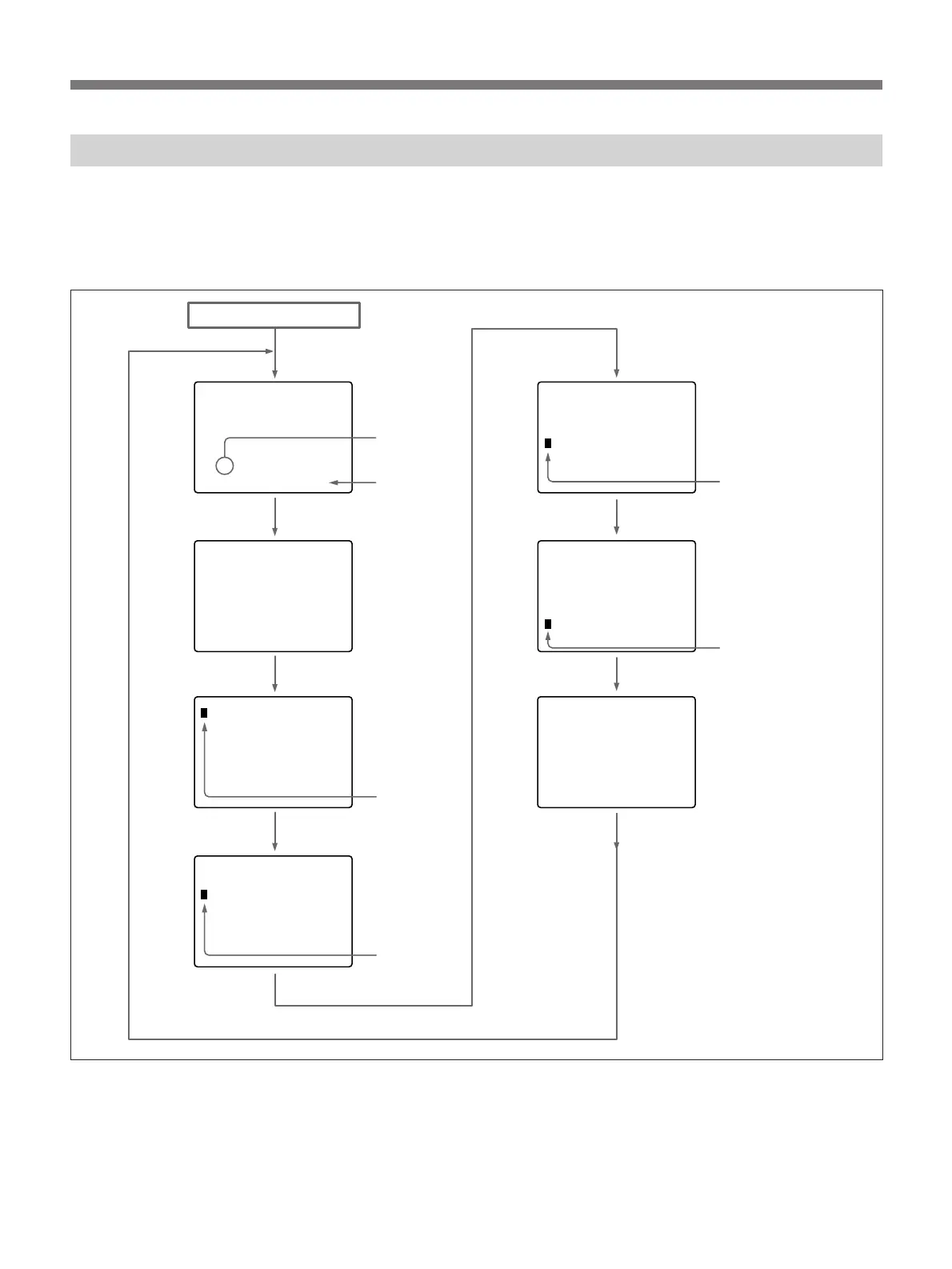
The following chart shows how the display changes on
the screen each time you press the DISP CHG switch.
In all modes, the black balance and white balance can
be adjusted automatically.
The display mode changes to the black balance or
white balance adjustment mode during adjustment and
returns to the selected display after the adjustment is
complete.
POWER switch → ON
Normal display or
warning indication
(See page 47.)
Flashes.
Selected
shutter speed
(example)
1)
Current camera
setting status
(See page 48.)
Automatic iris
reference level
setting
(See page 53.)
Master pedestal
level setting
(See page 58.)
Shutter speed
settng
(See page 59.)
Title charactor
setting
(See page 67.)
The charactors stored
in memory, if any, are
displayed.
1)
The selected shutter speed is
displayed when the SHUTTER
switch is set to ON.
Press the DISP
CHG switch.
Press the DISP
CHG switch.
Press the DISP
CHG switch.
Press the DISP
CHG switch.
Press the DISP
CHG switch.
Reading the Viewfinder Screen Display Menu
Flashes.
Flashes.
Flashes.
Flashes.
Detail level
setting
(See page 63.)
Press the DISP
CHG switch.
Press the DISP
CHG switch.



 To Next Page