26
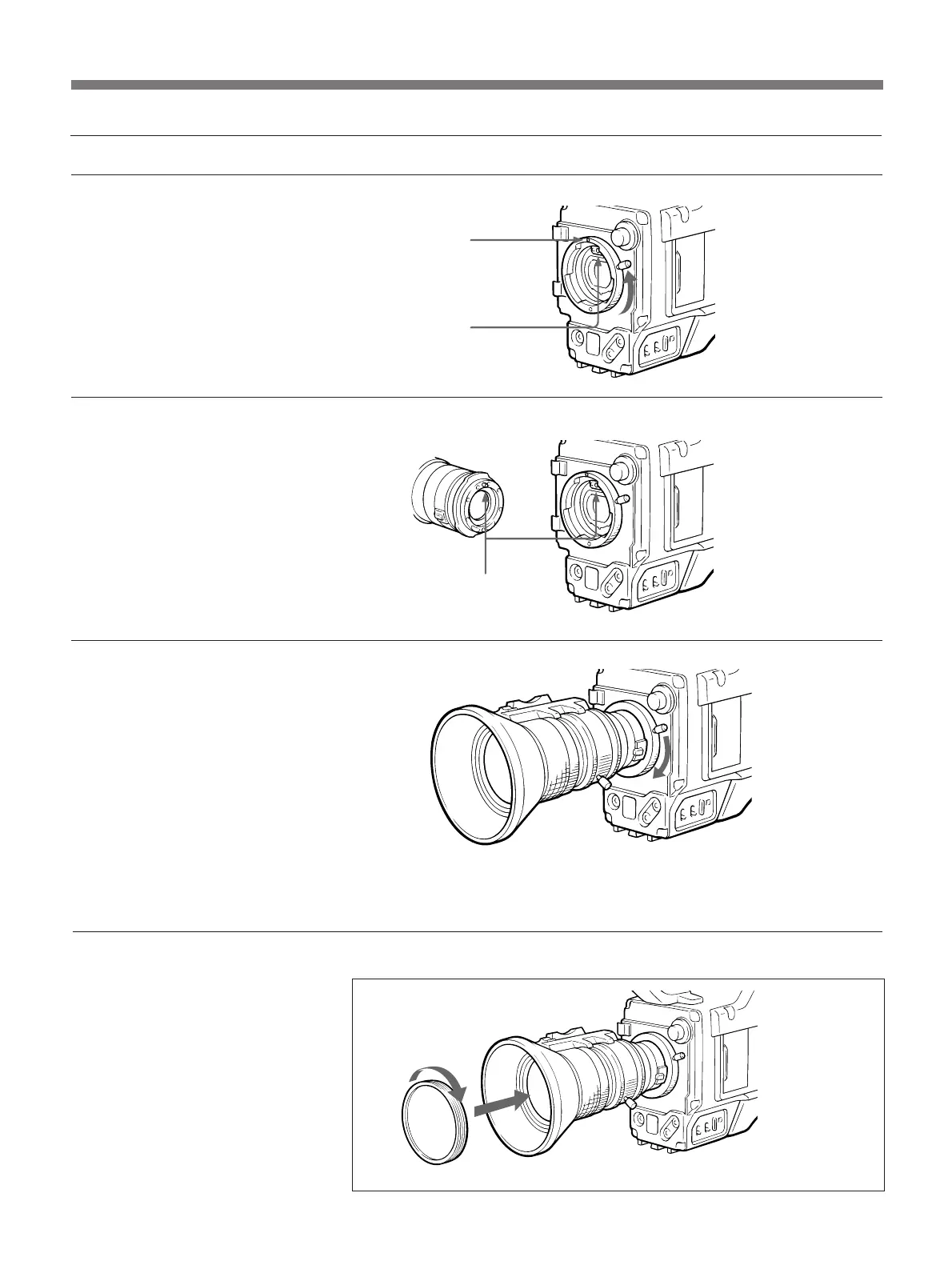
Attaching the zoom lens
Accessory Attachment
Attaching an optional filter
Screw the filter on clockwise to
attach.
When a VCL-714BX Zoom
Lense is used
Use a filter whose diameter is 72
mm and pitch is 0.75 mm.
Red point
Notch
Align.
1 Turn the mount clamp lever
fully counter clockwise to
align the lens notch and the red
point.
2 Align the center pin in the lens
with the notch in the lens
mount, and insert the lens into
the mount.
3 Holding the lens, push down
on the lens fixing lever to
tighten the ring and secure the
lens.
Optional filter


 To Next Page