55
Adjusting black balance
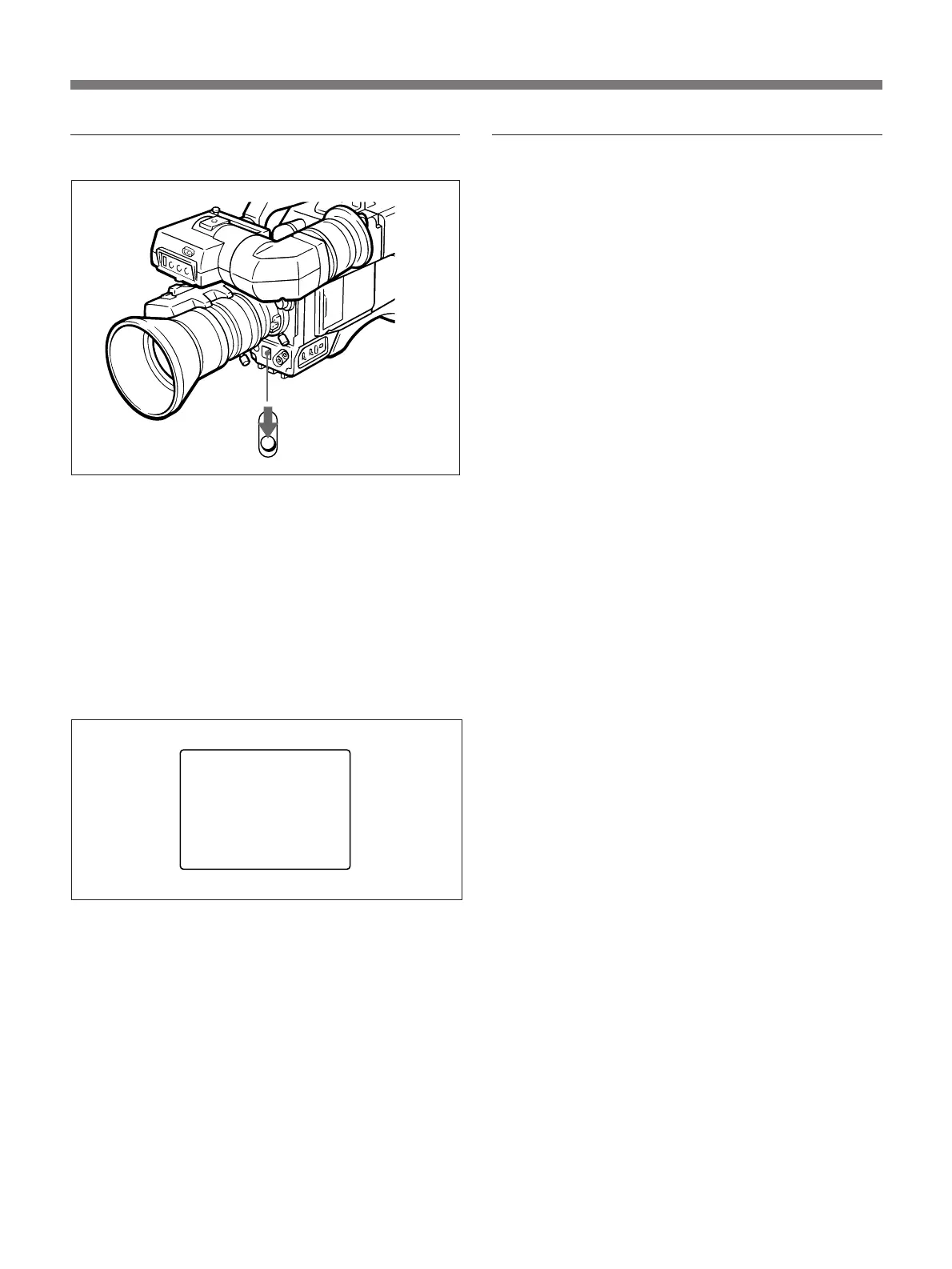
Flip the AUTO W/B BAL switch to the BLK position,
and when you hear a click, release the switch.
“AUTO BLACK -OP-” appears on the viewfinder
screen during adjustment, and “AUTO BLACK-OK-”
appears on the viewfinder screen when adjustment is
complete.
If black balance cannot be done
The characters shown below are displayed on the
viewfinder screen.
When black balance adjustment is complete
During black balance adjustment, the iris is
automatically closed. If the IRIS selector is set to
“M”, you must open it manually to open it again.
Re-adjust the black balance
The adjusted value is stored on the camera, and is kept
even when the power is turned off. Normally
readjustment is not required except for the following
cases.
• “MEMORY NG” appears on the viewfinder screen.
• The camera has not been used for a long time.
• The ambient temperature has changed radically.
AUTO BLACK
— NG —
IRIS:
NOT CLOSED
TRY AGAIN
AUTO W/B BAL switch


 To Next Page
 Loading...