EasyManua.ls Logo

Sony EV-S7000 - Page 67

Sony EV-S7000
84 pages
Print Icon
To Next Page IconTo Next Page
To Previous Page IconTo Previous Page
Loading...
inmimemimmii
e
en
|
Notes
¢
When
you
use
LANC
REMOTE,
you
can
control
tape
operation
on
the
playback
VCR.
©
Set
the
SHUTTLE
MODE
option
on
the
playback
VCR
to
either
A
or
B
to
match
the
setting
on
this
VCR.
See
“Using
the
SET
UP
menu”
on
page
32.
¢
Make
sure
that
the
cassette
you
insert
into
this
VCR
has
its
tab
set
to
REC.
©
The
ASSEMBLE
button
is
only
operable
in
stop
mode.
Operation
(when
recording
on
this
VCR)
Before
you
start
editing
¢
Connect
this
VCR
to
the
playback
VCR
using
the
same
connections
as
illustrated
in
the
section
“Synchronized
editing”
on
page
62.
(Be
sure
to
read
the
operating
instructions
for
the
playback
VCR
before
making
connections.)
Set the
TV
to
video
input.
¢
Press
INPUT
SELECT
to
select
the
line
input
that
the
playback
VCR
is
connected
to.
If
the
playback
VCR
has
a
TIME
CODE
function,
activate
it
to
display
the
time
code
in
the
display
window
counter.
¢
On
the
playback
VCR,
set
the
SHUTTLE
MODE
to
either
A
or
B
(see
page
32).
eee
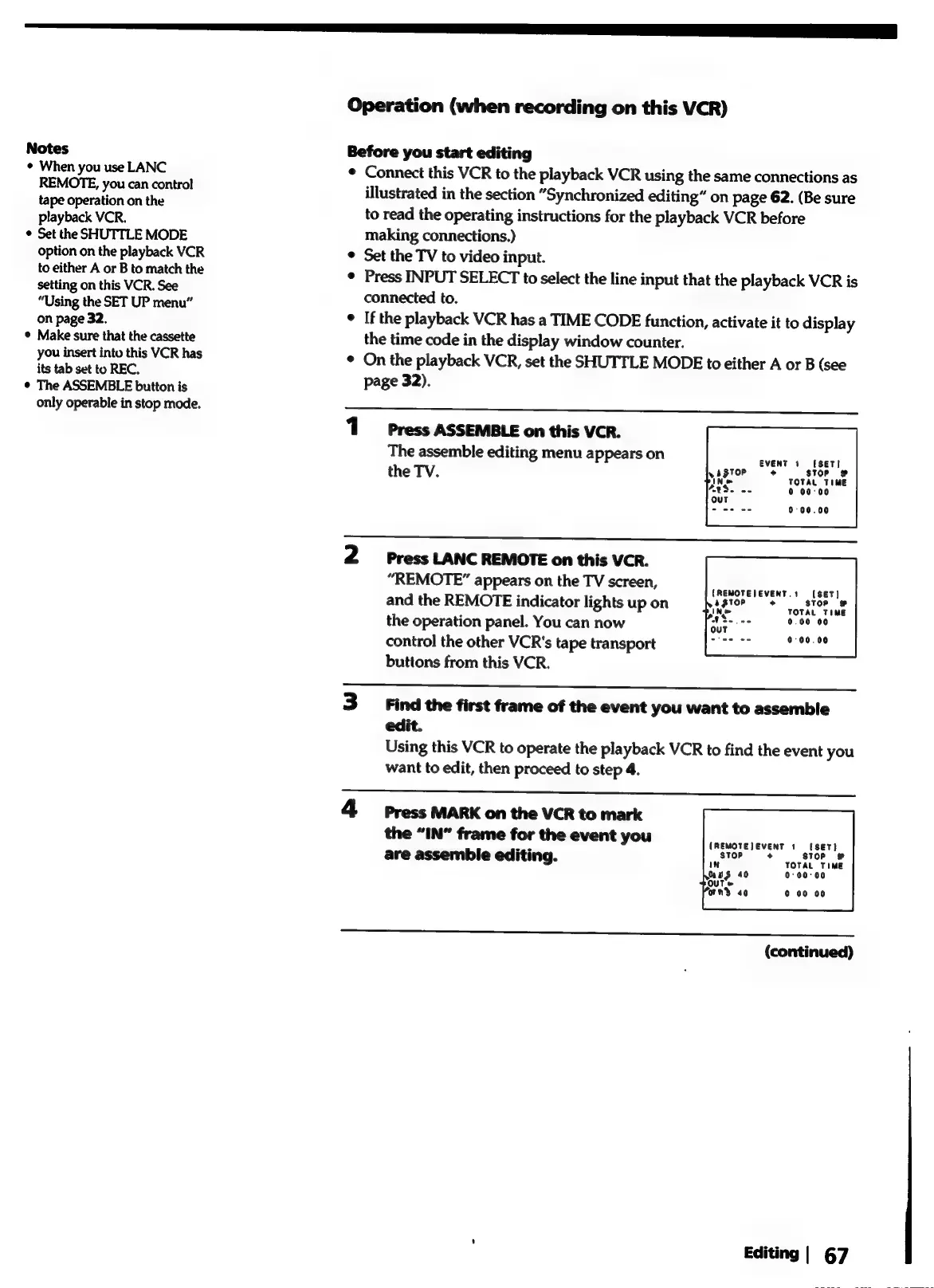
1
Press
ASSEMBLE
on
this
VCR.
The
assemble
editing
menu
appears
on
the
TV.
y
Agror
>
Aes.
2.
out
cee
oe
0:00.00
EVENT
41
[SETI
°
Stop
TOTAL
TIME
0
00°00
2
Press
LANC
REMOTE
on
this
VCR.
“REMOTE”
appears
on
the
TV
screen,
and
the
REMOTE
indicator
lights
up
on
the
operation
panel.
You
can
now
control
the
other
VCR's
tape
transport
buttons
from
this
VCR.
me
3
Find
the
first
frame
of
the
event
you
want
to
assemble
edit.
Using
this
VCR
to
operate
the
playback
VCR
to
find
the
event
you
want
to
edit,
then
proceed
to
step
4.
(REMOTEIEVENT.1
(SET)
agtor
>
stop
3
TOTAL
TIME
0.00
00
4
Press
MARK
on
the
VCR
to
mark
the
“IN”
frame
for
the
event
you
are
assemble
editing.
(REMOTEJEVENT
1
{SET}
STOP
>
STOP
?
IN
TOTAL
TIME
0:00-00
(continued)
Editing
|
67

Related product manuals