EasyManua.ls Logo

Sony EV-S7000 - Step 2 Setting up the remote commander (continued)

Sony EV-S7000
84 pages
Print Icon
To Next Page IconTo Next Page
To Previous Page IconTo Previous Page
Loading...
Step
2
Setting
up
the
remote
commander
(continued)
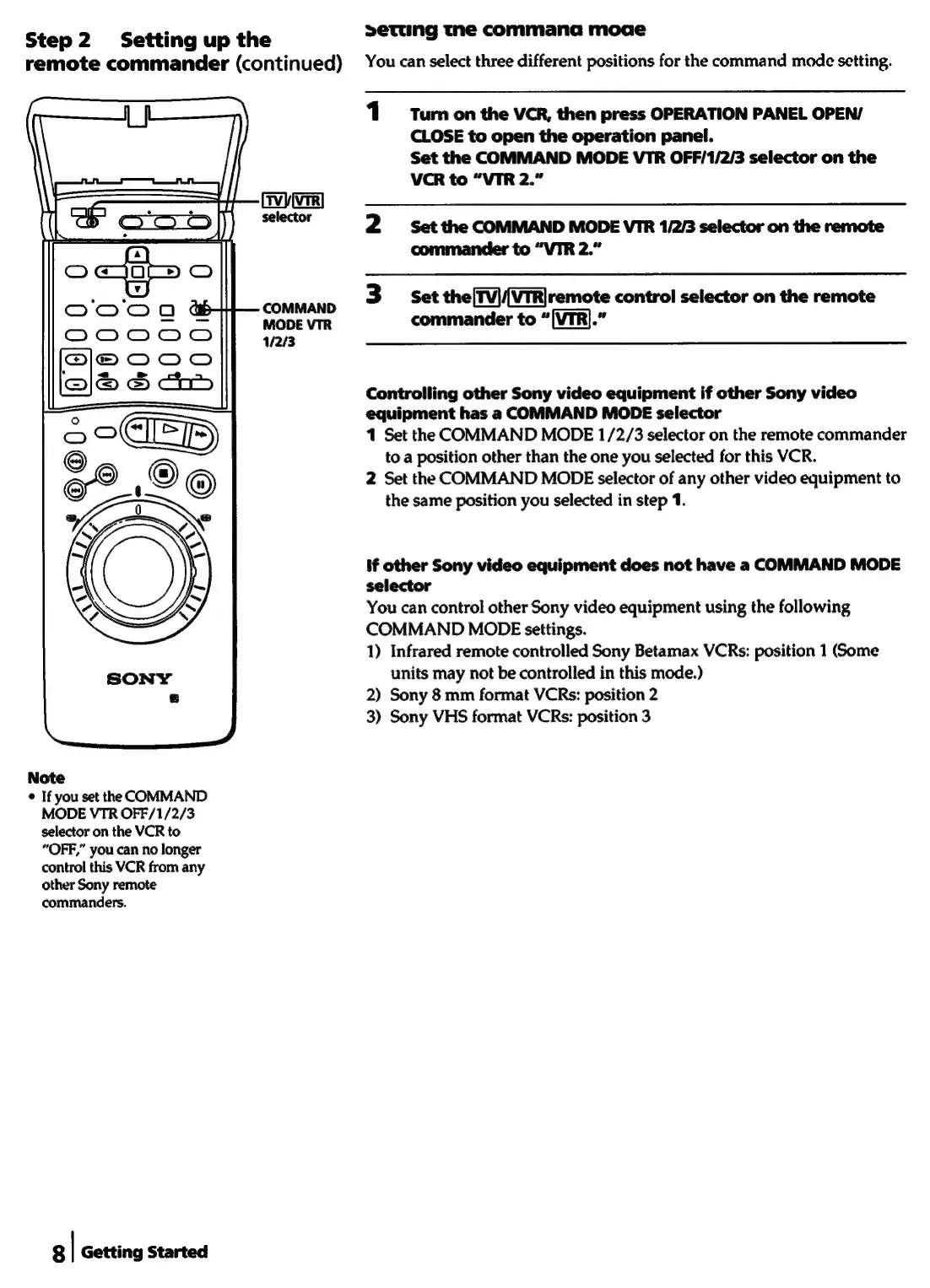
COMMAND
MODE
VTR
1/2/3
Note
¢
If
you
set
the
COMMAND
MODE
VTR
OFF/1/2/3
selector
on
the
VCR
to
“OFF,”
you
can
no
longer
control
this
VCR
from
any
other
Sony
remote
commanders.
8
|
Getting
Started
setung
the
commana
moae
You
can
select
three
different
positions
for
the
command
mode
setting.
1
Turn
on
the
VCR,
then
press
OPERATION
PANEL
OPEN/
CLOSE
to
open
the
operation
panel.
Set
the
COMMAND
MODE
VTR
OFF/1/2/3
selector
on
the
VCR
to
“VIR
2.”
2
Set the
COMMAND
MODE
VTR
1/2/3
selector
on
the
remote
commander
to
“VIR
2.”
3
Set
the[Tv|(ViR|remote
control
selector
on
the
remote
commander
to
“[VTR].”
Controlling
other
Sony
video
equipment
if
other
Sony
video
equipment
has
a
COMMAND
MODE
selector
1
Set
the
COMMAND
MODE
1/2/3
selector
on
the
remote
commander
to
a
position
other
than
the
one
you
selected
for
this
VCR.
2
Set
the
COMMAND
MODE
selector
of
any
other
video
equipment
to
the
same
position
you
selected
in
step
1.
If
other
Sony
video
equipment
does
not
have
a
COMMAND
MODE
selector
You
can
control
other
Sony
video
equipment
using
the
following
COMMAND
MODE
settings.
1)
Infrared
remote
controlled
Sony
Betamax
VCRs:
position
1
(Some
units
may
not
be
controlled
in
this
mode.)
2)
Sony
8
mm
format
VCRs:
position
2
3)
Sony
VHS
format
VCRs:
position
3

Related product manuals