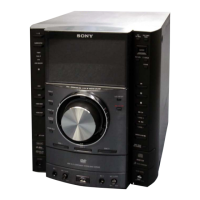
HCD-GN1300D
20
To return to the Top Menu of Remocon Diagnosis Menu
Press [0] button on the remote commander.
[Check Version Information]
To check the version information, please follow the following
procedure.
1. From the Top Menu of Remocon Diagnosis Menu, select “4.
Version Information” by pressing the [4] button on the remote
commander. The following screen appears on the on-screen
display.
To return to the Top Menu of Remocon Diagnosis Menu, press [0]
on the remote commander.
[MTK FIRMWARE DISPLAY]
• This mode is used to display the MTK fi rmware version.
• Procedure:
1. Press [POWER] button to turn the set ON.
2. Select DVD function.
3. Press [POWER] button again to turn the set OFF.
4. Press [
x
] button and [POWER] button. The system turns on
automatically.
5. The version of MTK fi rmware appears on the TV screen.
[MTK OFFLINE]
• This mode is used to enable audio output from the function
other than DVD function in order to check the audio output
from the system without connecting MTK.
• Procedure:
1. Press [POWER] button to turn the set ON.
2. Select DVD function.
3. Press [POWER] button again to turn the set OFF.
4. Press [
x
] button, [SOUND FLASH] button and [DISC 1]
button simultaneously and the message “DVD OFFLINE”
appears on the fl uorescent indicator tube.
Version information
Firm (Main) : Ver. xxxxx
Firm (Sub) : xxxxx
RISC : xxxxx
8032 : xxxxx
Audio DSP : xxxxx
Servo DSP : xxxxx
0 Return to top Menu


 To Next Page