HCD-SX7/SX7B
16
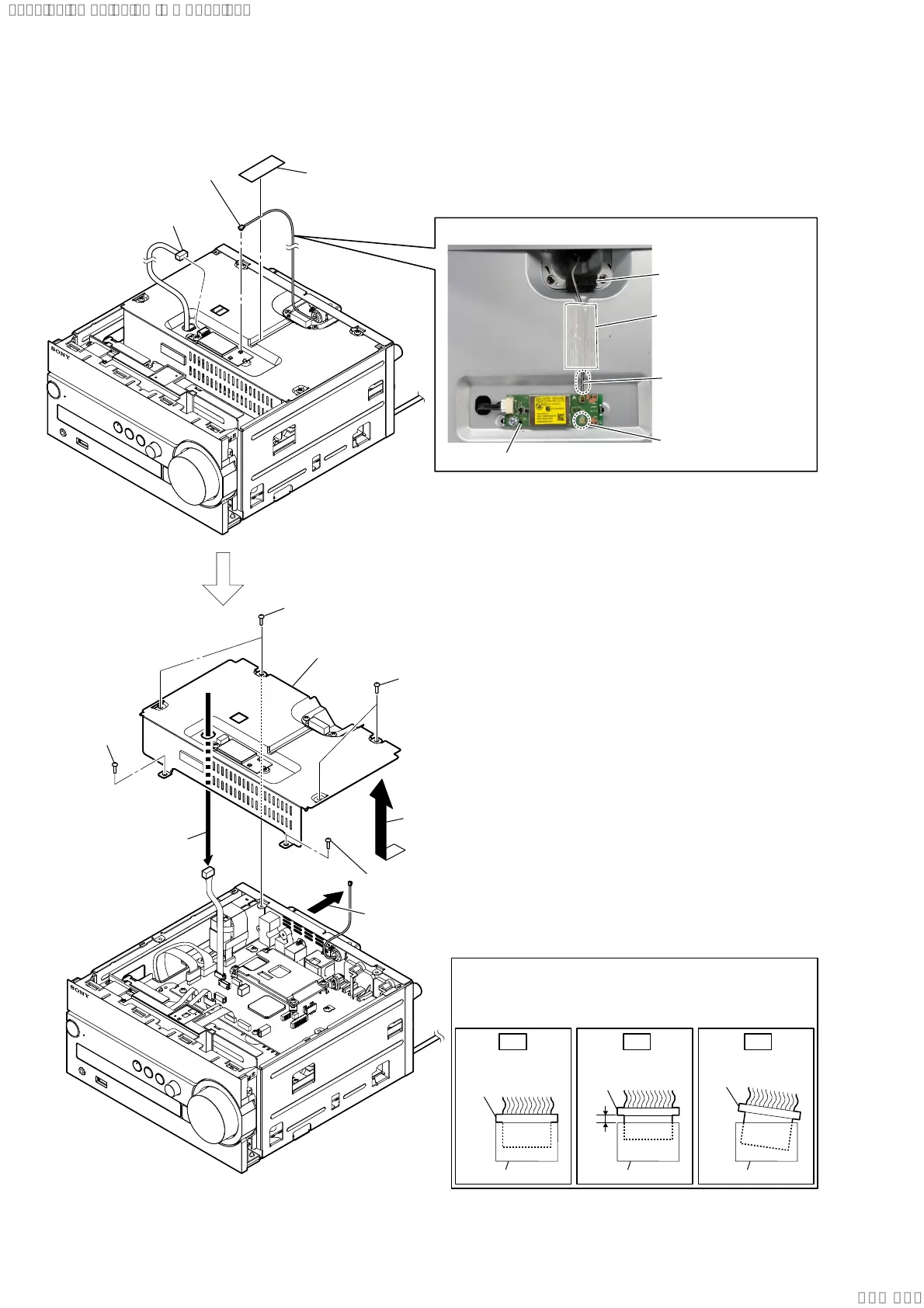
2-6. PLATE (TOP) BLOCK
5 screw (BV/ring)
(L=8 mm)
5 screw
(BV/ring)
(L=8 mm)
5 two screws (BV/ring)
(L=8 mm)
5 two screws (BV/ring)
(L=8 mm)
8 plate (top) block
6 Remove the plate (top)
block in the direction of
the arrow.
$QWHQQDZLUHVHWWLQJ
card WLAN/BT combo
2 wireless LAN antenna
connector (CON4)
3 MAIN board CN606
cable connector
1 filament tape
(sub material)
filament tape
(sub material)
cushion (B)
Insert only part way.Insert straight into
the interior.
connector
Insert at a slant.
connector
connector
connector
connector connector
OK NG NG
+RZWRLQVWDOOWKHFRQQHFWRU
Insert the connector straight into the interior.
There is a possibility that using this unit without
the connector correctly installed will damage it.
Note 1:
Check that the wire
is not slack.
Note 2:
Do not connect the
wire to the CON5.
4 Move the antenna cable
to the rear side.
7 Draw the MAIN board
CN606 cable out from
the hole of the plate
(top).
SYSSET
2020/02/2722:53:44(GMT+09:00)


 To Next Page