HCD-SX7/SX7B
31
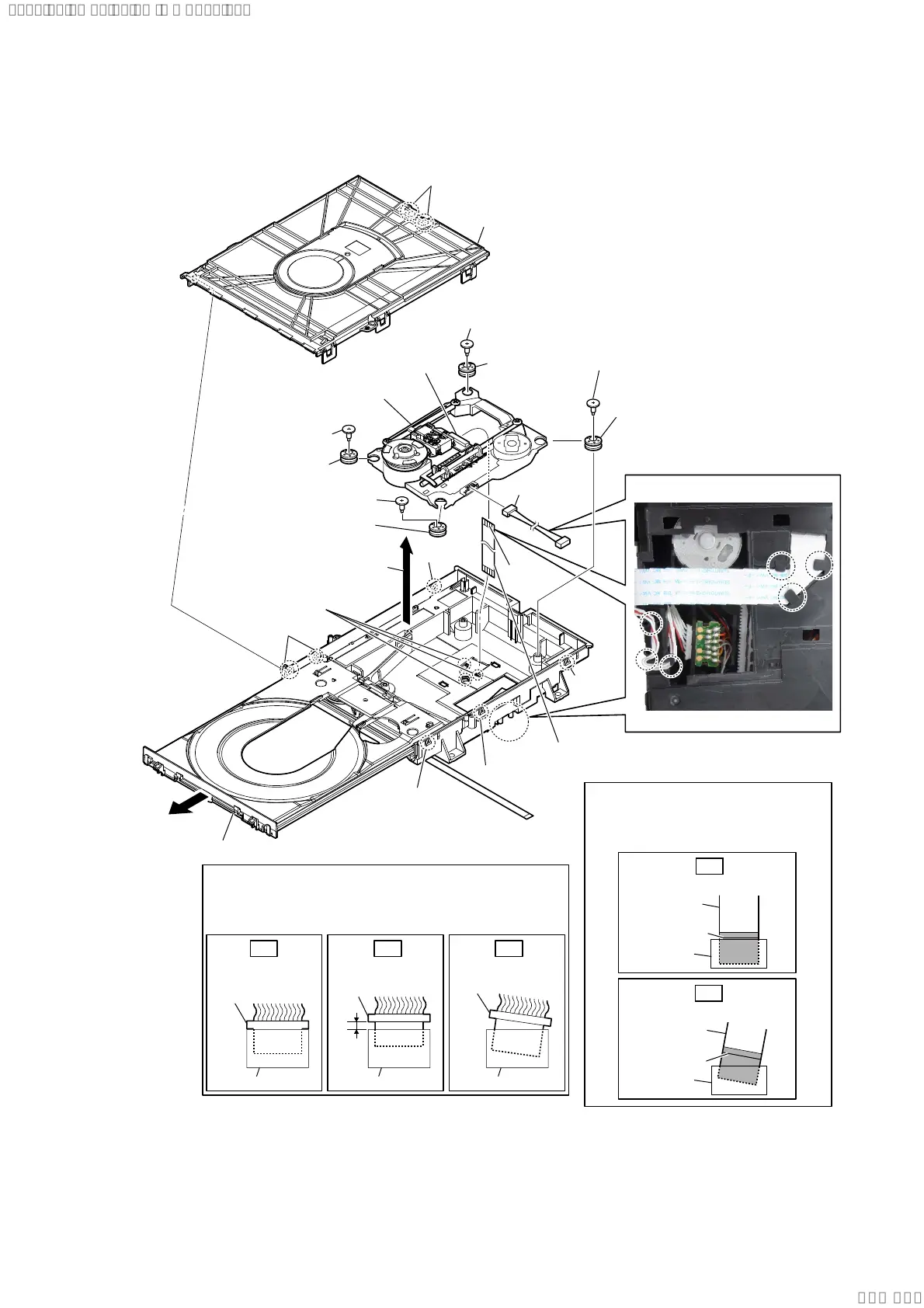
2-26. OPTICAL PICK-UP BLOCK (CMS-S76RFS7G1/S76RFS7GP) (OP1)
5 insulator screw
5 insulator screw
5 insulator screw
5 insulator screw
8 flexible flat cable (24 pin)
(FFC5)
9 connector
7 connector
0 insulator
0 insulator
0 insulator
0 insulator
qa optical pick-up block
(OP1)
6
Remove the
optical pick-up
block
in the direction of the arrow.
4
three claws
WireVHWWLQJ
1
claw
1
claw
1
claw
1
two claws
1
claw
2
chuck holder block
1
two claws
3 Draw out the tray.
–BRWWRPYLHZ–
Insert only part way.Insert straight into
the interior.
connector
Insert at a slant.
connector
connector
connector
connector connector
OK NG NG
+RZWRLQVWDOOWKHFRQQHFWRU
Insert the connector straight into the interior.
There is a possibility that using this unit without
the connector correctly installed will damage it.
colored line
Insert straight into the interior.
flexible flat
cable
connector
OK
colored line
Insert at a slant.
flexible flat
cable
connector
NG
+RZWRLQVWDOOWKHIOH[LEOHIODWFDEOH
When installing the flexible flat cable,
ensure that the colored line is parallel
to the connector after insertion.
terminal
side
SYSSET
2020/02/2722:53:44(GMT+09:00)


 To Next Page