HCD-SX7/SX7B
20
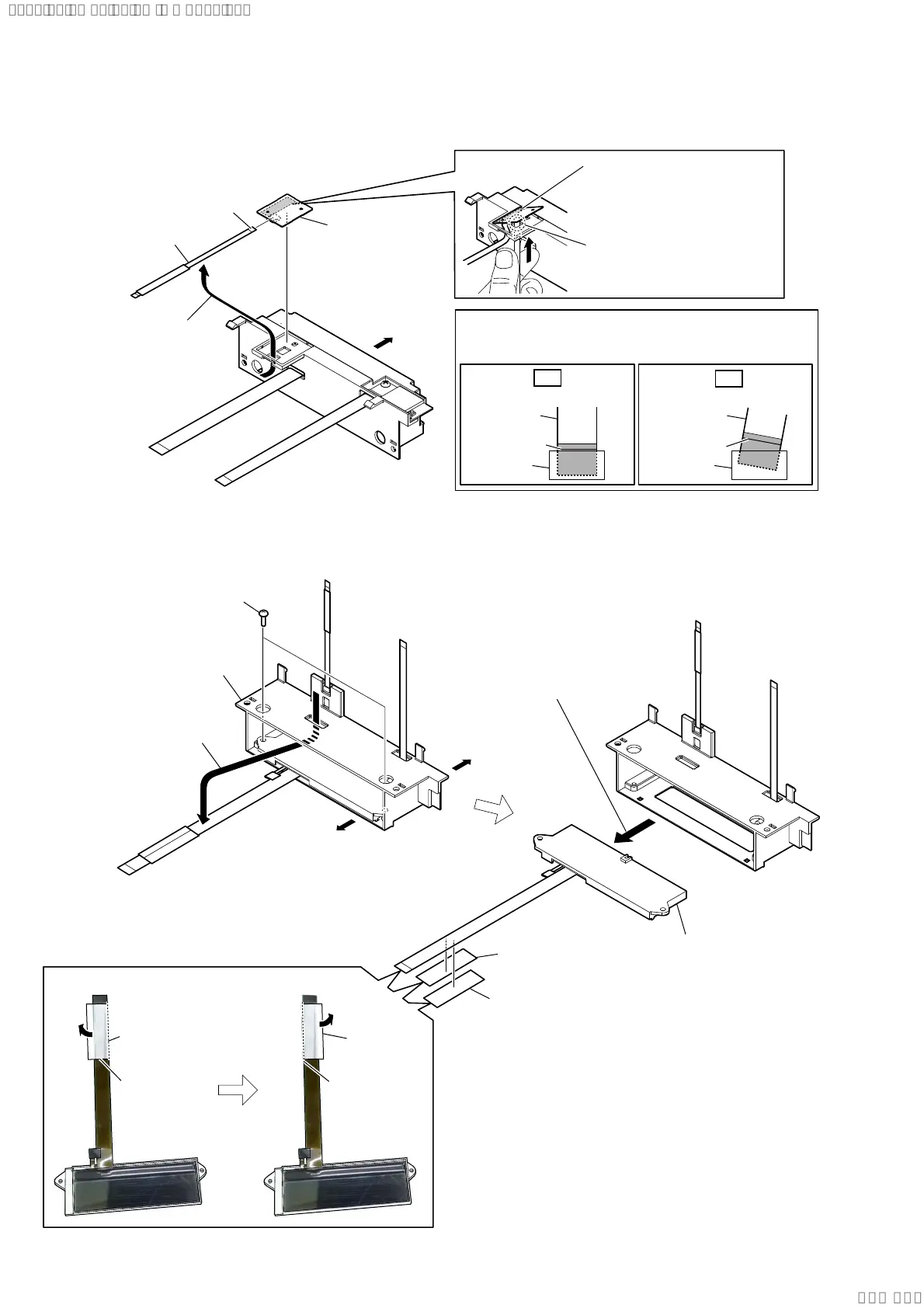
2-11. LCD MODULE (LCD1)
2 two screws
(BTP 2.6 u 6)
1 Draw out the LCD module
flexible printed cable from the
hole.
3 Remove the LCD module block
in the direction of the arrow.
5 filament tape
(sub material)
6 LCD module
(LCD1)
4 filament tape
(sub material)
filament tape
(sub material)
guide line
holder (LCD)
filament tape
(sub material)
guide line
/&'PRGXOHIOH[LEOHSULQWHGFDEOHVHWWLQJ
Top side
Bottom side
2-10. NFC MODULE (NFC1)
1 Insert the stick into the hole of
the holder (LCD), and lift the
NFC module, then peel off
the adhesive sheet (NFC) with
a finger.
4 NFC module
(NFC1)
3 flexible flat cable
(6 pin) (FFC4)
2 Draw out the flexible flat
cable (6 pin) (FFC4)
from the hole.
colored line
Insert straight into the interior.
flexible flat
cable
terminal side
connector
OK
colored line
Insert at a slant.
flexible flat
cable
connector
NG
How to install the flexible flat cable
When installing the flexible flat cable, ensure that
the colored line is parallel to the connector after insertion.
Front side
hole
SYSSET
2020/02/2722:53:44(GMT+09:00)


 To Next Page