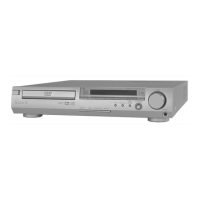
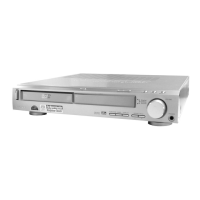
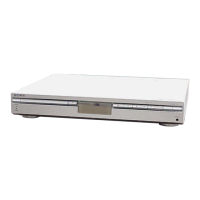
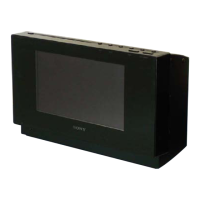
HCD-SX7/SX7B
7
Note of the MAC address change:
The MAC address of this unit was changed along with this repair.
Please set it again if you are using the MAC address fi ltering function
of access point device of connection destination.
MAC address is displayed on the bottom side of this unit.
MAC1: MAC address of wired LAN
MAC2: MAC address of wireless LAN
Note of the MAC address change:
The MAC address of this unit was changed along with this repair.
Please set it again if you are using the MAC address fi ltering function
of access point device of connection destination.
MAC address is displayed on the bottom side of this unit.
MAC1: MAC address of wired LAN
MAC2: MAC address of wireless LAN
Note of the MAC address change:
The MAC address of this unit was changed along with this repair.
Please set it again if you are using the MAC address fi ltering function
of access point device of connection destination.
MAC address is displayed on the bottom side of this unit.
MAC1: MAC address of wired LAN
MAC2: MAC address of wireless LAN
Note of the MAC address change:
The MAC address of this unit was changed along with this repair.
Please set it again if you are using the MAC address fi ltering function
of access point device of connection destination.
MAC address is displayed on the bottom side of this unit.
MAC1: MAC address of wired LAN
MAC2: MAC address of wireless LAN
Note of the MAC address change:
The MAC address of this unit was changed along with this repair.
Please set it again if you are using the MAC address fi ltering function
of access point device of connection destination.
MAC address is displayed on the bottom side of this unit.
MAC1: MAC address of wired LAN
MAC2: MAC address of wireless LAN
Note of the MAC address change:
The MAC address of this unit was changed along with this repair.
Please set it again if you are using the MAC address fi ltering function
of access point device of connection destination.
MAC address is displayed on the bottom side of this unit.
MAC1: MAC address of wired LAN
MAC2: MAC address of wireless LAN
Note of the MAC address change:
The MAC address of this unit was changed along with this repair.
Please set it again if you are using the MAC address fi ltering function
of access point device of connection destination.
MAC address is displayed on the bottom side of this unit.
MAC1: MAC address of wired LAN
MAC2: MAC address of wireless LAN
Note of the MAC address change:
The MAC address of this unit was changed along with this repair.
Please set it again if you are using the MAC address fi ltering function
of access point device of connection destination.
MAC address is displayed on the bottom side of this unit.
MAC1: MAC address of wired LAN
MAC2: MAC address of wireless LAN
Note of the MAC address change:
The MAC address of this unit was changed along with this repair.
Please set it again if you are using the MAC address fi ltering function
of access point device of connection destination.
MAC address is displayed on the bottom side of this unit.
MAC1: MAC address of wired LAN
MAC2: MAC address of wireless LAN
Note of the MAC address change:
The MAC address of this unit was changed along with this repair.
Please set it again if you are using the MAC address fi ltering function
of access point device of connection destination.
MAC address is displayed on the bottom side of this unit.
MAC1: MAC address of wired LAN
MAC2: MAC address of wireless LAN
Note of the MAC address change:
The MAC address of this unit was changed along with this repair.
Please set it again if you are using the MAC address fi ltering function
of access point device of connection destination.
MAC address is displayed on the bottom side of this unit.
MAC1: MAC address of wired LAN
MAC2: MAC address of wireless LAN
Note of the MAC address change:
The MAC address of this unit was changed along with this repair.
Please set it again if you are using the MAC address fi ltering function
of access point device of connection destination.
MAC address is displayed on the bottom side of this unit.
MAC1: MAC address of wired LAN
MAC2: MAC address of wireless LAN
Note of the MAC address change:
The MAC address of this unit was changed along with this repair.
Please set it again if you are using the MAC address fi ltering function
of access point device of connection destination.
MAC address is displayed on the bottom side of this unit.
MAC1: MAC address of wired LAN
MAC2: MAC address of wireless LAN
Note of the MAC address change:
The MAC address of this unit was changed along with this repair.
Please set it again if you are using the MAC address fi ltering function
of access point device of connection destination.
MAC address is displayed on the bottom side of this unit.
MAC1: MAC address of wired LAN
MAC2: MAC address of wireless LAN
Note of the MAC address change:
The MAC address of this unit was changed along with this repair.
Please set it again if you are using the MAC address fi ltering function
of access point device of connection destination.
MAC address is displayed on the bottom side of this unit.
MAC1: MAC address of wired LAN
MAC2: MAC address of wireless LAN
Note of the MAC address change:
The MAC address of this unit was changed along with this repair.
Please set it again if you are using the MAC address fi ltering function
of access point device of connection destination.
MAC address is displayed on the bottom side of this unit.
MAC1: MAC address of wired LAN
MAC2: MAC address of wireless LAN
• Please cut out along the dotted line and use it.
SYSSET
2020/02/2722:53:44(GMT+09:00)



 To Next Page