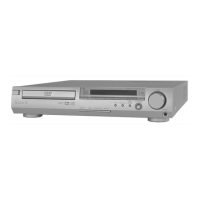
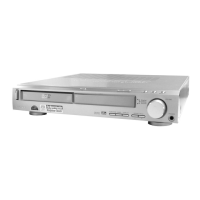
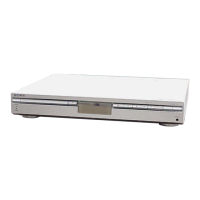
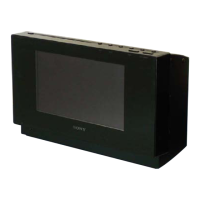
HCD-SX7/SX7B
9
Request of the DLNA re-setup:
The DTCP-IP ID of this unit was changed along with this repair.
When registration of client devices to the DLNA server device is not
automatic, it is necessary to register this unit into a server again.
Please refer to the Help guide “DLNA (Digital Living Network Alli-
ance)” for the re-setup method.
Request of the DLNA re-setup:
The DTCP-IP ID of this unit was changed along with this repair.
When registration of client devices to the DLNA server device is not
automatic, it is necessary to register this unit into a server again.
Please refer to the Help guide “DLNA (Digital Living Network Alli-
ance)” for the re-setup method.
Request of the DLNA re-setup:
The DTCP-IP ID of this unit was changed along with this repair.
When registration of client devices to the DLNA server device is not
automatic, it is necessary to register this unit into a server again.
Please refer to the Help guide “DLNA (Digital Living Network Alli-
ance)” for the re-setup method.
Request of the DLNA re-setup:
The DTCP-IP ID of this unit was changed along with this repair.
When registration of client devices to the DLNA server device is not
automatic, it is necessary to register this unit into a server again.
Please refer to the Help guide “DLNA (Digital Living Network Alli-
ance)” for the re-setup method.
Request of the DLNA re-setup:
The DTCP-IP ID of this unit was changed along with this repair.
When registration of client devices to the DLNA server device is not
automatic, it is necessary to register this unit into a server again.
Please refer to the Help guide “DLNA (Digital Living Network Alli-
ance)” for the re-setup method.
Request of the DLNA re-setup:
The DTCP-IP ID of this unit was changed along with this repair.
When registration of client devices to the DLNA server device is not
automatic, it is necessary to register this unit into a server again.
Please refer to the Help guide “DLNA (Digital Living Network Alli-
ance)” for the re-setup method.
Request of the DLNA re-setup:
The DTCP-IP ID of this unit was changed along with this repair.
When registration of client devices to the DLNA server device is not
automatic, it is necessary to register this unit into a server again.
Please refer to the Help guide “DLNA (Digital Living Network Alli-
ance)” for the re-setup method.
Request of the DLNA re-setup:
The DTCP-IP ID of this unit was changed along with this repair.
When registration of client devices to the DLNA server device is not
automatic, it is necessary to register this unit into a server again.
Please refer to the Help guide “DLNA (Digital Living Network Alli-
ance)” for the re-setup method.
Request of the DLNA re-setup:
The DTCP-IP ID of this unit was changed along with this repair.
When registration of client devices to the DLNA server device is not
automatic, it is necessary to register this unit into a server again.
Please refer to the Help guide “DLNA (Digital Living Network Alli-
ance)” for the re-setup method.
Request of the DLNA re-setup:
The DTCP-IP ID of this unit was changed along with this repair.
When registration of client devices to the DLNA server device is not
automatic, it is necessary to register this unit into a server again.
Please refer to the Help guide “DLNA (Digital Living Network Alli-
ance)” for the re-setup method.
Request of the DLNA re-setup:
The DTCP-IP ID of this unit was changed along with this repair.
When registration of client devices to the DLNA server device is not
automatic, it is necessary to register this unit into a server again.
Please refer to the Help guide “DLNA (Digital Living Network Alli-
ance)” for the re-setup method.
Request of the DLNA re-setup:
The DTCP-IP ID of this unit was changed along with this repair.
When registration of client devices to the DLNA server device is not
automatic, it is necessary to register this unit into a server again.
Please refer to the Help guide “DLNA (Digital Living Network Alli-
ance)” for the re-setup method.
Request of the DLNA re-setup:
The DTCP-IP ID of this unit was changed along with this repair.
When registration of client devices to the DLNA server device is not
automatic, it is necessary to register this unit into a server again.
Please refer to the Help guide “DLNA (Digital Living Network Alli-
ance)” for the re-setup method.
Request of the DLNA re-setup:
The DTCP-IP ID of this unit was changed along with this repair.
When registration of client devices to the DLNA server device is not
automatic, it is necessary to register this unit into a server again.
Please refer to the Help guide “DLNA (Digital Living Network Alli-
ance)” for the re-setup method.
Request of the DLNA re-setup:
The DTCP-IP ID of this unit was changed along with this repair.
When registration of client devices to the DLNA server device is not
automatic, it is necessary to register this unit into a server again.
Please refer to the Help guide “DLNA (Digital Living Network Alli-
ance)” for the re-setup method.
Request of the DLNA re-setup:
The DTCP-IP ID of this unit was changed along with this repair.
When registration of client devices to the DLNA server device is not
automatic, it is necessary to register this unit into a server again.
Please refer to the Help guide “DLNA (Digital Living Network Alli-
ance)” for the re-setup method.
Request of the DLNA re-setup:
The DTCP-IP ID of this unit was changed along with this repair.
When registration of client devices to the DLNA server device is not
automatic, it is necessary to register this unit into a server again.
Please refer to the Help guide “DLNA (Digital Living Network Alli-
ance)” for the re-setup method.
Request of the DLNA re-setup:
The DTCP-IP ID of this unit was changed along with this repair.
When registration of client devices to the DLNA server device is not
automatic, it is necessary to register this unit into a server again.
Please refer to the Help guide “DLNA (Digital Living Network Alli-
ance)” for the re-setup method.
• Please cut out along the dotted line and use it.
SYSSET
2020/02/2722:53:44(GMT+09:00)



 To Next Page