2-5 (E)
HDC-P1
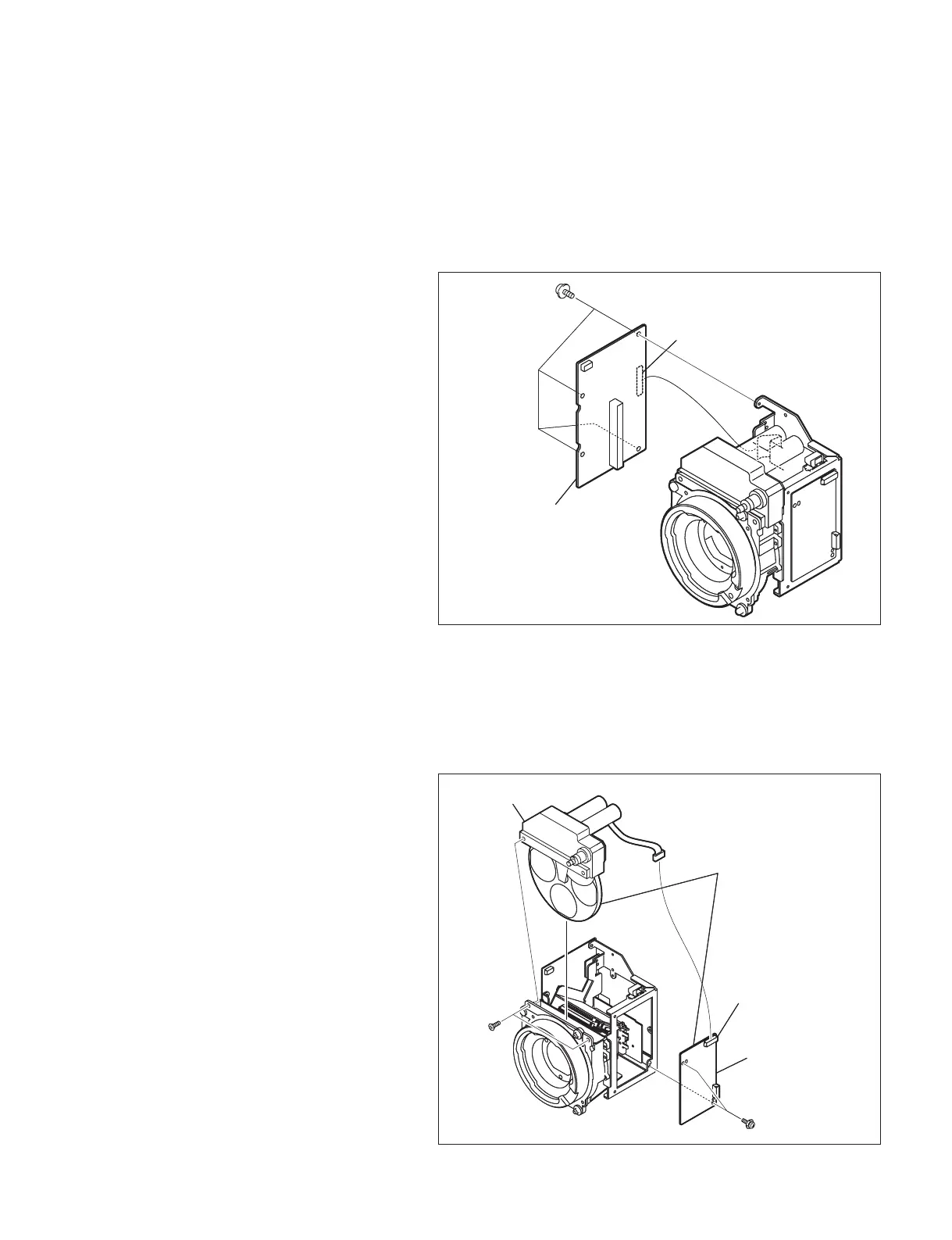
2-2-4. TG-265PT Board
1. Remove the side panel (L) assembly and the
side panel (R) assembly.
(Refer to Section 1-5.)
2. Remove the CCD unit. (Refer to Section 2-1.)
3. Disconnect the fl exible card wire from the
connector (CN2) on the TG-265PT board.
4. Remove the four screws to remove the TG-
265PT board.
5. Install a new TG-265PT board by reversing
the steps above.
2-2-5. Filter Servo Board (FD Unit)
When replacing the fi lter servo board, replace the
FD (fi lter disk) unit with the fi lter servo board
contained.
1. Remove the side panel (L) assembly and the
side panel (R) assembly.
(Refer to Section 1-5.)
2. Remove the CCD unit. (Refer to Section 2-1.)
3. Disconnect the harness from the connector
(J2) on the fi lter servo board.
4. Remove the two screws (K3 x 4) to remove
the fi lter disk.
5. Remove the two screws (PSW2 x 5) to
remove the fi lter servo board.
6. Install a new fi lter servo board by reversing
the steps above.
PSW2 x 5
TG-265PT board
CN2
PSW2 x 5
TG-265PT board
CN2
Filter servo board
Filter disk
J2
FD unit
PSW2 x 5
K3 x 4
Filter servo board
Filter disk
J2
FD unit
PSW2 x 5
K3 x 4


 To Next Page