1-1 (E)
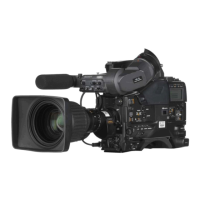
HDC-P1
Section 1
Service Overview
1-1. Checking before Installation
1-1-1. Checking the ROM and Software Version
When connecting peripheral devices shown in the following table to this unit, check the versions of the
ROMs and software programs installed in the devices.
If the versions are not those shown in the following table, relevant ROMs must be replaced and relevant
software programs must be upgraded.
When you need ROM replacement and/or software version upgrade, contact your local Sony Sales Offi ce/
Service Center.
ROM
Peripheral equipment Board name Ref No Rom version
MSU-700A/750 CPU-293/CPU-286 IC5, IC6/IC5, IC6 Ver. 1.30 or higher
CNU-700 AT-89 or AT-89A IC4, IC5 Ver. 3.40 or higher
CNU-500 AT-100 IC4, IC5 Ver. 3.00 or higher
RCP-720/721 MPU-79 IC10 Ver. 3.00 or higher
RCP-730/731 MPU-79 IC10 Ver. 3.00 or higher
RCP-740/741 MPU-79 IC10 Ver. 3.00 or higher
RCP-700/701 MPU-92 IC6 Ver. 2.73 or higher
RM-B150 CPU-266 IC4 Ver. 1.21 or higher
Software
Peripheral equipment Board name Software version
RCP-750/751 MPU-123 Ver. 1.40 or higher
RCP-920/921 MPU-143 Ver. 1.11 or higher
RM-B750 MPU-124 Ver. 1.20 or higher
MSU-900/950 CPU-396 Ver. 1.21 or higher



 To Next Page