3-21 (E)
HDC-P1
A
3-4-6. Auto-iris Adjustment
Equipment: Waveform monitor (R, G, B)
Test Point: SDI 1 and SDI 2 connectors
Object: Grayscale chart
Preparations
. Setting for MSU-900
AUTO button (Iris control block) → ON (lit)
KNEE OFF button → OFF (lit)
. Shoot the grayscale chart so that the chart frame is aligned with the underscanned monitor frame.
Adjustment Procedure
1. Perform the automatic white balance adjustment.
WHITE button/MSU-900 → ON (lit)
2. Adjust the APL ratio.
MSU menu operation:
. MAINTENANCE button → ON (lit)
. Touch panel operation
[Lens|Adjusting] → [Auto|Iris]
Adjustment item: APL Ratio
Specifi cation: Set the auto-iris operation
mode as required. (It can be set
between the average and the
peak value of video signal.)
99 → average
_99 → peak value
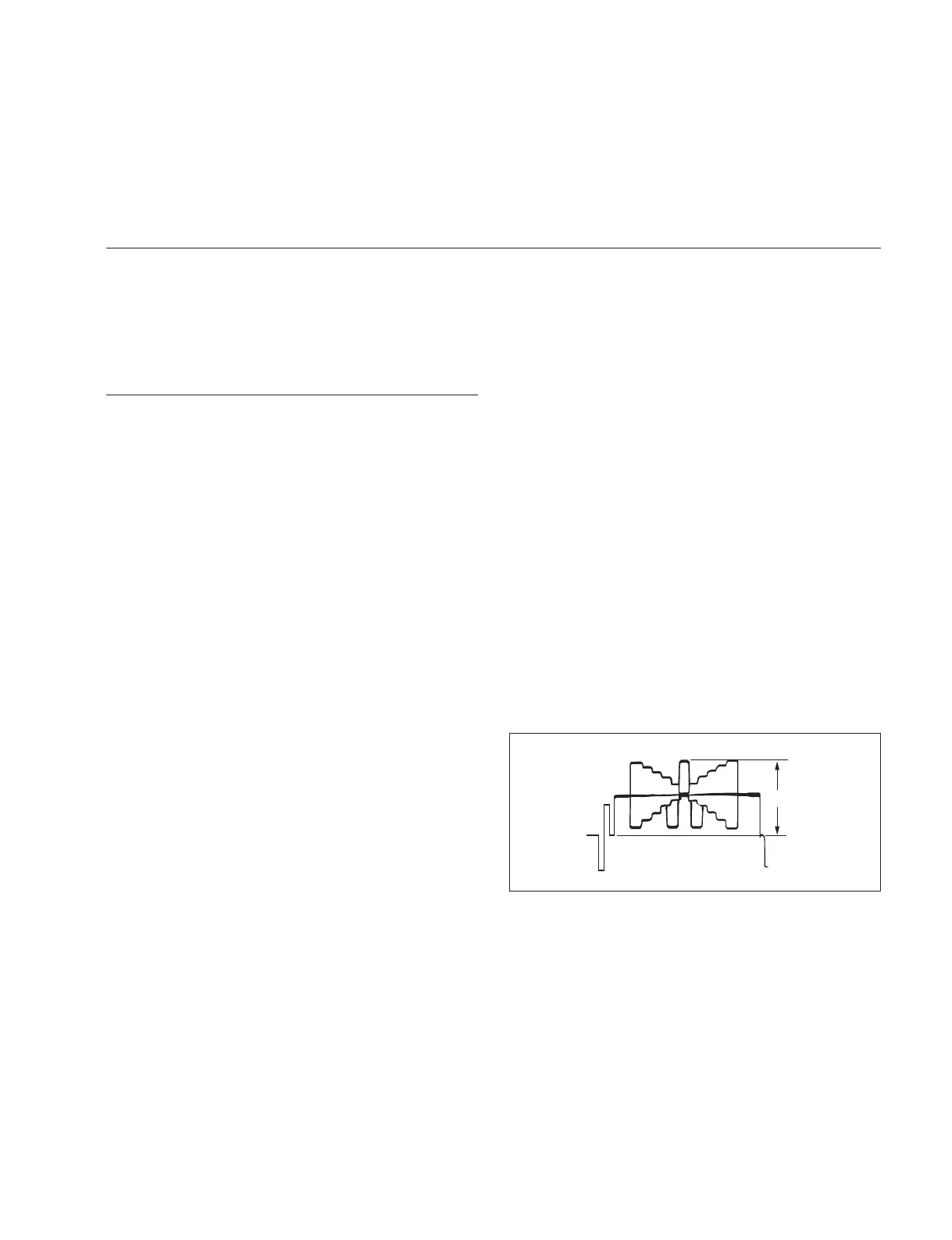
3. Adjust the auto-iris level.
MSU menu operation:
Adjustment item: Level
Specifi cation: A = 700 ?7 mV



 To Next Page