37
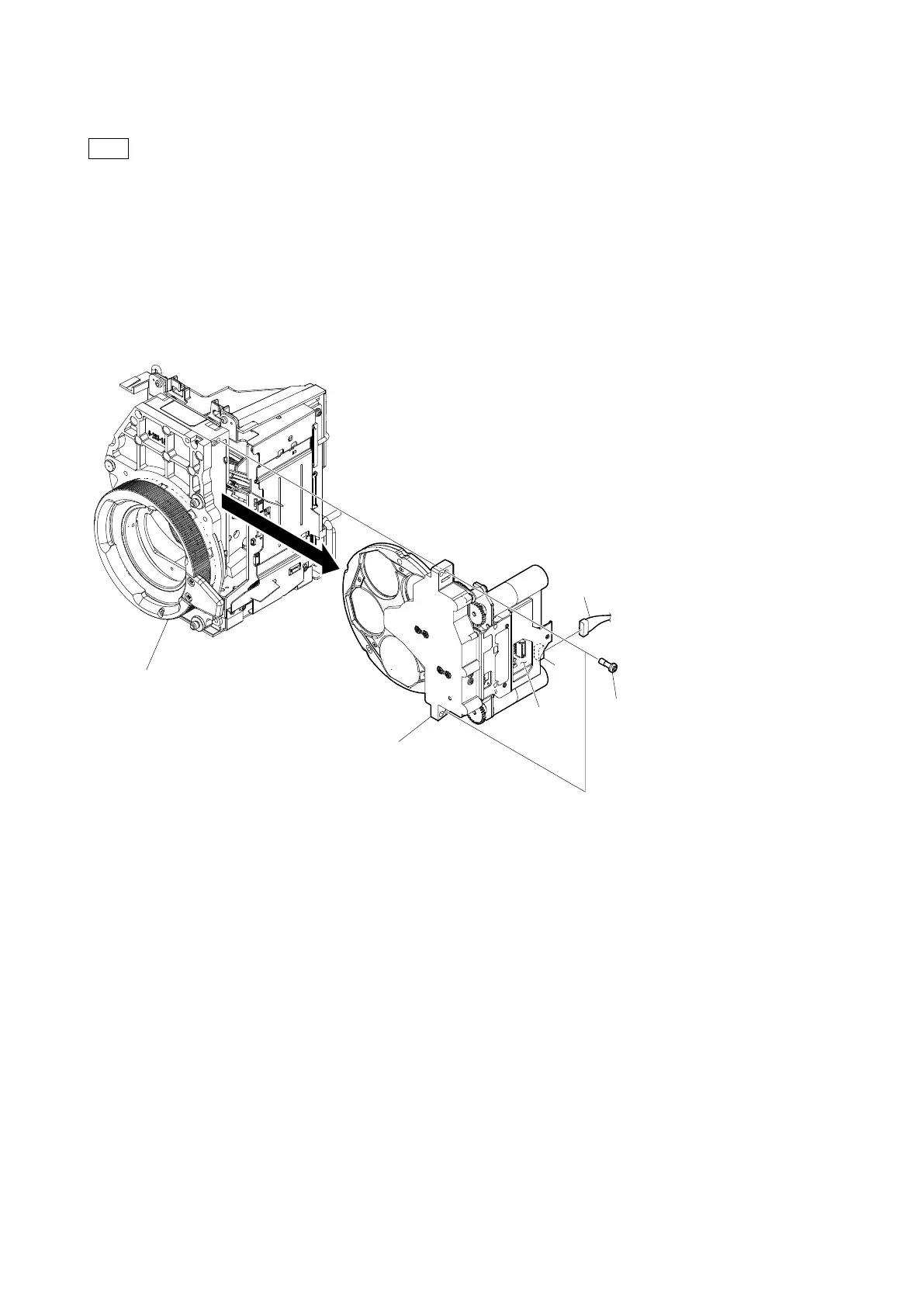
4-9. FD Assembly (HDC-P50)
When removing the FD assembly, be careful that the dust does not enter inside of the prism block.
If possible, work in the clean area.
Preparation
1. Remove the inside assembly. (Refer to "4-5. Inside Assembly")
Procedure
1. Disconnect the harness from the connector (CN2) on the DR-697 board.
2. Remove the two screws supplied with the FD assembly, and then remove the FD assembly.
3. Install the removed parts by reversing the steps of removal.
CMOS block assembly
FD assembly
Harness
Screws supplied with the
FD assembly
(Tightening torque: 0.53 N・m)
CN2
DR-697 board



 To Next Page