73
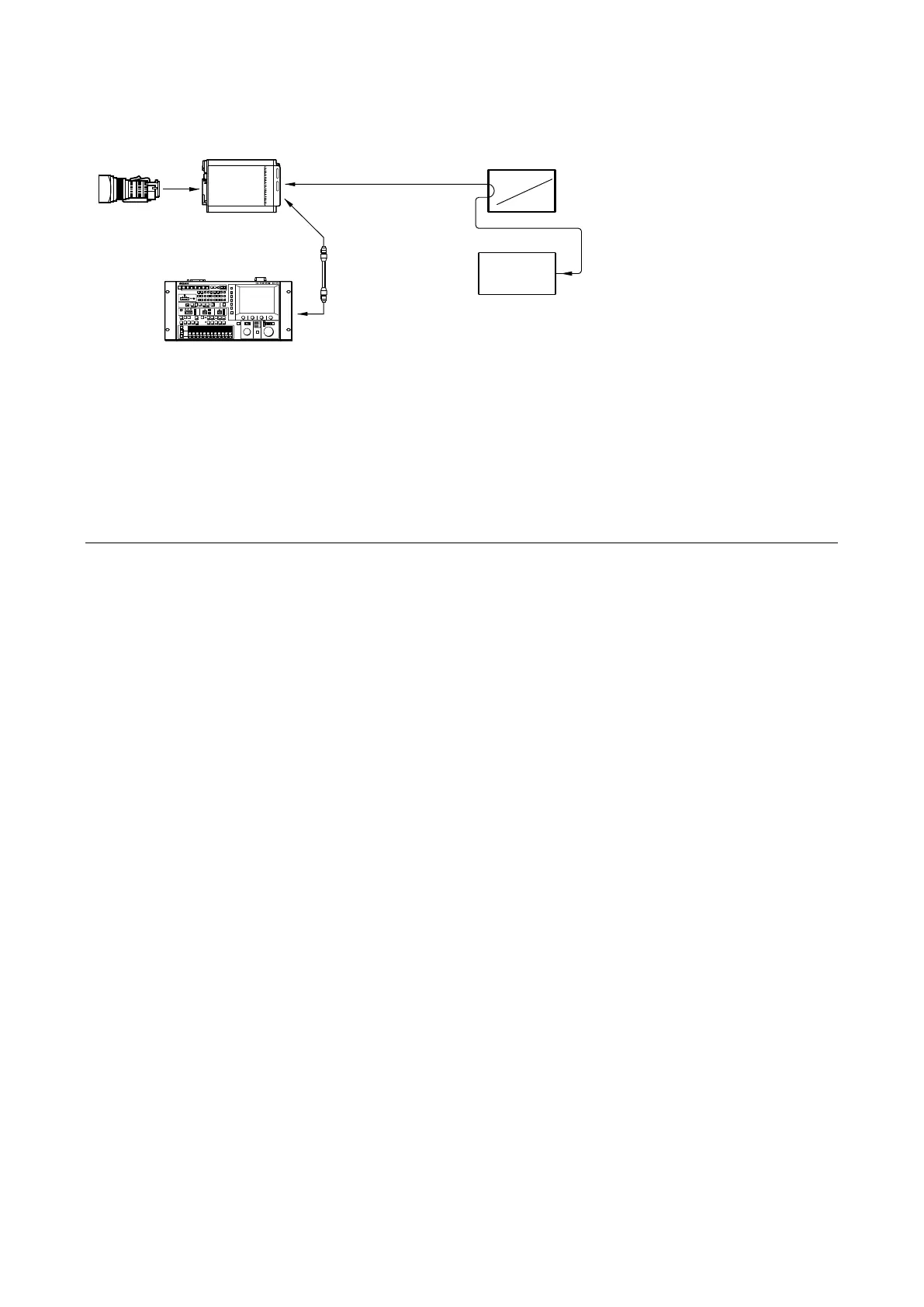
5-1-5. Connection of Equipment
5-1-6. Initial Settings
There are following Initial Settings.
• Set using the MSU.
• Set using setup menu and switches of the camera.
Before starting “5-2. Automatic Adjustment” or later, perform the initial setting.
When adjusting with the MSU
Set each button on the MSU as follows.
• Power supply and signal switching block
- ALL button → OFF (unlit)
- CAM PW button → ON(lit)
- VF PW button → OFF (unlit)
- TEST 1 button → OFF (unlit)
- TEST 2 button → OFF (unlit)
- BARS button → OFF (unlit)
- CLOSE button → ON(lit)
• Camera/CCU circuit ON/OFF block
- KNEE OFF button → OFF(lit)
- DETAIL OFF button → OFF(lit)
- MATRIX OFF button → OFF(lit)
- AUTO KNEE button → OFF (unlit)
- SKIN DETAIL button → OFF (unlit)
• Others
- GAMMA OFF button → ON (unlit)
- MASTER GAIN → 0 (0 dB)
- FILTER button (ND) → 1 (CLEAR)
- FILTER button (CC) →B (3200K)
- ON button (shutter control block) → OFF (unlit)
Lens
(for ENG/EFP)
Multi purpose camera
HDC-P50/P31
CCA-5 cable
(max. 200 m)
SDI MONI
Waveform monitor
HD Color monitor
Master setup unit
MSU-1000/1500/3000/3500
A-ch
Y, Pb, Pr
R, G, B



 To Next Page