86
5-4-4. Level Dependent Adjustment
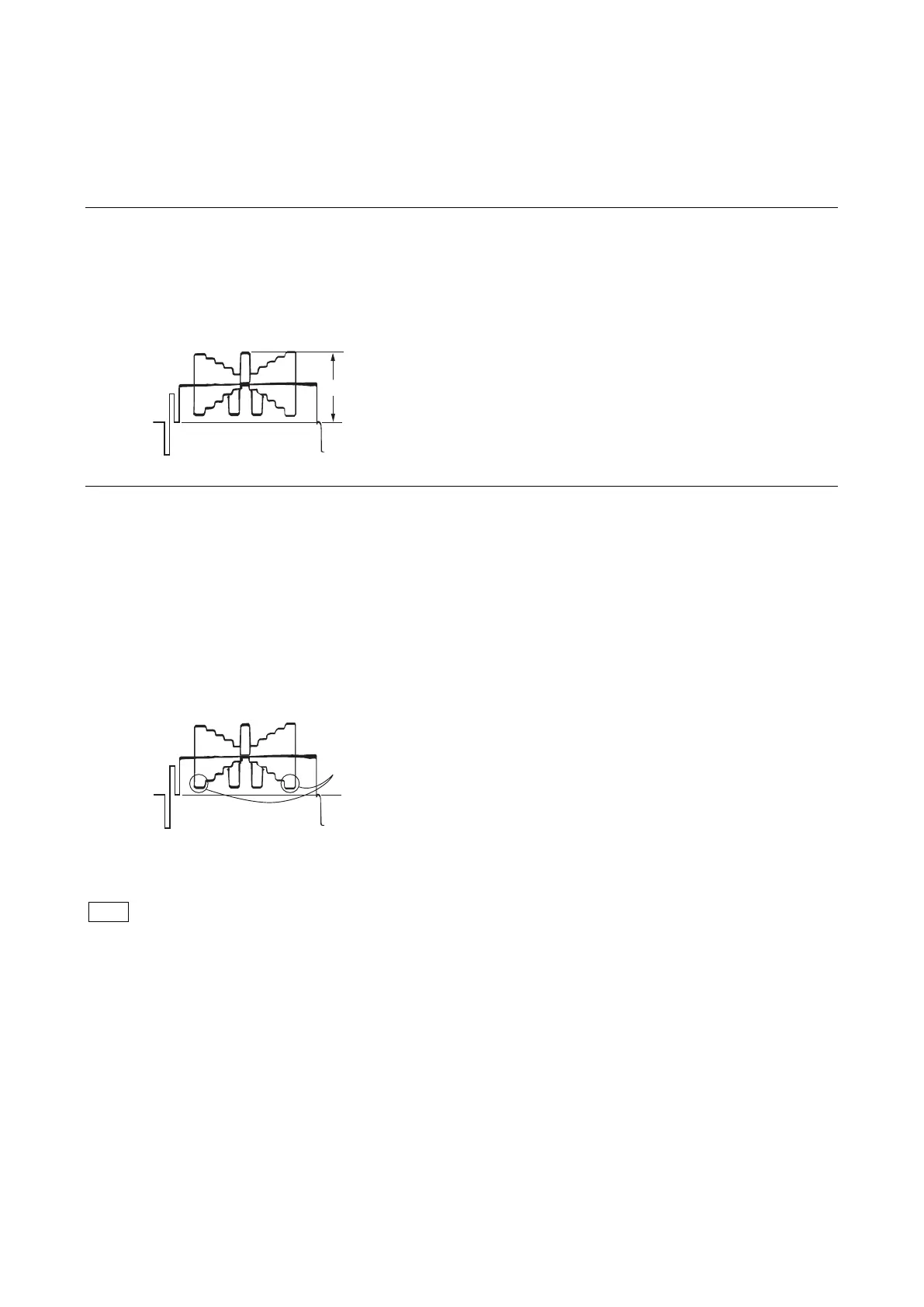
Equipment: Waveform monitor (R, G, B)
Test Point: SDI 1 connector
Object: Grayscale chart
Preparation
• Setting for the MSU
DETAIL OFF button → ON (unlit)
• Shoot the grayscale chart so that it is aligned with the under scanned monitor frame.
• Lens iris: F4 to F5.6
• A = 600 ±20 mV
If the lens aperture is greater than F5.6, adjust the light amount with the shutter.
Procedure
1. Operate the control panel of MSU, and set as follows.
(1) PAINT button → ON (lit)
(2) Touch panel operation: (Page 1) → [Detail] → [1/3]
Setting:
• Level Dep OFF → OFF
(3) Set adjustment item [Level Dep] to “–99”.
2. Adjust the level dependent.
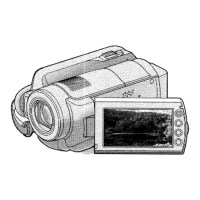
• Adjustment item: [Level Dep]
(1) Turn the adjustment knob of MSU to plus direction slowly.
(2) Stop the adjustment knob of MSU at the point where the edge of B portion on the waveform just decreases. Or adjust to the
desired level.
3. Store the reference file.
(Refer to “5-4-12. File Store”.)
After adjustment is completed, be sure to perform “5-4-1. H/V Ratio Adjustment”.



 To Next Page