19
Mounting procedure
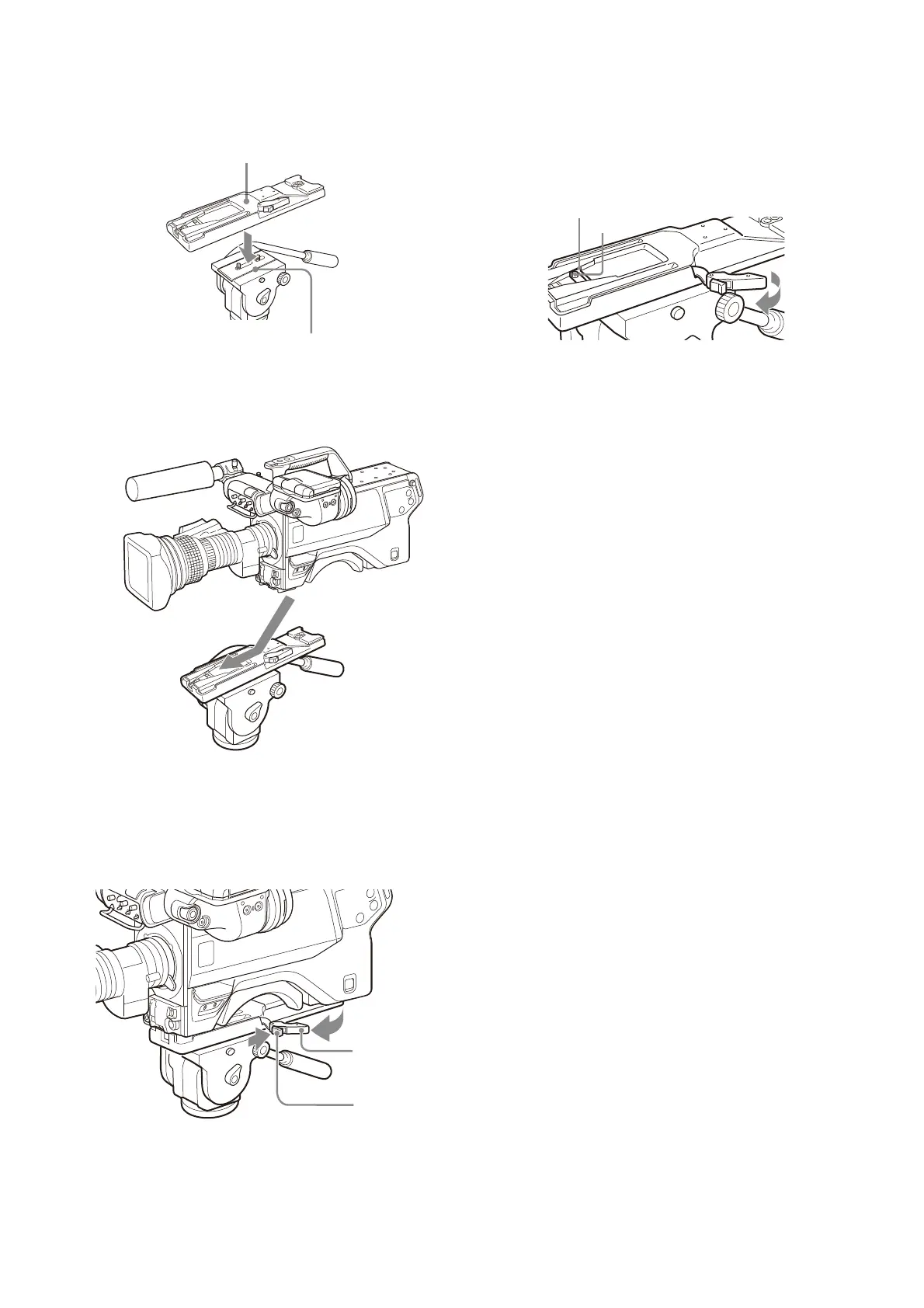
1 Attach the tripod attachment to the tripod and
secure it with the screw.
2 Place the camera on the tripod attachment, and slide
forward it along the groove of the tripod attachment
until it clicks.
3 Make sure that the camera is securely attached by
moving it back and forth.
To remove the camera from the tripod attachment
Hold down the red button and pull the lever in the direction
of the arrow.
If the pin of the tripod attachment does not return
to its original position
After removing the camera, if the pin of the tripod
attachment does not return to its original position, hold
down the red button and move the lever in the direction of
the arrow to return the pin to its original position. It is not
possible to mount a camera with the pin not seated.
Tripod attachment
Platform of the tripod



 To Next Page