29
Menu Operations
The menus displayed on the viewfinder screen enable
various settings of the camera.
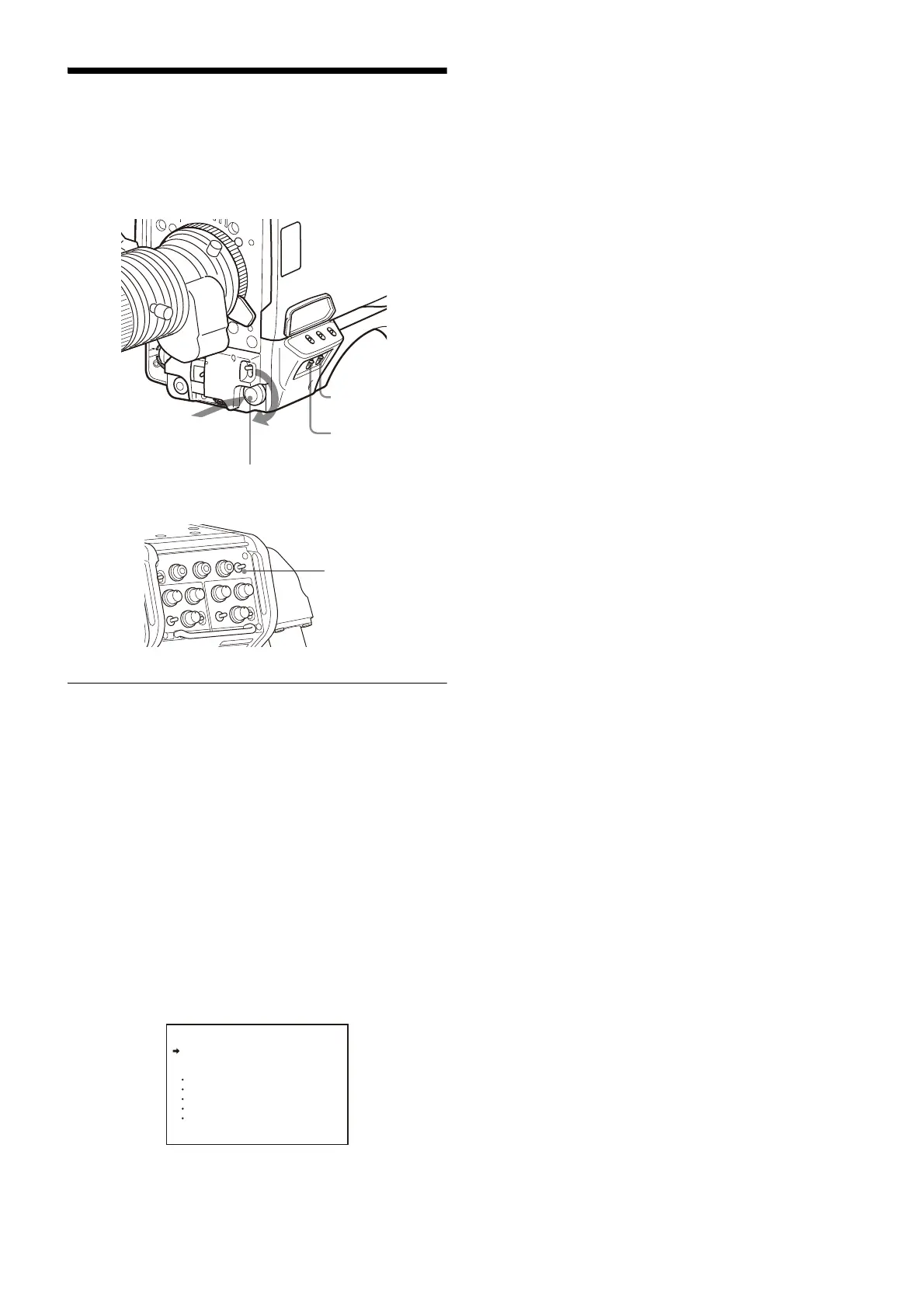
The following controls are used to operate the menus.
Starting Menu Operations
To display a menu page
Set the DISPLAY switch from OFF to MENU.
You can also display the menu by setting the DISP/MENU
switch on the rear side to MENU.
The menu page that last operated will be displayed. (If it is
the first time, the CONTENTS page of the OPERATION menu
will be displayed.)
To display the TOP MENU screen
If you set the DISPLAY switch from OFF to MENU while
holding the MENU SEL knob/ENTER button pressed, “TOP”
is displayed at the upper right corner of the screen.
Selecting it displays the TOP MENU screen, which lists the
available menus, and you can select the menus on this
screen.
TOP MENU screen
To disable the “TOP” indication
Turn the power once off then on again, or set the DISPLAY
switch from OFF to MENU while holding the STATUS/
CANCEL switch pressed toward CANCEL. This disables the
TOP selection.
Available menus
USER menu
This menu can include menu pages selected from among
the OPERATION, PAINT, MAINTENANCE, FILE, and
DIAGNOSIS menus, for convenience. Changing, adding,
and deleting pages can be performed with the USER MENU
CUSTOMIZE menu.
USER MENU CUSTOMIZE menu
This menu allows you to edit the USER menu.
For details on the USER menu, see “Editing the USER Menu”
on page 31.
ALL menu
This menu permits you to control all items of the
OPERATION menu, PAINT menu, MAINTENANCE menu, FILE
menu, and DIAGNOSIS menu as a single menu.
OPERATION menu
This menu contains items for camera operators to operate
the camera. It mainly permits viewfinder, intercom, and
switch settings.
PAINT menu
This menu contains items for making detailed image
adjustments while using a waveform monitor to monitor
the waveforms output from the camera. Support of a video
engineer is usually required to use this menu.
Although you can also use an external remote control panel
or master setup unit to set the items on this menu, the
menu is effective when using the camera by itself outdoors.
MAINTENANCE menu
This menu contains items for performing camera
maintenance operations, such as changing the system or
setting infrequently used “paint” items.
FILE menu
This menu is for performing file operations, such as writing
or clearing the reference file.
DIAGNOSIS menu
This menu enables you to confirm the self-diagnostic
information.
To select a menu on the TOP MENU screen
1 Rotate the MENU SEL knob/ENTER button to align the
arrow marker (
,) with the desired menu indication.
2 Push on the MENU SEL knob/ENTER button.
The CONTENTS page or the last operated page of the
selected menu is displayed.
DISPLAY switch
STATUS/CANCEL
switch
MENU SEL knob/ENTER button
Push on
Rotate
<TOP MENU>
USER
USER MENU CUSTOMIZE
ALL
OPERATION
PAINT
MAINTENANCE
FILE
DIAGNOSIS



 To Next Page