– 16 –
KLV-19T400A,T400G,T400W
RM-GA013
5-4-2. Resetting the User Menu- Factory Reset
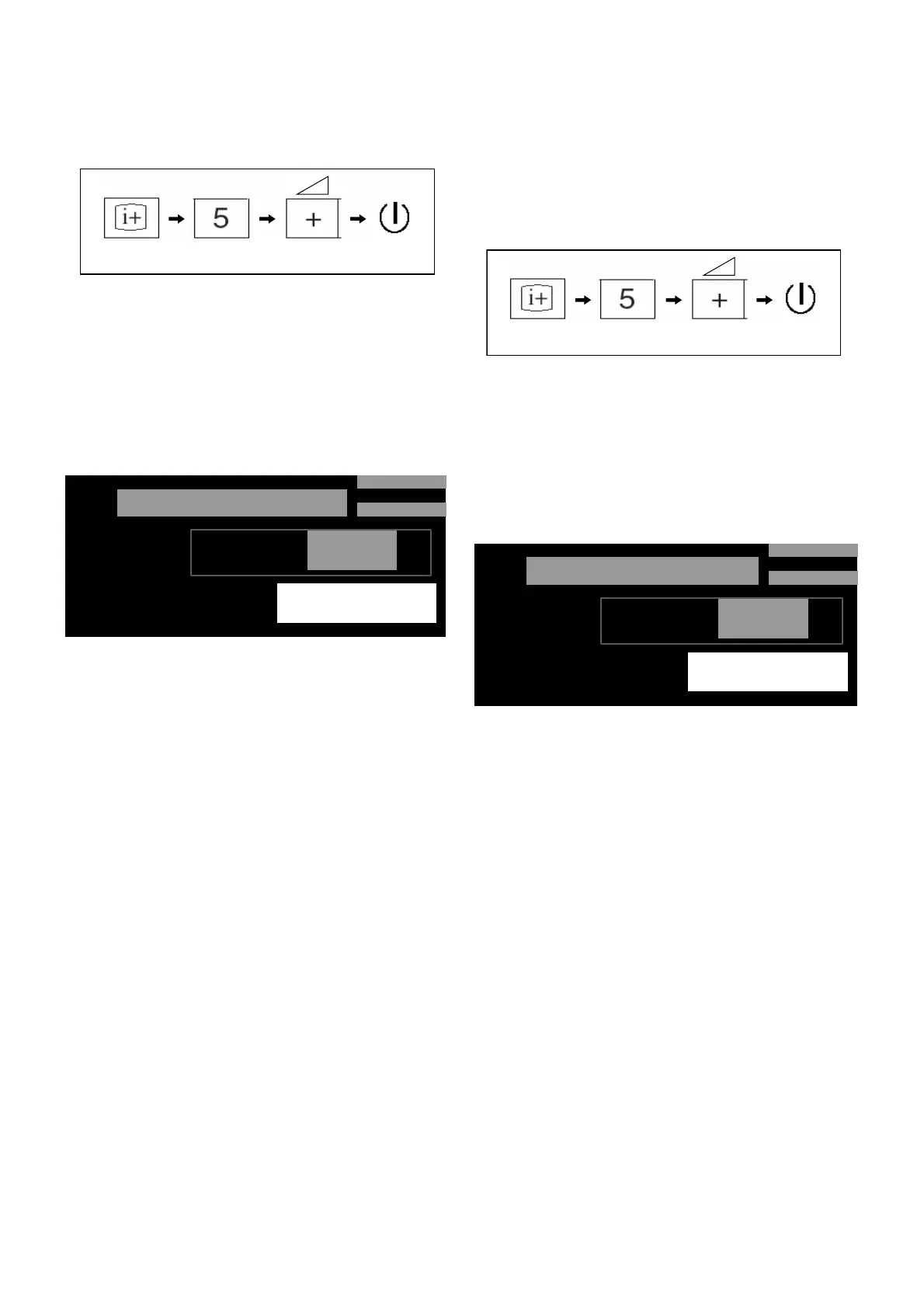
1. While TV on standby mode, press the following sequence
on the Remote commander.
2. Select SERVICE with 2 or 5 On the Remote
Commander.
3. Select AUTO SET FACTORY with 1 or 4 On the Remote
Commander.
4. Select data value with 3 or 6 On the Remote
Commander to 0 to current condition. Refer to
Service Items (Table 1) page 17
5. Press <I/1> to exit.
On screen
display
Channel 5 Volume (+)
POWER
Example on screen display:
5-4-3. White Balance Adjustment
Test Pattern:
a) Connect video signal of white to video input
b) Restort to original value : Color temp=0,
Picture=Max,Brightness=50,Backlight=max
1. While TV on standby mode, press the following sequence
on the Remote commander.
2. Select WB with 2 or 5 On the Remote Commander.
3. Select WPR_C with 1 or 4 On the Remote Commander.
4. Select data value with 3 or 6 On the Remote
Commander.
5. Press <I/1> to exit.
Note: Refer to Service Items (Table 1) page 17 for other item
and data value.
On screen
display
Channel 5 Volume (+)
POWER
Example on screen display:
PROGRAM: Show the Application versio
GTV: Show the GTV Library version
NVM: Show the NVM version in the NVM data
(4bytes ASCII data)
T V
0 0 0
0 0 0
L O C T O P
S E R V I C E
S E R V I C E
A U T O G S E T F A C T O R Y
P R O G R A M :
G T V :
N V M :
T M 0 . 0 7 0
M R 1 . 0 . 2
T D 0 . 1 0 0
0
PROGRAM: Show the Application versio
GTV: Show the GTV Library version
NVM: Show the NVM version in the NVM data
(4bytes ASCII data)
T V
0 0 0
0 0 0
L O C T O P
W B
W P R _ C
P R O G R A M :
G T V :
N V M :
S E R V I C E
T M 0 . 0 7 0
M R 1 . 0 . 2
T D 0 . 1 0 0
2 5 5


 To Next Page