14
GB
KLV-32/26/19T400A/26/19T400G/19T400W
4-000-037-11(1)
Overview of the remote
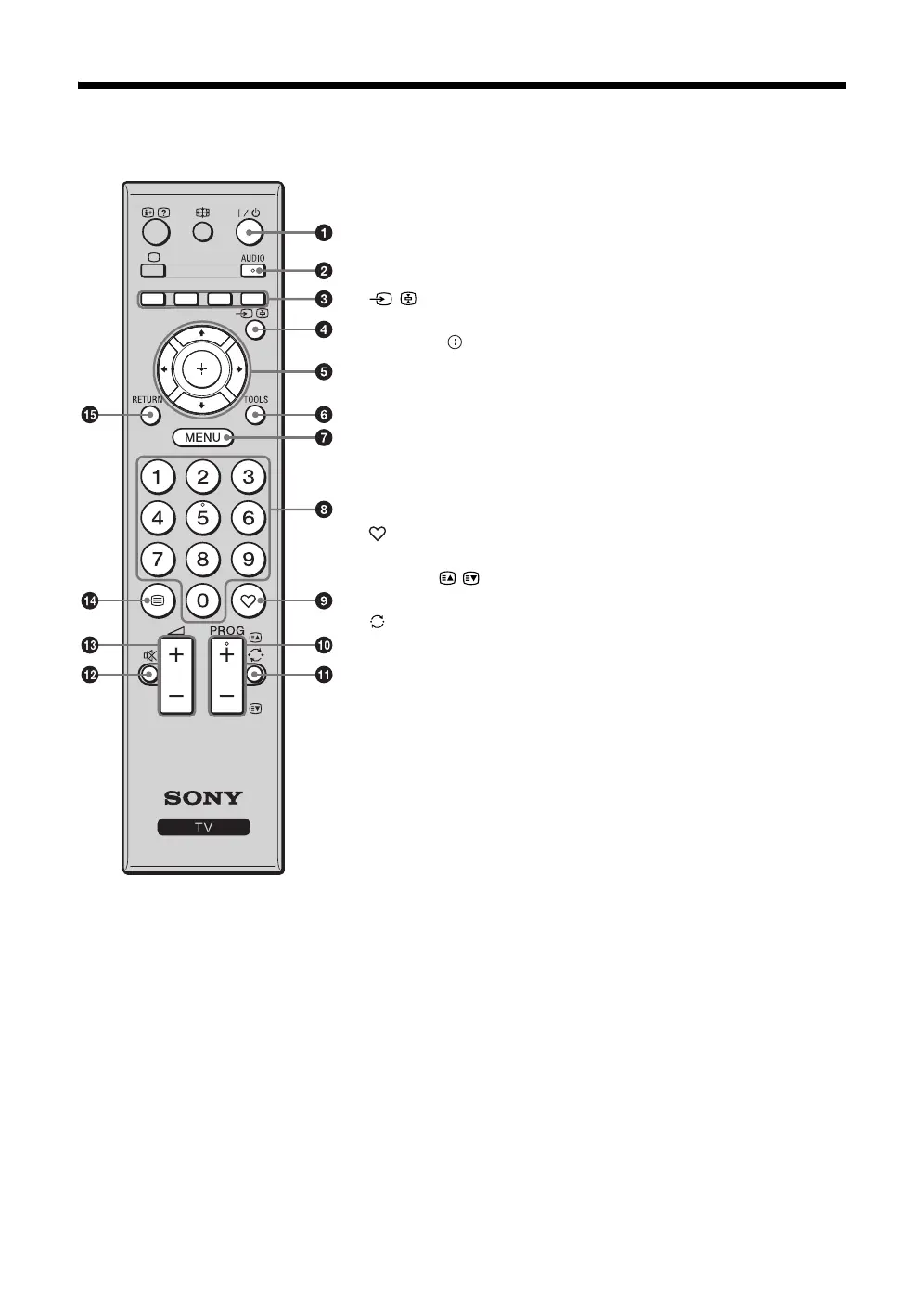
1 "/1 – TV standby
Turns the TV on and off from standby mode.
2 AUDIO – Dual Sound (page 25)
3 Coloured buttons
These buttons have no function for this TV.
4 / – Input select
Displays the connected equipment list and selects the input source (page 19).
5 F/f/G/g/ – Item select / OK
• Selects or adjusts items.
• Confirms selected items.
6 TOOLS (page 16)
7 MENU
Displays or cancels the menu.
8 Number buttons
Selects channels. For channel numbers 10 and above, enter the next digit
quickly (page 29).
9 – Favourite list
This button has no function for this TV.
q; PROG +/–/ /
Selects the next (+) or previous (-) channel.
qa – Previous channel
Returns to the previous channel watched (for more than five seconds).
qs % – Mute
Press to mute the sound. Press again to restore the sound.
z • In standby mode, if you want to turn on the TV without sound, press this
button.
qd 2 +/– – Volume
Adjusts volume.
qf / – Text
This button has no function for this TV.
qg RETURN
Returns to the previous screen of any displayed menu.
• The number 5, PROG + and
AUDIO buttons have tactile dots.
Use the tactile dots as references
when operating the TV.
010COV.book Page 14 Thursday, June 19, 2008 11:21 AM


 To Next Page