6
GB
KLV-32/26/19T400A/26/19T400G/19T400W
4-000-037-11(1)
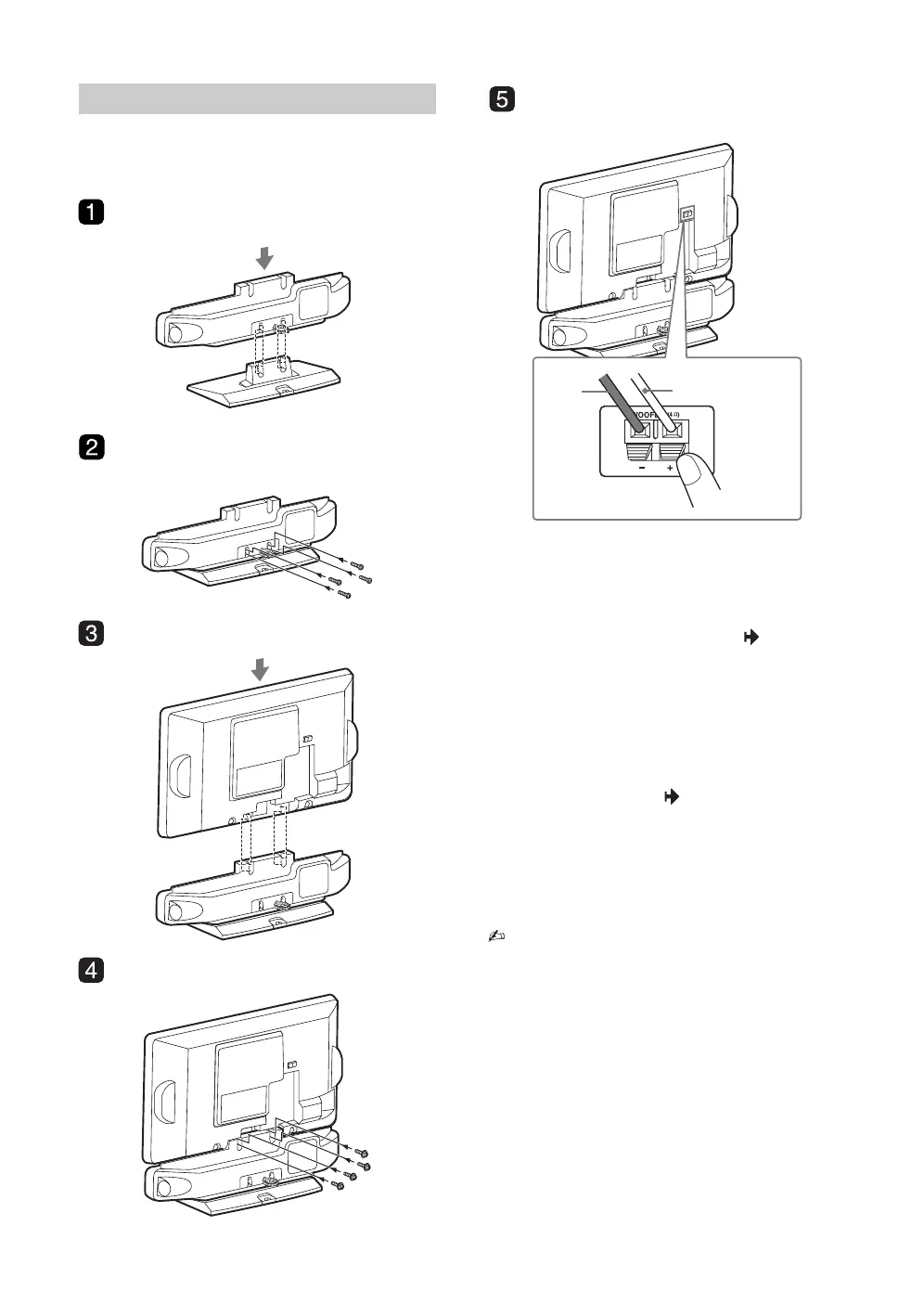
You can enjoy high quality sound by attaching the 3D
WOOFER as follows:
B KLV-19T400W
1 Place the 3D WOOFER onto the stand by
aligning the screw hole alignment lines
over the stand as shown.
2 Fix the 3D WOOFER to the stand
according to the arrow marks that guide
the screw holes using the supplied screws
(+BVTP2 4x16).
3 Place the TV onto the 3D WOOFER by
aligning the screw hole alignment lines
over the 3D WOOFER as shown.
4 Fix the TV to the 3D WOOFER according
to the arrow marks that guide the screw
holes using the supplied screws (+PSW
M5x16).
5 Connect using only the supplied 3D
WOOFER; otherwise your TV may
malfunction.
• If using an electric screwdriver, set the tightening
torque at approximately 1.2N·m (12kgf·cm) when
attaching the stand. However, set the tightening
torque at approximately 1.5N·m (15kgf·cm) when
attaching the TV to the 3D WOOFER.
• Ensure the AC power cord is away from screw
holes during stand installation to avoid damage to
the AC power cord.
Attaching the 3D WOOFER and stand
Black
wire
Red wire
010COV.book Page 6 Thursday, June 19, 2008 11:21 AM


 To Next Page