5
GB
Start-up Guide
KLV-32/26/19T400A/26/19T400G/19T400W
4-000-037-11(1)
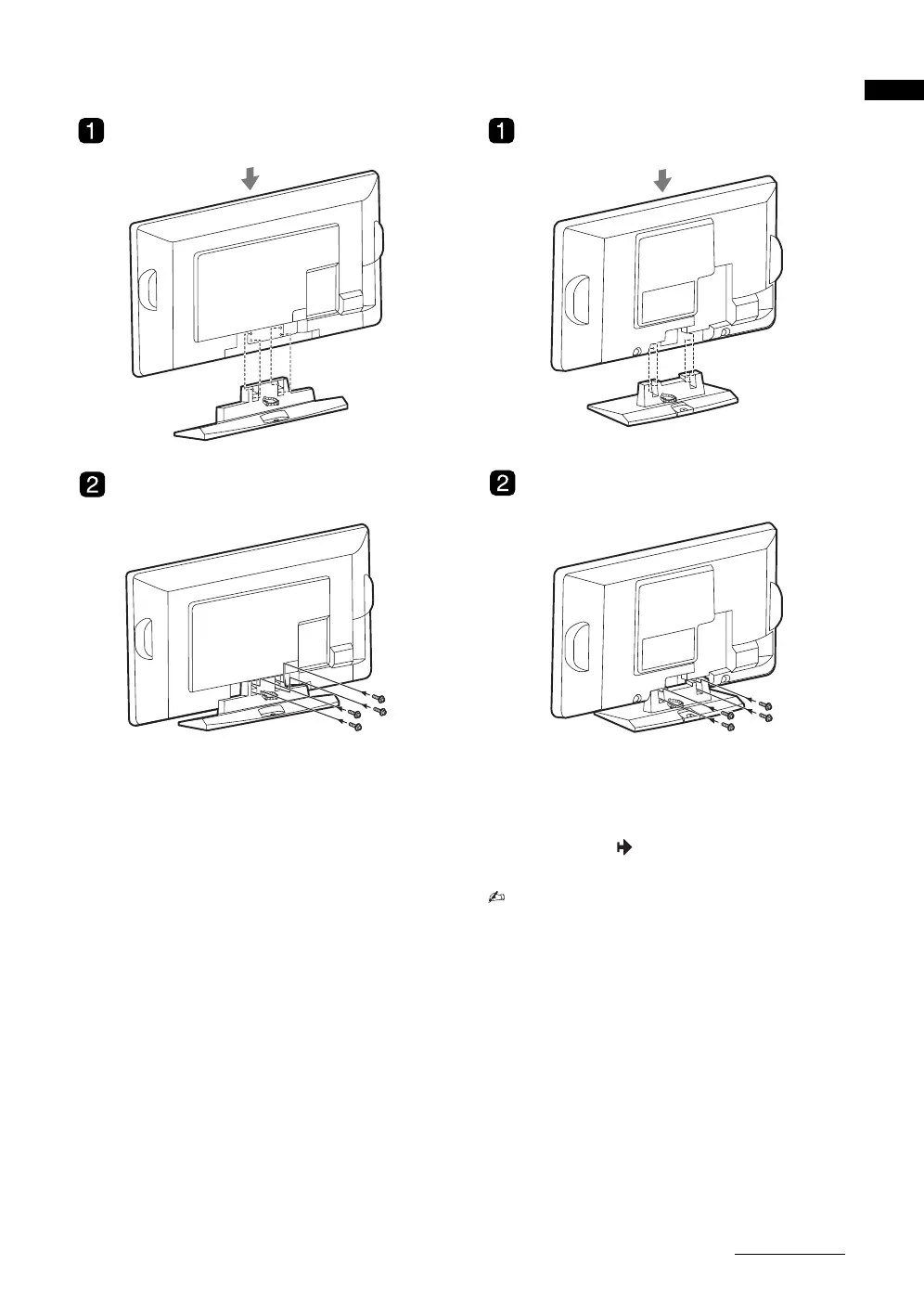
B KLV-26T400A/26T400G B KLV-19T400A/19T400G
1 Place the TV onto the stand by aligning the
screw hole alignment lines over the stand
as shown.
2 Fix the TV to the stand according to the
arrow marks that guide the screw holes
using the supplied screws.
• This TV is very heavy, so two or more people
should place the TV onto the stand.
• If using an electric screwdriver, set the tightening
torque at approximately 1.5N·m (15kgf·cm).
• Ensure the AC power cord is away from screw
holes during stand installation to avoid damage to
the AC power cord.
Continued
010COV.book Page 5 Thursday, June 19, 2008 11:21 AM


 To Next Page