10
GB
KLV-32/26/19T400A/26/19T400G/19T400W
4-110-401-11(1)
Watching TV
1 Press 1 on the TV to turn on the TV.
2 Press the number buttons or PROG +/– to
select a TV channel.
3 Press 2 +/– to adjust the volume.
Detaching the Table-
Top Stand from the TV
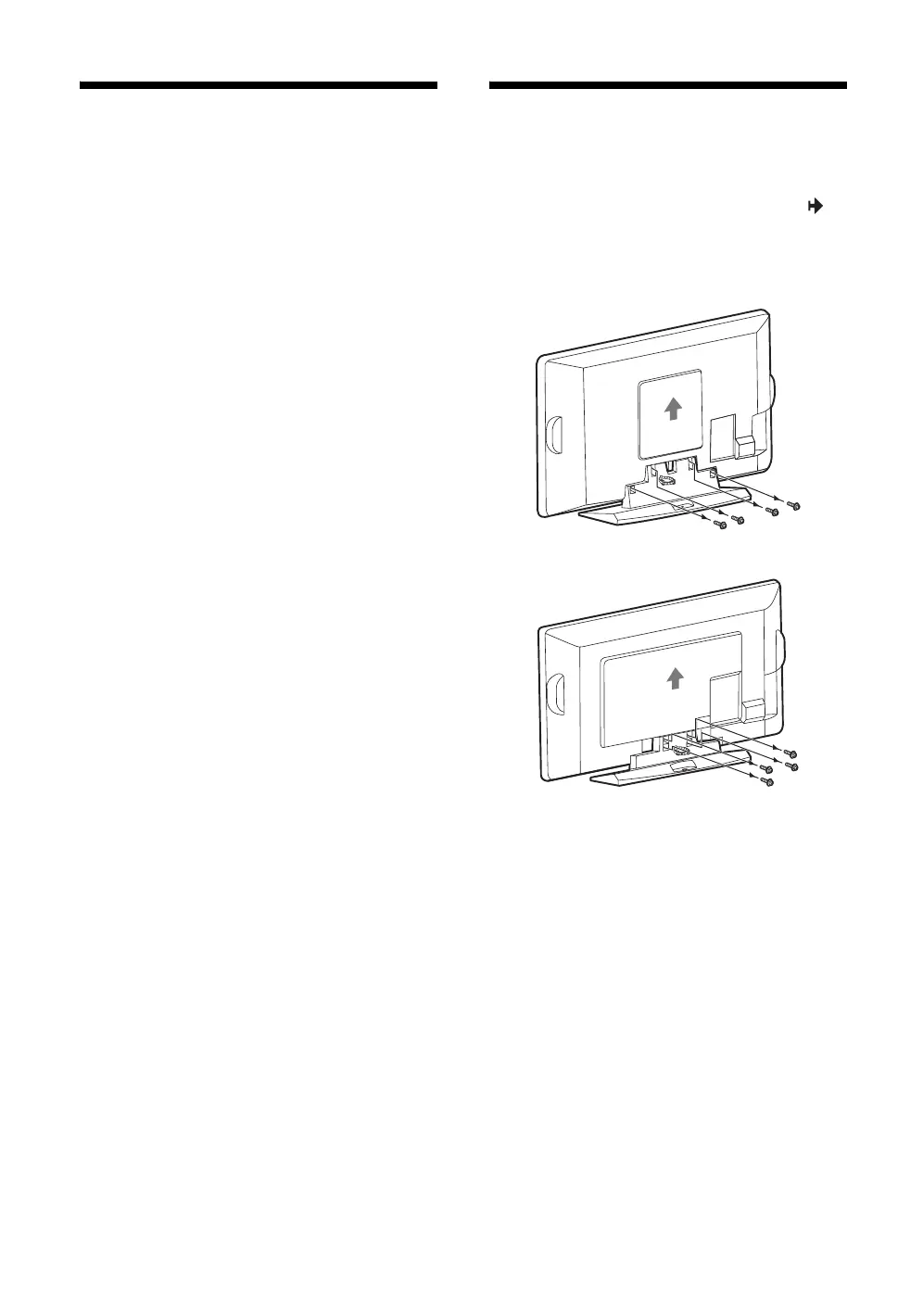
Remove the screws guided by the arrow marks of
the TV.
Do not remove the Table-Top Stand for any reason
other than to wall-mount the TV.
B KLV-32T400A
B KLV-26T400A/26T400G
010COV.book Page 10 Thursday, June 19, 2008 9:17 AM


 To Next Page