8
GB
KLV-32/26/19T400A/26/19T400G/19T400W
4-110-401-11(1)
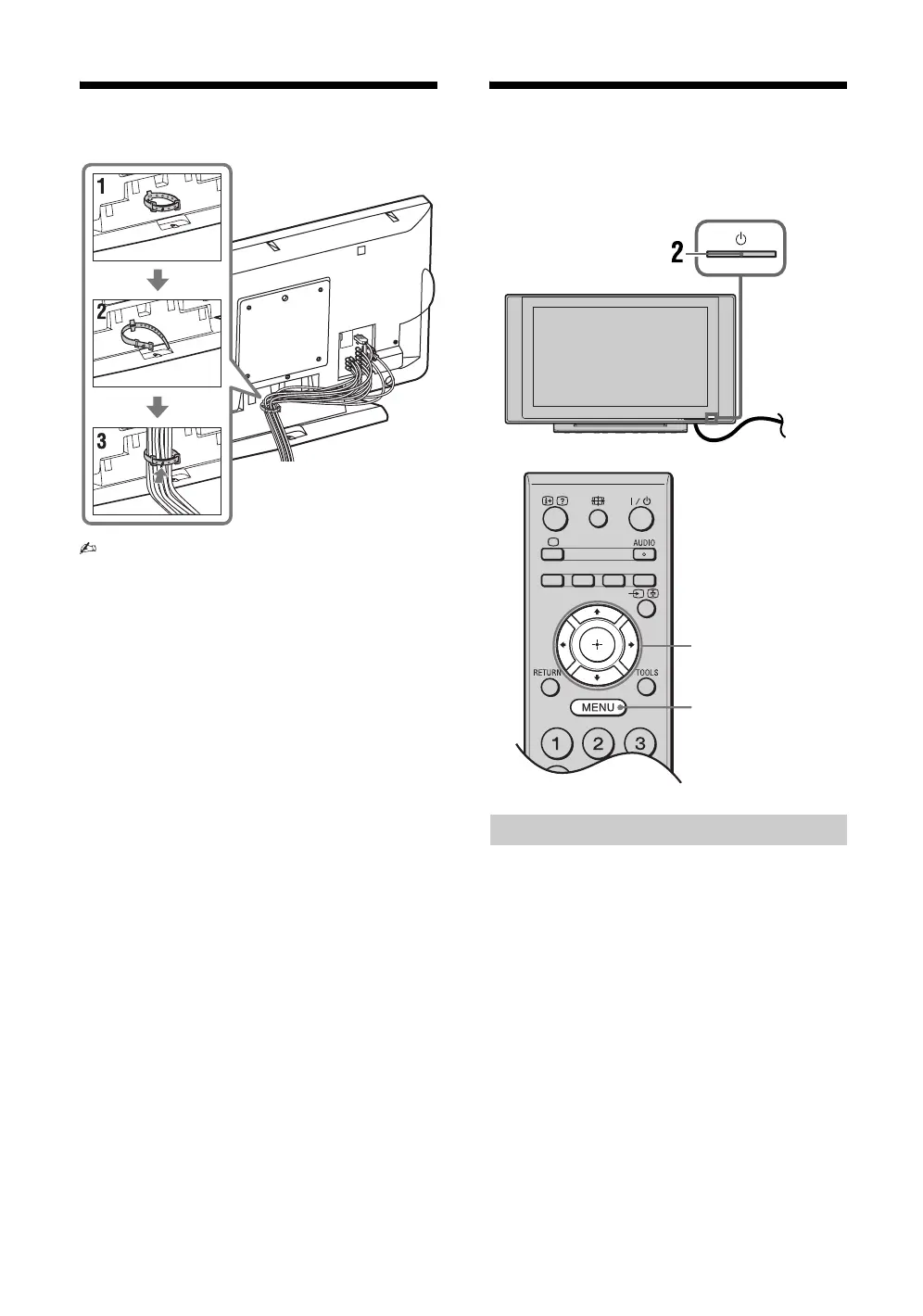
4: Bundling the cables
• Cable holder is located at 3D WOOFER for
KLV-19T400W.
5: Performing the initial
set-up
1 Connect the TV to your AC power outlet
(110-240 V AC, 50/60 Hz) (New Zealand
only: 220-240 V AC, 50/60 Hz).
2 Press 1 on the TV.
When the TV is in standby mode (the 1 (standby)
indicator on the TV front panel is red), press "/1
on the remote to turn on the TV.
When you turn on the TV for the first time, the
“Language” menu appears on the screen.
Selecting the language
, 1
3, 4, 5, 6, 9
8
010COV.book Page 8 Thursday, June 19, 2008 9:17 AM


 To Next Page