HT-NT5
12
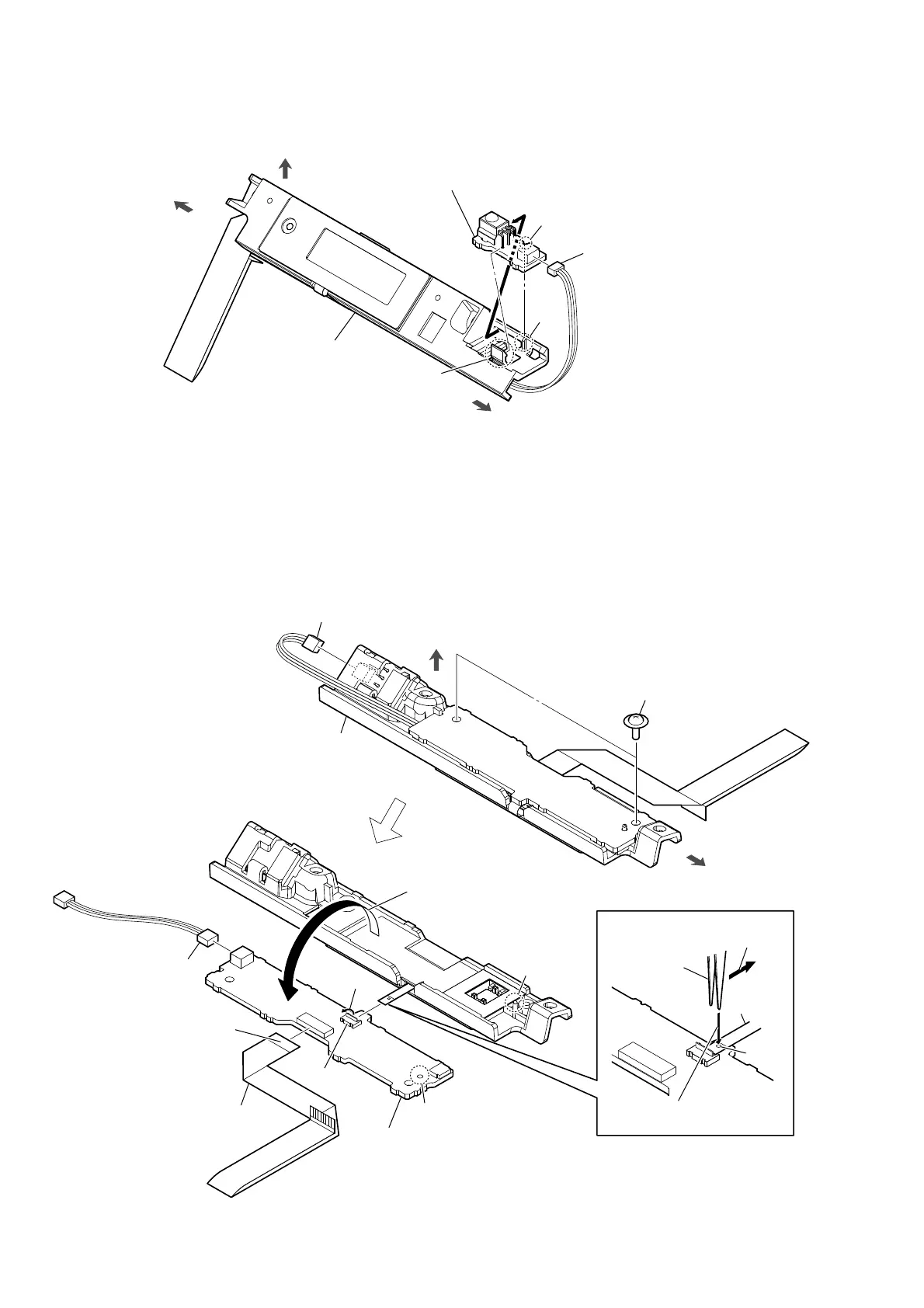
2-5. SIRCS BOARD
2-6. DISPLAY BOARD
top side
left side
right side
DISPLAY board block
2 claw
3
rib
groove
4 SIRCS board
Note:
When installing the SIRCS board,
align the groove and rib.
1 DISPLAY board
cable connector
(CN891)
bottom side
right side
DISPLAY board block
boss
hole
2 two screws
(PTP2 u 5)
5 FFC 18P
(CN1303)
1 connector
(CN891)
3 Open the
DISPLAY board
block in the direction of
the arrow.
4 connector
(CN1304)
7 Insert a tweezers etc. in
the hole of the FPC.
tweezers etc.
hole
8 Pull out the FPC from the
connector horizontally.
FPC
The opposite side is
the terminal side.
9 DISPLAY board
Note:
When installing the DISPLAY board,
align the hole and boss.
6 Unlock
CN1302



 To Next Page