18
STR-DA5300ES
RM-AAU016
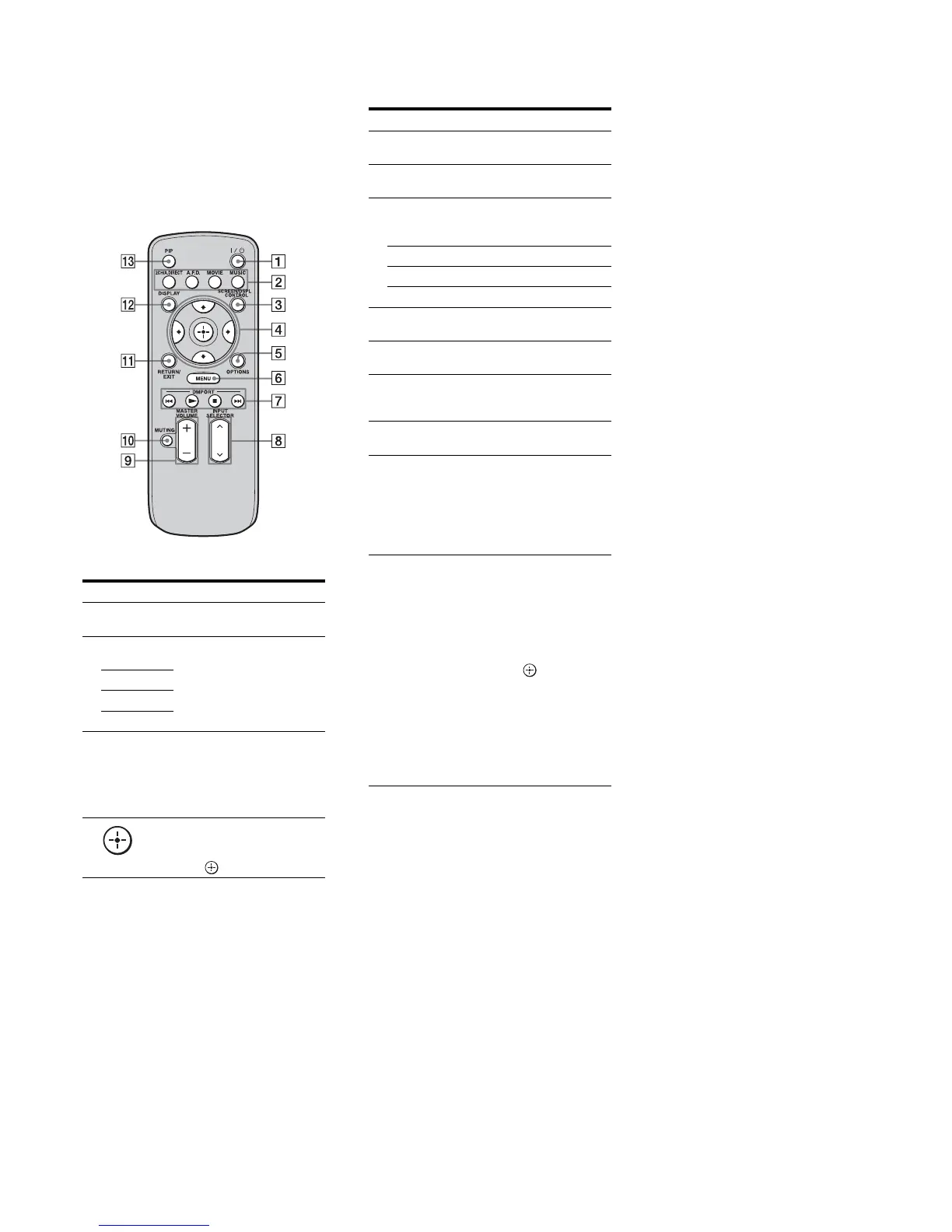
This remote can only be used to operate the
receiver. You can control the main functions of
the receiver with simple operations using this
remote.
Name Function
A ?/1 (on/
standby)
Press to turn a receiver on or off.
B 2CH/
A.DIRECT
Press to select sound field.
A.F.D.
MOVIE
MUSIC
C SCREEN/
DSPL
CONTROL
Press to switch the display
mode of the menu between
SCREEN (to display the menu
on the TV screen) and DSPL (to
display the menu in the display
window).
D
V/v/B/b
After pressing SCREEN/DSPL
CONTROL (3), press V/v/B/
b to select the menu item. Then
press to enter the selection.
E OPTIONS Press to display and select items
from option menus.
F MENU Press to display the menu to
operate the receiver.
G DMPORT Press to operate the component
connected to the DIGITAL
MEDIA PORT adapter.
N Starts play.
x Stops play.
./> Skips tracks.
H INPUT
SELECTOR
Press to select the input source
to play back.
I MASTER
VOLUME +/–
Press to adjust the volume level.
J MUTING Press to turn off the sound
temporarily. Press the button
again to restore the sound.
K RETURN/
EXIT
Press to return to the previous
menu or exit the menu.
L DISPLAY Press to select information
displayed in the display
window.
Note
In the SCREEN mode, press the
button to display the menu on
the TV screen.
M PIP Press PIP to switch the image of
the PIP (Picture in Picture)
window. The image will be
changed as follows. EXT
VIDEO t ZONE 2 VIDEO
t OFF. You can swap the
position of the main screen and
the PIP window (swap) by
pressing the (4). You can
expand or shrink the window
using V/v (4). You can also
change the window’s position
using B/b (4).
Note
The HDMI video signals are not
output while the PIP window is
displayed.
Name Function















 To Next Page