There is no sound from the component
connected to the DIGITAL MEDIA
PORT adapter.
• Adjust the volume
of
this receiver.
• The DIGITAL MEDIA PORT adapter
and/or component is not connected
correctly. Tum off the receiver, then
reconnect the DIGITAL MEDIA PORT
adapter and/or component.
• Check the DIGITAL MEDIA PORT
adapter and/or component device to make
sure it supports this receiver.
There is no picture or an unclear
picture appears on the TV screen or
monitor.
• Select the appropriate input using the input
buttons.
• Set your TV to the appropriate input mode.
• Move your audio components away from
the
TV.
• Depending on the DIGITAL MEDIA
PORT adapter, video output may not be
possible.
Recording cannot be carried out.
• Check that the components are connected
correctly.
• Select the source component using the
input buttons (page 42).
92
GB
The
FM
reception js poor.
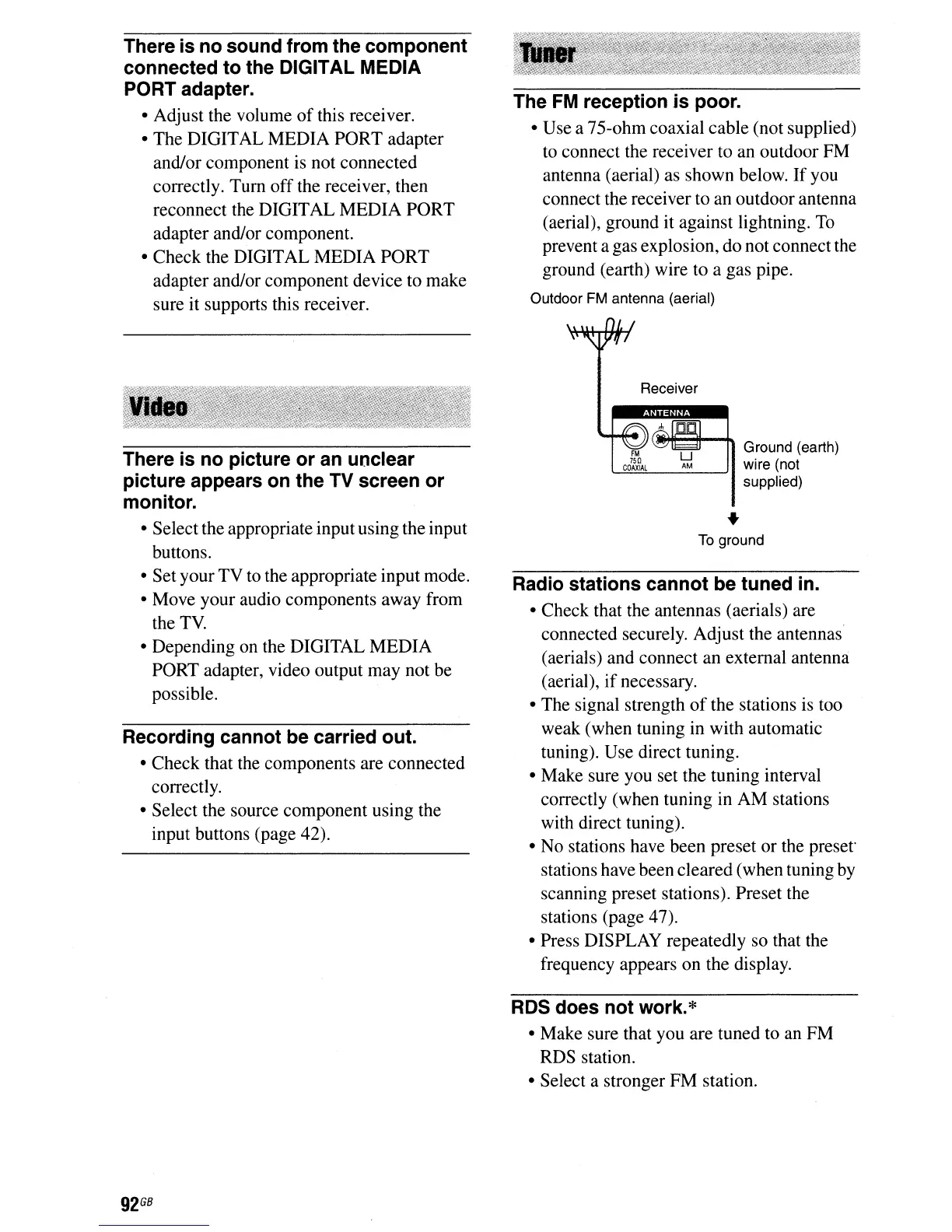
• Use a 75-ohm coaxial cable (not supplied)
to connect the receiver to an outdoor FM
antenna (aerial) as shown below.
If
you
connect the receiver to an outdoor antenna
(aerial), ground it against lightning.
To
prevent a gas explosion, do not connect the
ground (earth) wire to a gas pipe.
Outdoor FM antenna (aerial)
Receiver
Ground (earth)
wire (not
supplied)
•
To
ground
Radio stations cannot be tuned in.
• Check that the antennas (aerials) are
connected securely. Adjust the antennas
(aerials) and connect an external antenna
(aerial),
if
necessary.
• The signal strength
of
the stations is too
weak (when tuning in with automatic
tuning). Use direct tuning.
• Make sure you set the tuning interval
correctly (when tuning in AM stations
with direct tuning).
• No stations have been preset or the
preset"
stations have been cleared (when tuning by
scanning preset stations). Preset the
stations (page 47).
• Press DISPLAY repeatedly so that the
frequency appears on the display.
RDS does not work.
*
• Make sure that you are tuned to
an
FM
RDS station.
• Select a stronger FM station.



 To Next Page