Heater-Cooler System 3T • Operation
5.6 CP_IFU_16-XX-XX_USA_015
5.3 Powering up and configuring the heater-cooler
The heater-cooler is powered independently of the HLM System. As soon as the heater-cooler is
powered up, either the heating and/or the cooling is activated since the last set temperature values
have been saved.
5.3.1 Power-up and self-test
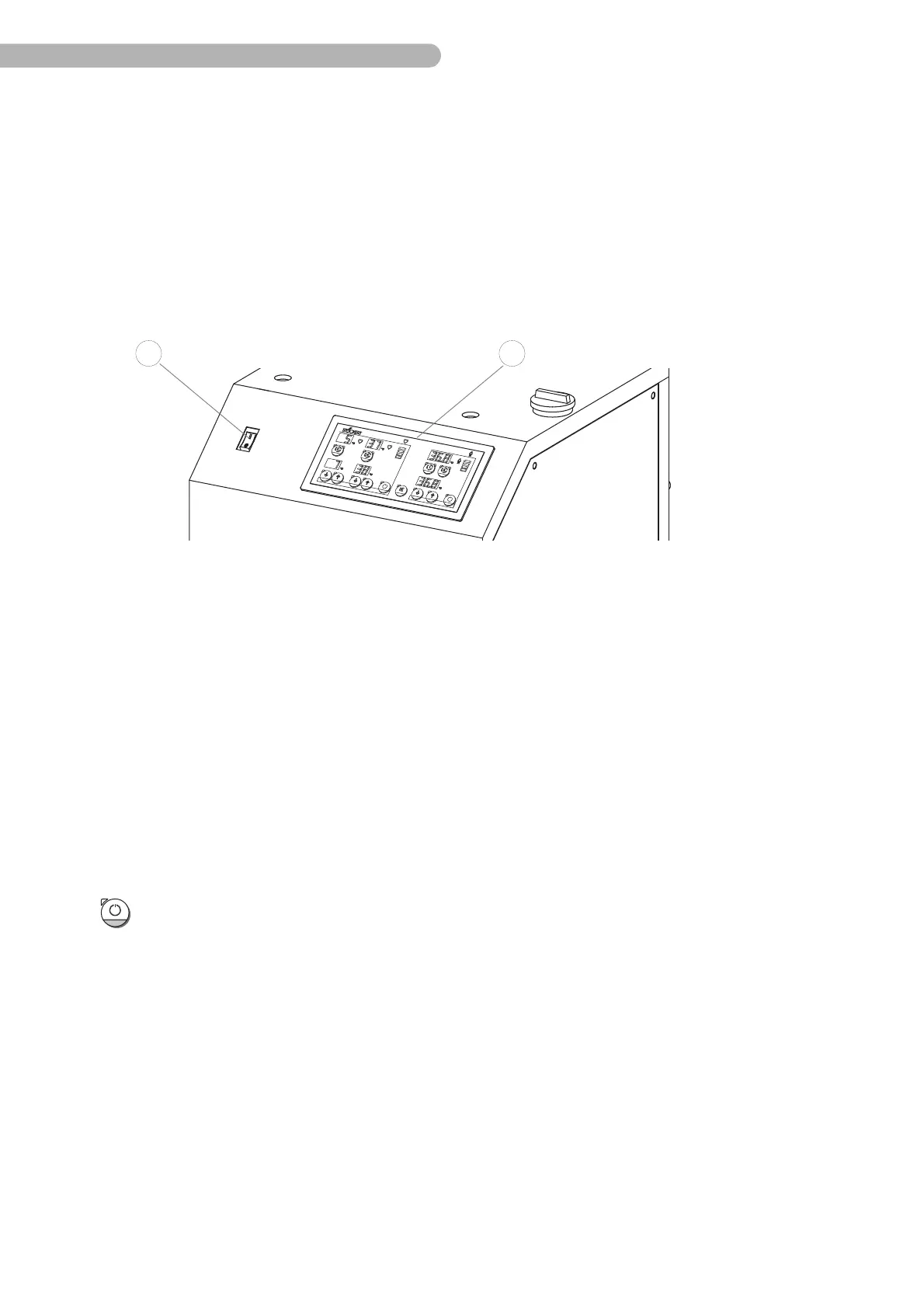
Fig. 11: Powering up the heater-cooler
Powering up
◗ Set the mains power switch 1 to position “I”.
➜ The heater-cooler runs a self-test during power-up.
➜ For a duration of 2 seconds, all LEDs and 7-segment displays on the control panel 2 are
activated. A beep tone sounds simultaneously. Ensure the correct functioning of all
displays in order to avoid misinterpretations caused by defective displays.
➜ Then, the version number of the device’s firmware (EPROM) is displayed for the
duration of about one second. This displayed number and the version number
indicated in the operating instructions (please refer to the inner front cover) should be
identical. SORIN GROUP DEUTSCHLAND GMBH will furnish you with the corresponding
authorized version of the operating instructions upon request.
➜ The heater-cooler is powered up.
!
Switching off unused functional groups (standby mode)
◗ For switching off a certain functional group, press key 28 on the heater-cooler.
➜ The unused functional group is set to the standby mode, the remaining functional
group is fully operational.
Powering down completely
◗ Set the mains power switch 1 to position “0”.


 To Next Page