13
ENGLISH
AUDES DIGITAL PIANO User manual
The display will show the temporary message
"ON" and then all the information relating to
the DUAL sound. The LED relating to the family
the DUAL sound belongs to will light up on the
panel. The default sound for DUAL keyboard
mode is STRINGS 1 (0048).
DUAL 048
STRINGS 1
SOUND: 000 STYLE: 00 TRANS: 0 BEAT: 4/4 : 120
R1+R2
To select the DUAL sound please use the same procedure as for the main sound selec-
tion as described in section 9.1 Sounds Selection
To deactivate the DUAL keyboard mode, press and hold down the [FUNCTION] button
and then press the G#2 key on the keyboard which corresponds to the DUAL silk-
screen. The display will show the temporary message “OFF” to indicate that the DUAL
keyboard mode has been deactivated. The display will return to showing the previous
screen.
Notes:
1) Drum Sets (160 to 168) are not selectable as DUAL sounds.
2) Every time you activate the DUAL keyboard mode, the last previously selected DUAL
sound will be set.
3) If the DUAL keyboard mode is activated when the LOWER mode is already activated,
the sound selection will be assigned to the LOWER sound.
9.3. DUAL Volume Adjustment
It is possible to adjust the volume for the DUAL sound by doing the following opera-
tions:
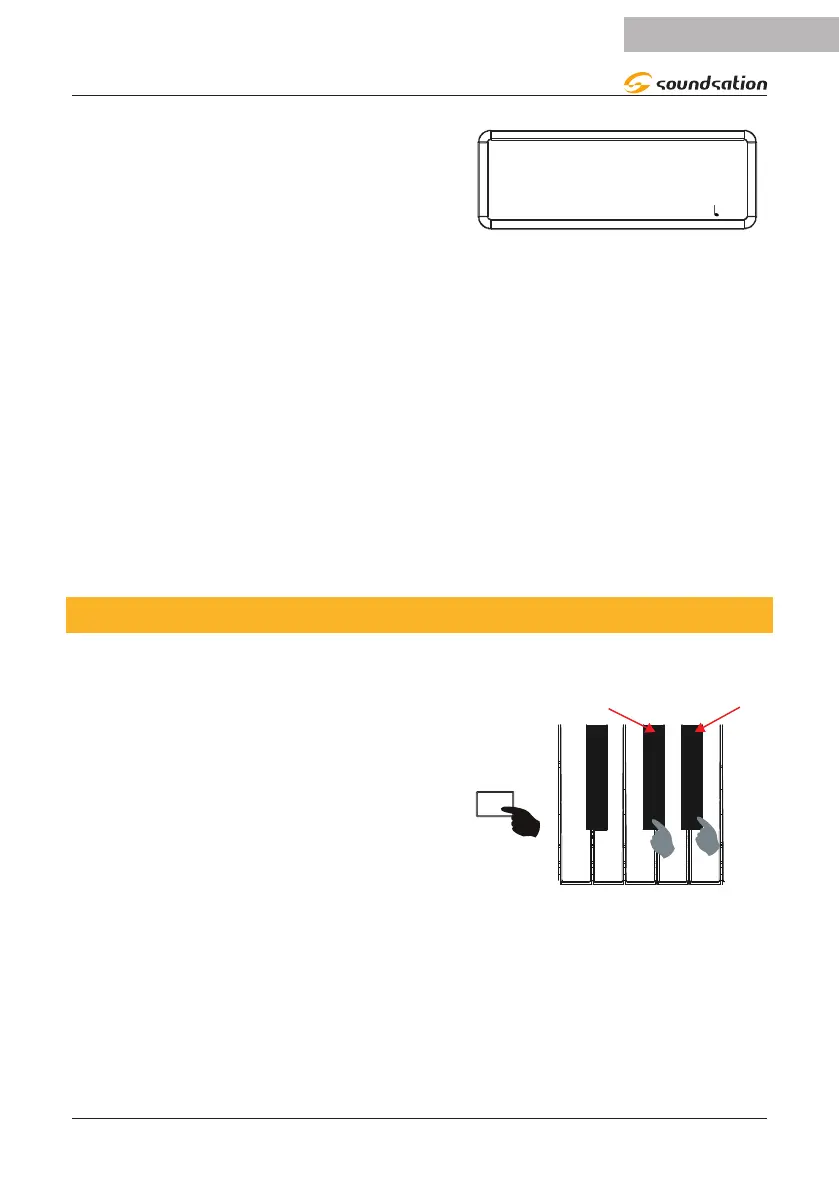
Press and hold down the [FUNCTION] button
and then press the C#1 key on the keyboard to
decrease the volume of the DUAL sound or the
D#1 key to increase it. Corresponding to the
C#1 and D#1 keys, the silk-screen printing will
relate to the volume adjustment as shown in
the gure on the right.
- DUAL VOL +
FUNCTION
While increasing or decreasing the volume of the DUAL sound, the display will always
show the current volume value. If during the increase/decrease operations the C#1
and D#1 keys are pressed simultaneously, the default value is reset. The default value
of the DUAL sound volume is 50. If no operation is performed within 3 seconds the
display will return to the previous screen.


 To Next Page