16
ENGLISH
AUDES DIGITAL PIANO User manual
10. STYLES
10.1. Style Selection
The AUDES digital piano is equipped with 100 styles grouped into 6 families. (Please
refer to the Style List). You can select the desired style by following the instructions
listed below.
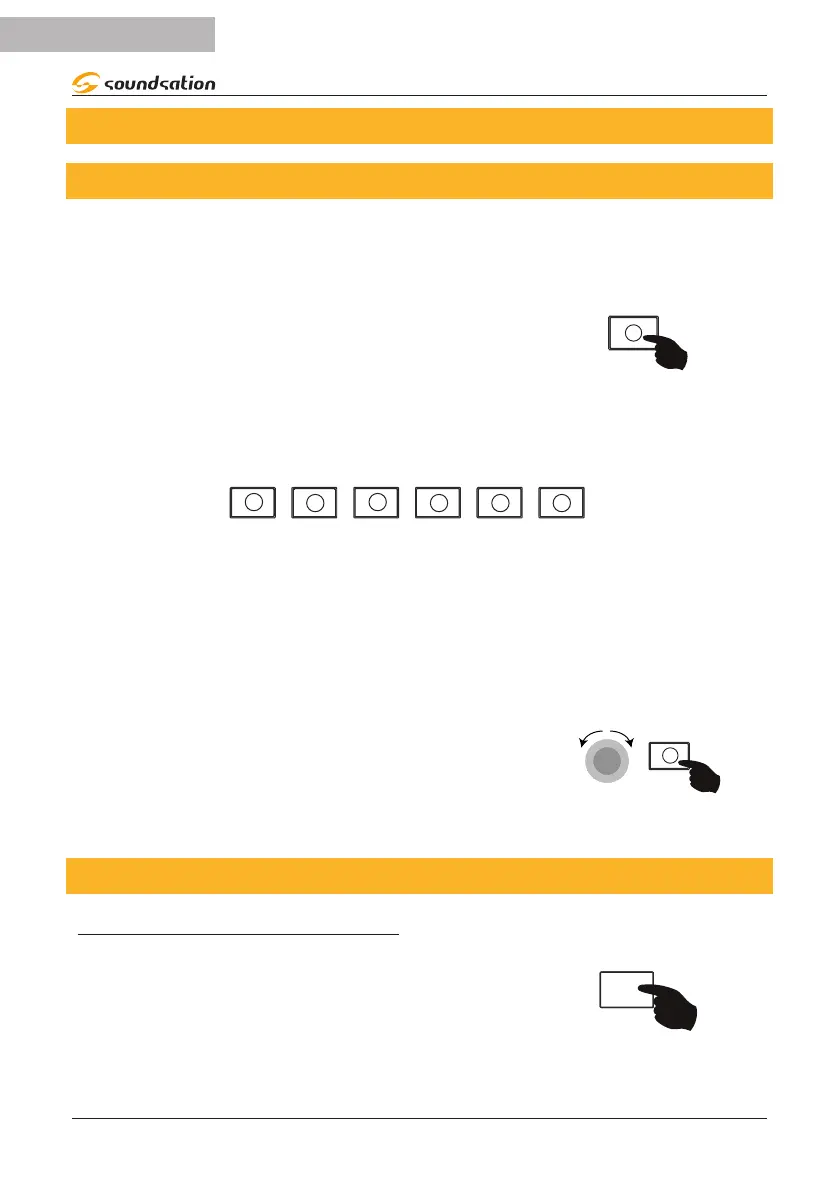
To access the styles environment, press the [SOUND/
STYLE] button. When the button LED is o it means
that you are in the STYLE environment. The default style
when turned on is 8 BEAT MODERN (00).
On the sound shortcut buttons style, the LED of the family to which the current style
belongs will be lit and the display will show the current style.
PIANO
ORGAN
STRINGS
PIPE
8 BEAT
16 BEAT
DISCO
DANCE
BALLROOM
LATIN
JAZZ
BASS
DRUM SET
By repeatedly pressing a family button you can scroll through all the styles belonging
to the family and the corresponding LED will be lit. The display will always show the
current style.
Another way to select a style is by using the Alpha-Dial.
By pressing and holding the button of a style family,
and then rotating the Alpha-Dial you can scroll through
all the styles belonging to the family and obviously the
corresponding LED will be lit. The display will always
show the current style. An example for the 8 BEAT style
family is in the image on the right.
-DIAL
8 BEAT
10.2. Style Start/Stop and related functions
ACCOMPANIMENT STYLE START/STOP
Pressing the [START/STOP] button will start the rhythm
part of a style and the LED of the [START/STOP] button
will ash with each beat. By pressing the [START/STOP]
button again, the rhythm part of the style will stop and
the LED will stop ashing.
STOP


 To Next Page