24
ENGLISH
AUDES DIGITAL PIANO User manual
CHORUS TYPES SELECTION
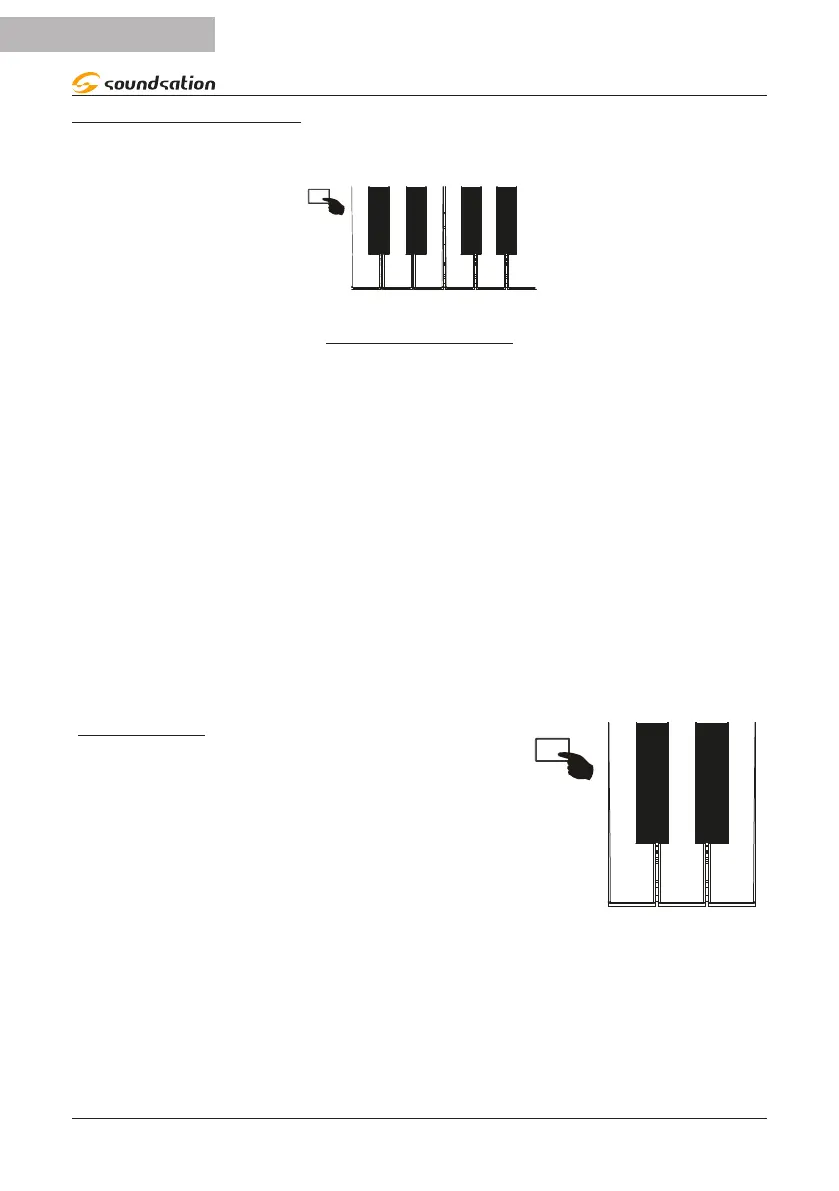
By pressing and holding the [FUNCTION] button you can select 8 Chorus types by
pressing the corresponding keys as shown in the gure below.
FLANGER FB DELAYCHORUS 1 CHORUS 3
SHORT
CHORUS 2 CHORUS 4 FEEDBACK
C#7
D7
D#7
E7 F7
F#7
G7
G#7
CHORUS TYPES TABLE
N.
Key Name Abbreviation on Display
1
C#7 CHORUS1 CH1
2
D7 CHORUS2 CH2
3
D#7 CHORUS3 CH3
4
E7 CHORUS4 CH4
5
F7 FEEDBACK FEE
6
F#7 FLANGER FLA
7
G7 SHORT DELAY DLY
8
G#7 FB DELAY FBD
NOTES:
1) When selecting Chorus types the name is temporarily shown in full.
2) The abbreviation on the Display for the selected Chorus type is shown only if the
Chorus is activated (ON).
CHORUS LEVEL
To adjust the Chorus level, press and hold the [FUN-
CTION] button and then press the [CHORUS LEV -]
(D6) / [CHORUS LEV +](E6) keys to decrease/increase
the Chorus level value as shown in the gure on the
right. During adjustment the display always shows the
current value of the chorus level. The value range for
the reverb level is 0 to 127. The default value for the
reverb level is 30.
D6
E6


 To Next Page