11
2. Initial Boot-up Process
2-1. Initial Boot up and Basic Time Setup
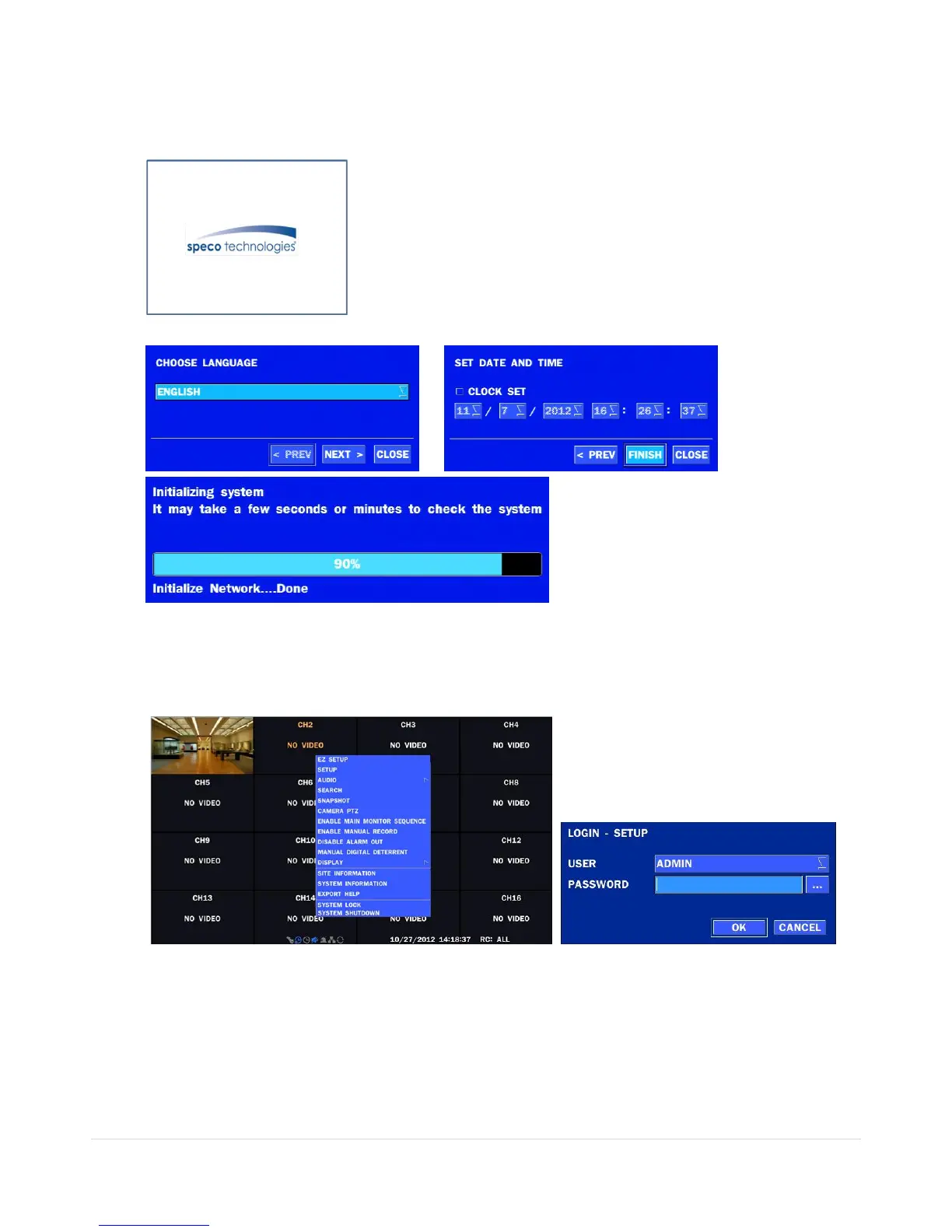
1. During the first boot up, the following logo will be displayed.
2. After the logo, select the language and set date and time as specified below.
2-2. Setting Daylight Saving Time
To enable Daylight Saving feature/NTP synchronization, take the following steps.
1. Enter the SETUP mode. The default Username is “ADMIN” and Password is “1111”.



 To Next Page