75
7-7-4. Display
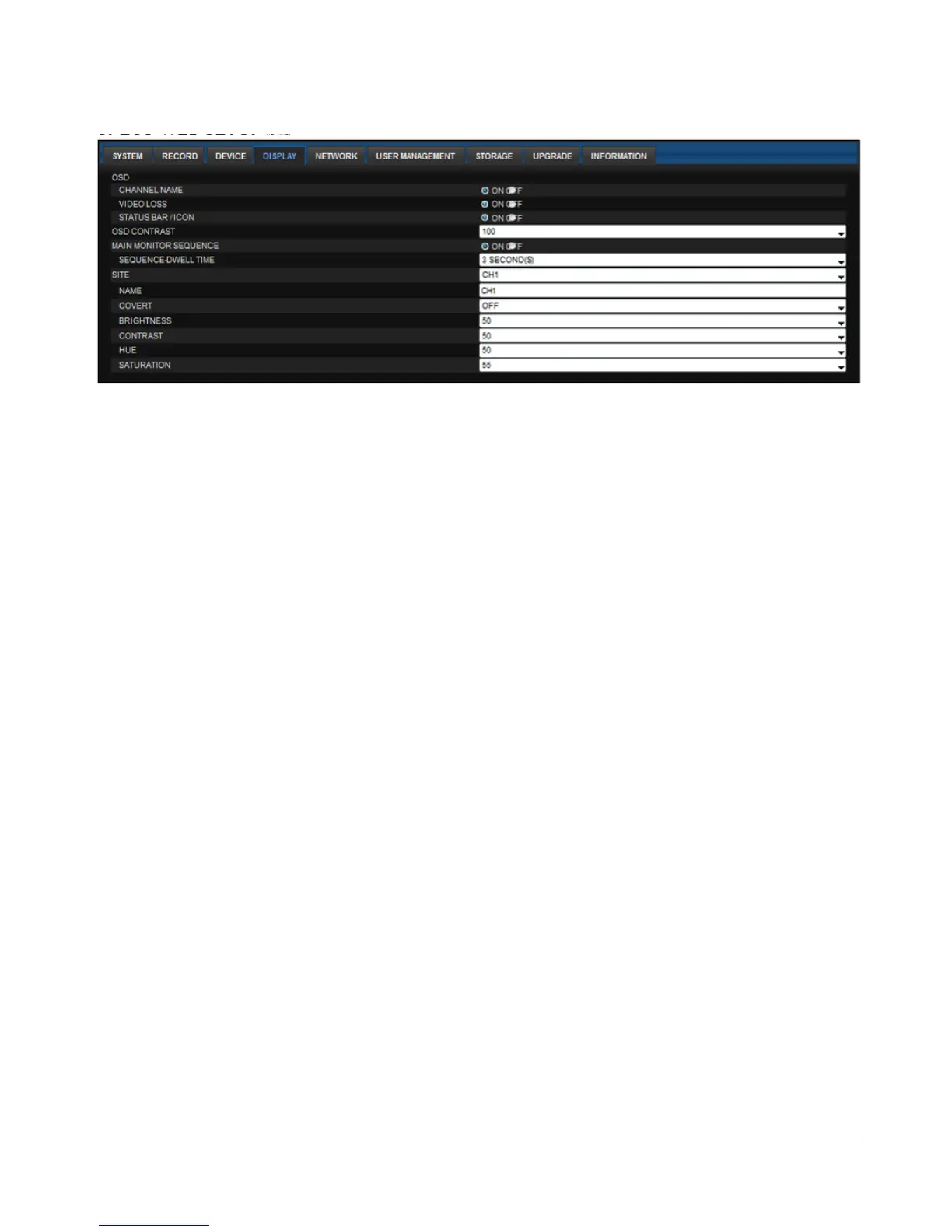
Select the DISPLAY tab to set the DISPLAY conditions.
These settings apply to all channels.
OSD: Sets whether to display or not date and time as well as channel number on the screen.
OSD CONTRAST: Adjust the character contrast on the screen.
MAIN MONITOR SEQUENCE: Setting for automatically switching the displayed video.
SEQUENCE DWELL TIME: Sets the interval for automatically switching the screens.
SITE: Name, Covert, Brightness, Contrast, Hue, Saturation
These settings apply to the specified channel only.



 To Next Page