97
APPENDIX: Network Connection – Internet and DDNS
Dynamic Domain Name System (DDNS) allows a domain name to be constantly synchronized with a
dynamic IP address. A current dynamic IP address is being associated with a static domain name.
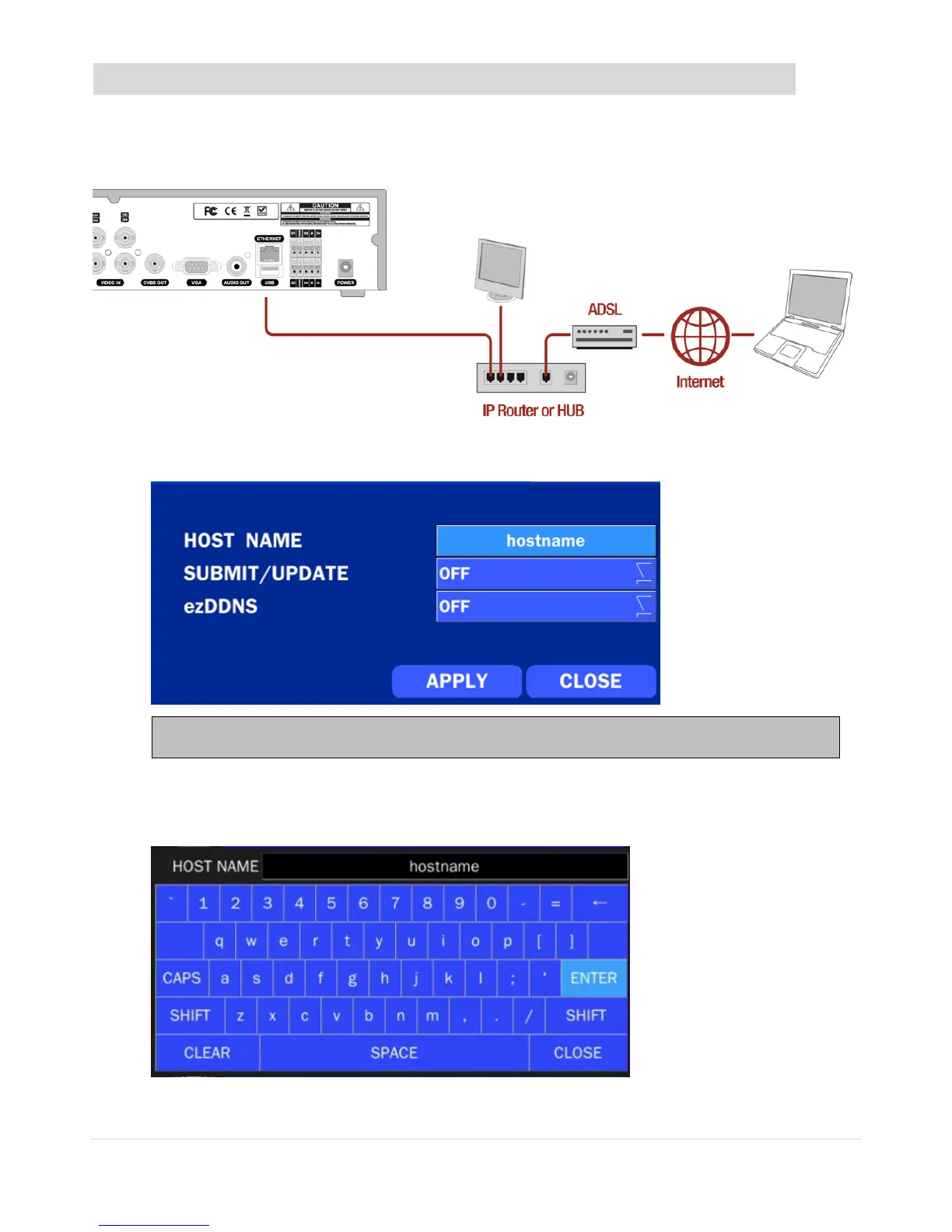
1. Go to SETUP>NETWORK>DDNS and set the DDNS SERVER to ON.
2. Go to SETUP>NETWORK>DDNS>HOST NAME. Manually enter a domain name using the virtual
keyboard and click ENTER button.



 To Next Page