63
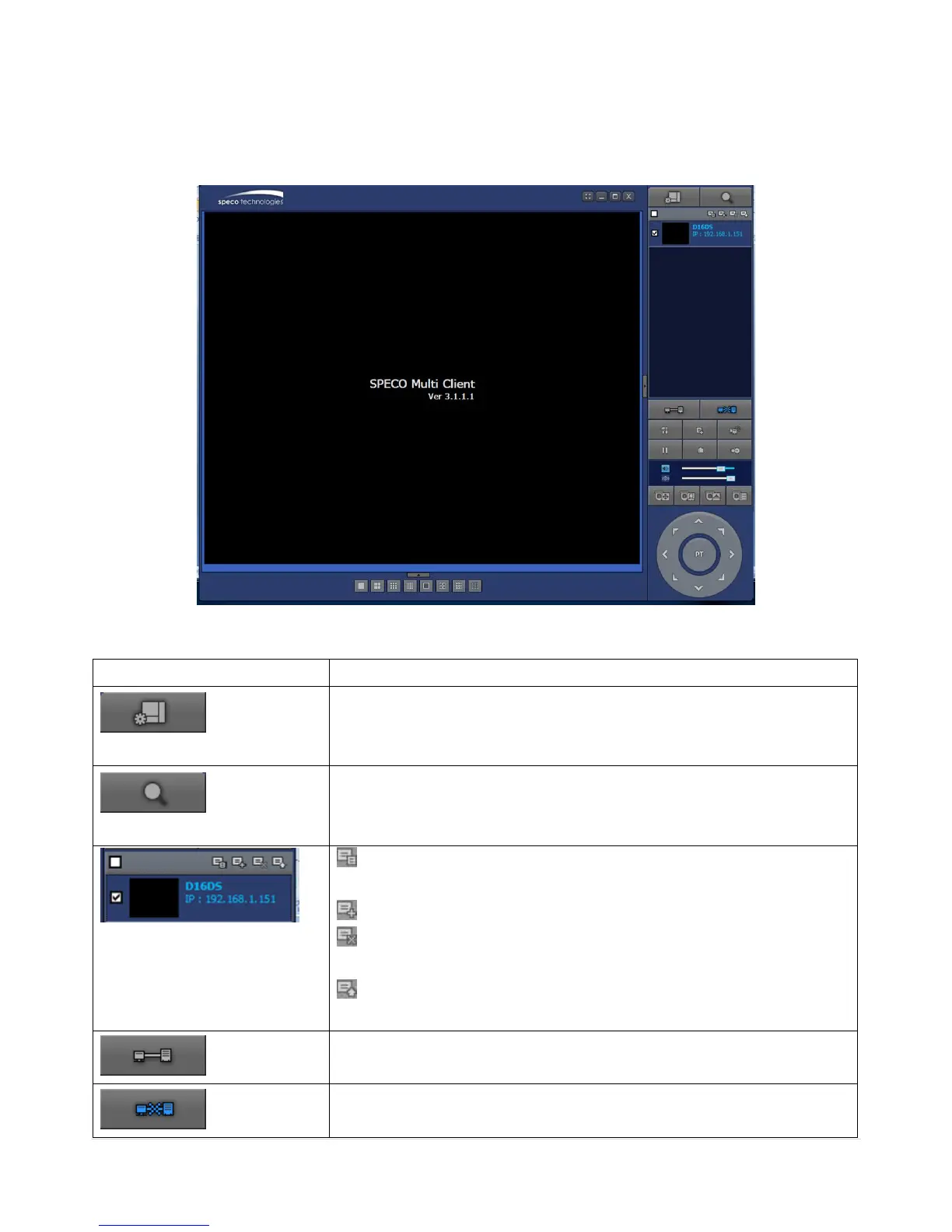
7-4. Live Window
When installation is completed, double click the “SpecoTech Multi Client” icon on your desktop to start
the program.
7-4-1. Main User Interface
7-4-2. Control Buttons
Click this icon to run a playback window to search and play videos that
are recorded in the local PC.
Click this icon to run a playback window to search and play videos that
are recorded in the remote DVR.
THUMBNAIL REFRESH: Click this icon to refresh and renew
thumbnail image of the connected sites.
SITE ADDITION: Click this icon to open „Site Addition‟ window.
SITE DELETE: Click this icon to delete site from the index window,
after disconnect a site.
NET FINDER: Select the site from the index window and click this
icon to modify the information of specific site.
Click this icon to connect the selected site/sites.
Click this icon to disconnect the selected site/sites.



 To Next Page