52
5-3-2. Time Line Search
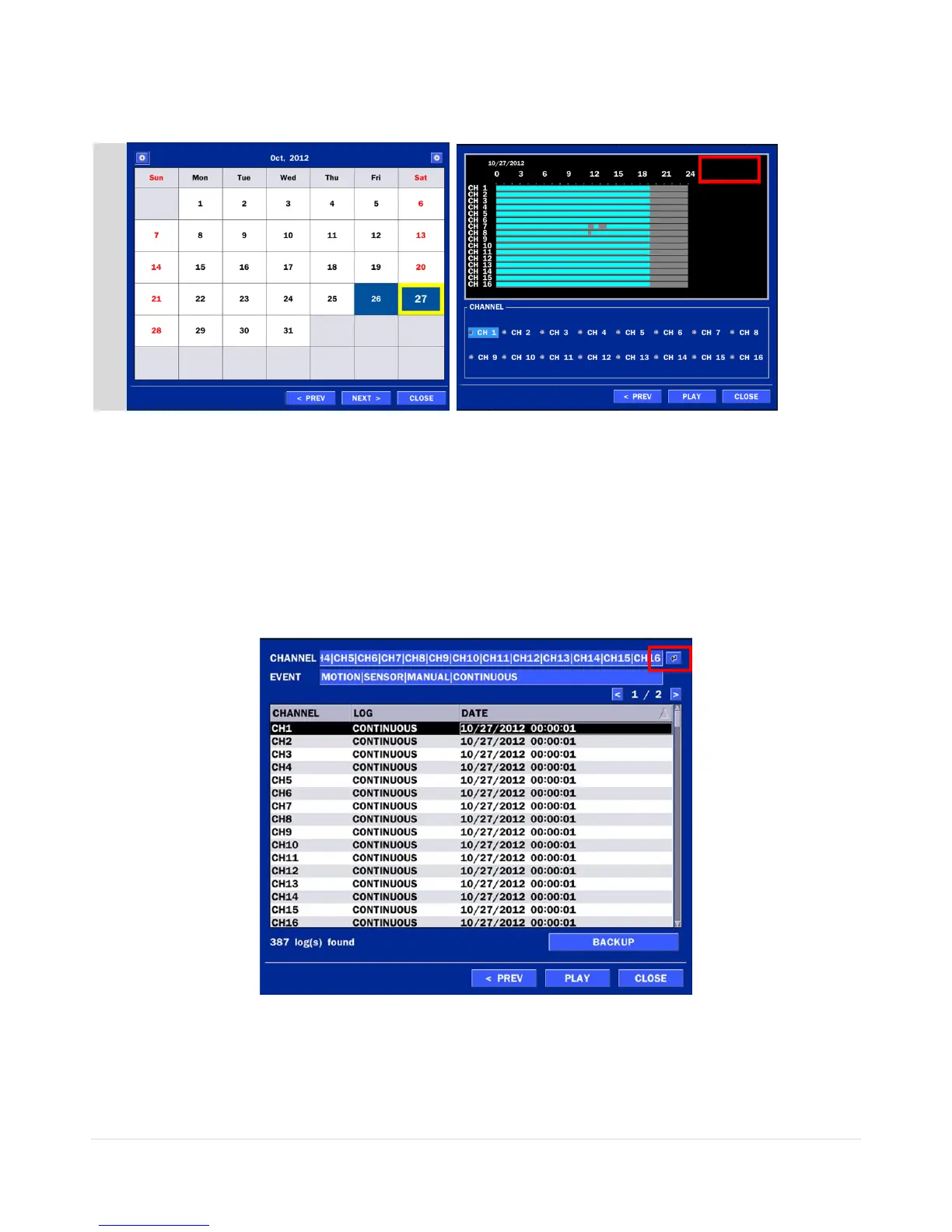
The CALENDAR Search window is used to find the stored video by using the time line bar.
Figure 5.3.2.1. Calendar Screen Figure 5.3.2.2. Time-Line Search Screen
When the Timeline menu is selected, the user can see a calendar, which displays recorded dates with
highlights. Select a specific date and time. Click and drag the red time indicator bar to the desired hour.
User can select a specific minutes using a button in the above red box. Press the PLAY button after
selecting the specific time. Press the PREV to return to the SEARCH window.
5-3-3. Event Search
The Event Search window is used to find stored video.
Figure 5.3.3.1. Event Search Screen
When the Event menu is selected, the user can see a calendar, which has recorded data. Select a specific
date and the event log will be displayed. Press the PLAY button to playback the data or the SAVE button to
save the data after selecting the specific data. User can find a data of the specific channel and event using
a button in the above red box as following Figure 5.3.10. Press the PREV to return to the SEARCH window.



 To Next Page