73
7-7-2. Record
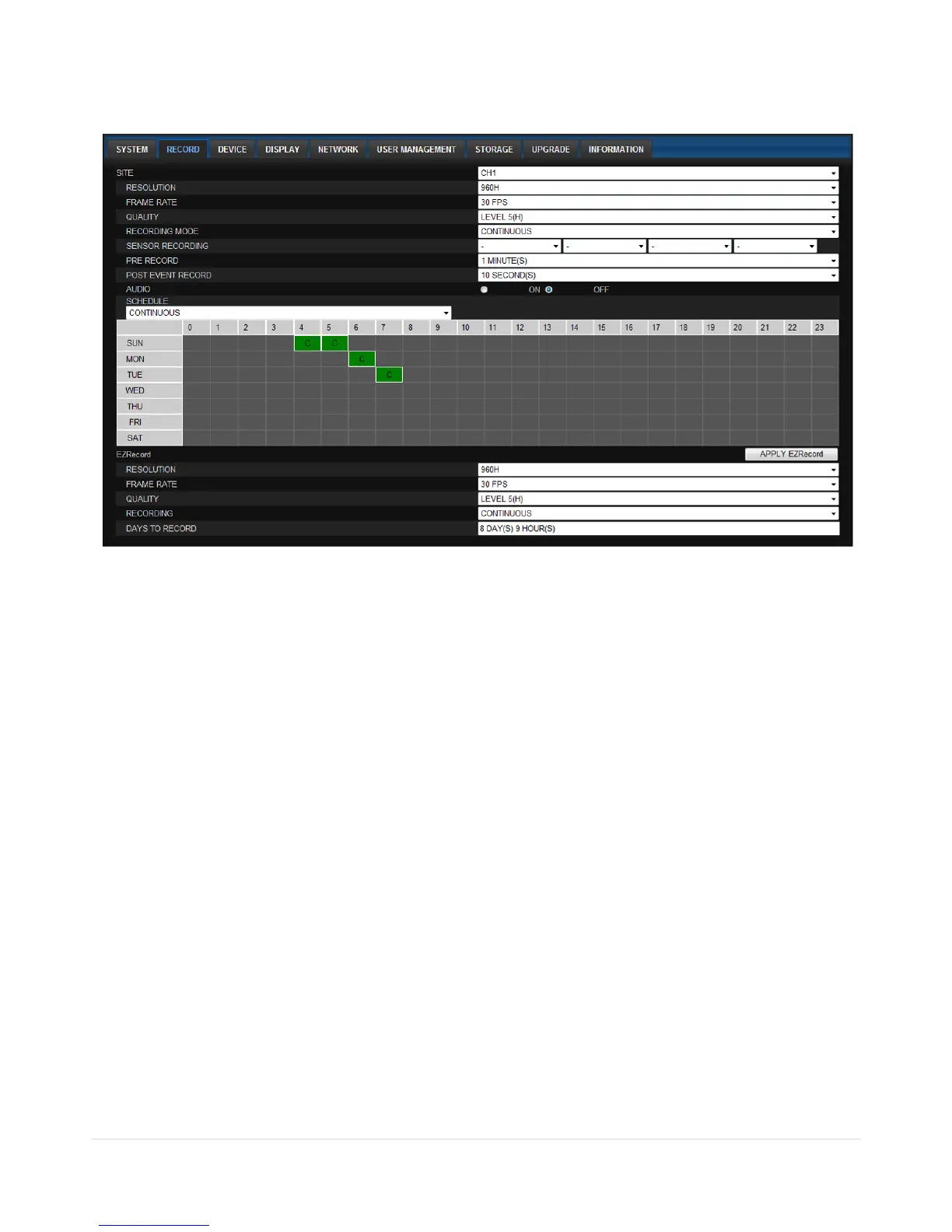
Select RECORD tab to set the recording conditions.
These settings apply to the specified channel only.
Recording Setup
o RESOLUTION: Sets the resolution for the recordings. The set value applies to an individual
channel.
o FRAME RATE: Sets the recording rate.
o QUALITY: Sets the image quality in 5 levels.
o RECORDING: Sets the recording mode.
o RECORDING MODE: CONTINUOS, SCHEDULE, MOTION
o PRE RECORD: Sets whether to perform or not pre recording.
o POSE EVENT RECORD: Sets the duration of the event recording.
o AUDIO: Sets whether to perform or not audio recording.
o SECHDULE: Sets the schedule recording.
These settings apply to all channels.
EZRECORD
o RESOLUTION: Sets the resolution for the recordings. The set value applies to an individual
channel.
o FRAME RATE: Sets the recording rate.
o QUALITY: Sets the image quality in 5 levels.
o RECORDING MODE: Sets the recording mode.
o RECORD DAYS: By the setting value, the Recording Days will change accordingly.



 To Next Page