92
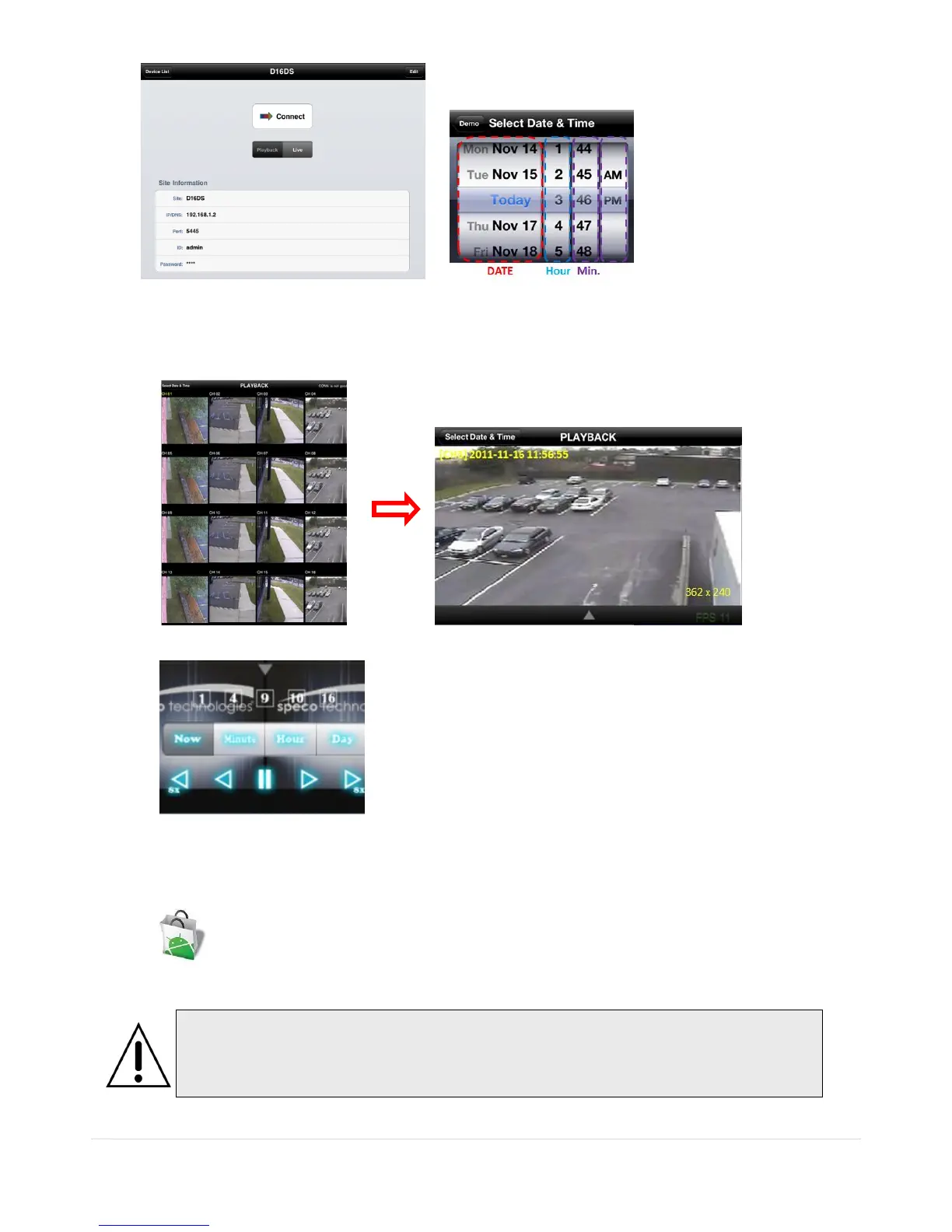
2. The app will display the selected channel(s). Double tap the channel screen to switch 1 channel display to 4,
8, 10, 16 channels split display depending on the DVR.
3. Tap the menu button. Then Playback menu icons will display.
9-2. App Viewer for Android Phone
1. Enter the Android Market.
2. Search “Speco Player” in the Android Market and install the “Speco Player” app.
Notice
SPECO Player is for the DS, RS, WRS and HD series DVRs. SPECO VIEWER is not
compatible with the T Series DVR‟s (TH, TN or TL) or the PC Series DVR‟s.



 To Next Page