76
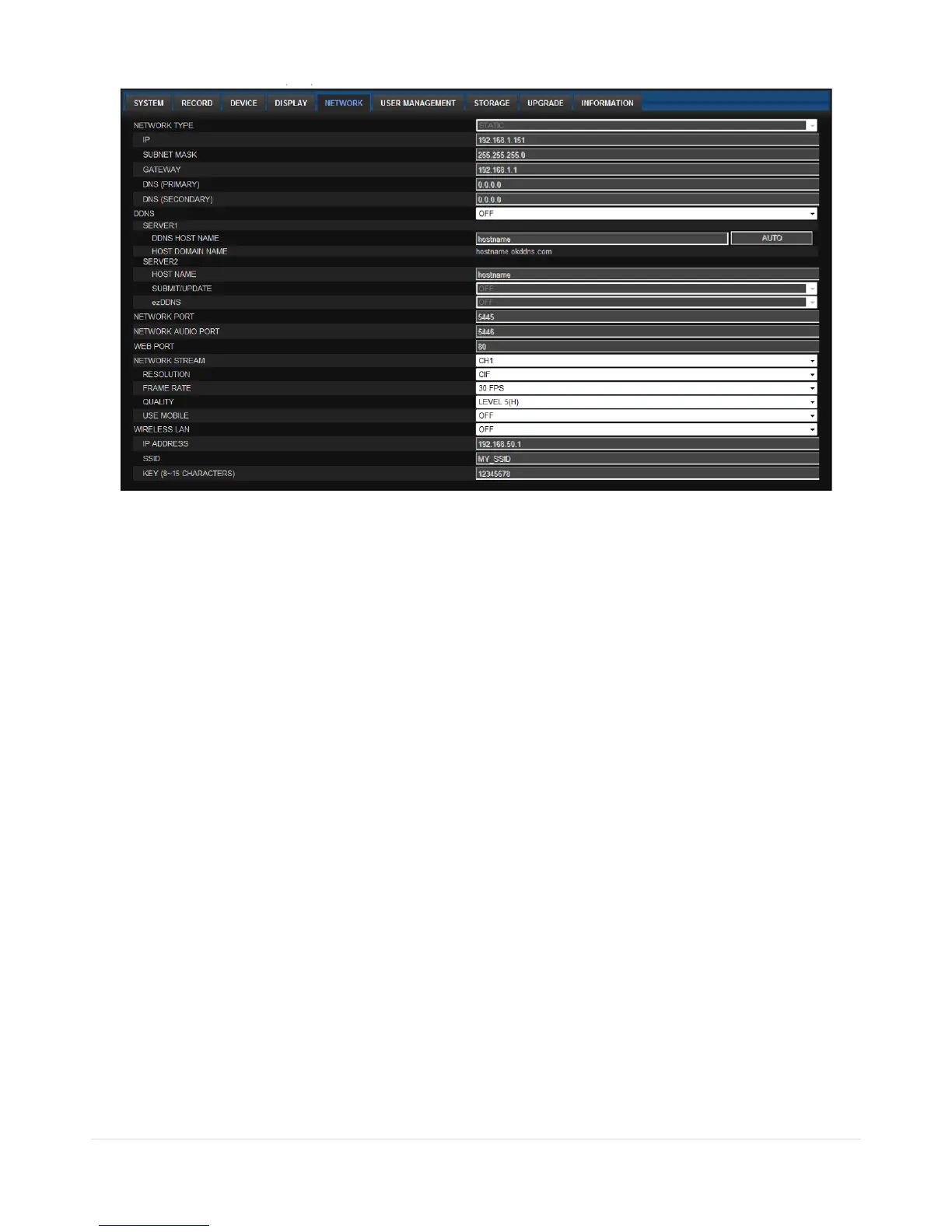
7-7-5. Network
NETWORK TYPE ( Cannot be altered remotely )
o STATIC: The address setting mode is manual. Input IP, Gateway, Subnet Mask, and DNS IP.
o DHCP: The address setting mode is automatic.
DDNS: Set whether to use DDNS service or not
o HOST NAME: Allows the user to setup a domain name manually
o SUMBIT/UPDATE: Select ON to submit the settings
o ezDDNS: Enable ezDDNS to register the host name automatically
NETWORK PORT: When connecting multiple DVRs to the network, set a unique port number.
NETWORK AUDIO PORT: Display the network audio port (NETWORK PORT + 1).
WEB PORT: Set a web server port number.
NETWORK STREAM: Set the Resolution, Frame Rate, and the Quality.
WIRELESS LAN: Set the IP Address, SSID and KEY (PASSWORD).



 To Next Page