50
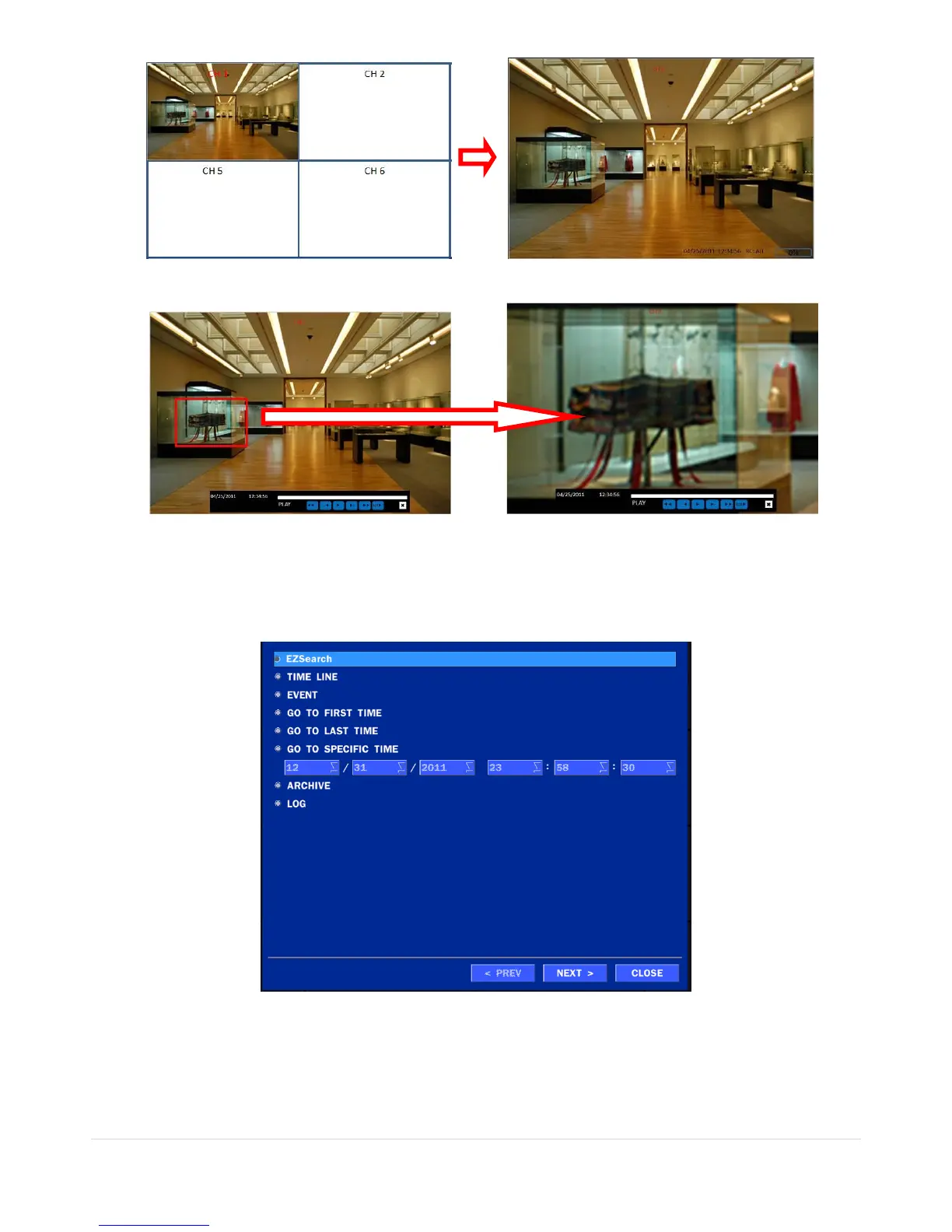
2. Click the left button of the mouse and drag to make rectangular shape.
5-3. SEARCH Screen
To enter the search screen menu, select SEARCH menu on the screen using the mouse or press SEARCH
icon on live screen.
Figure 5.3. Search Screen
There are 7 ways of search menu such as EZSEARCH, TIME LINE (Calendar), EVENT, GO TO FIRST
TIME, GO TO LAST TIME, GO TO SPECIFIC TIME, ARCHIVE LIST, and LOG LIST on the screen.



 To Next Page