24
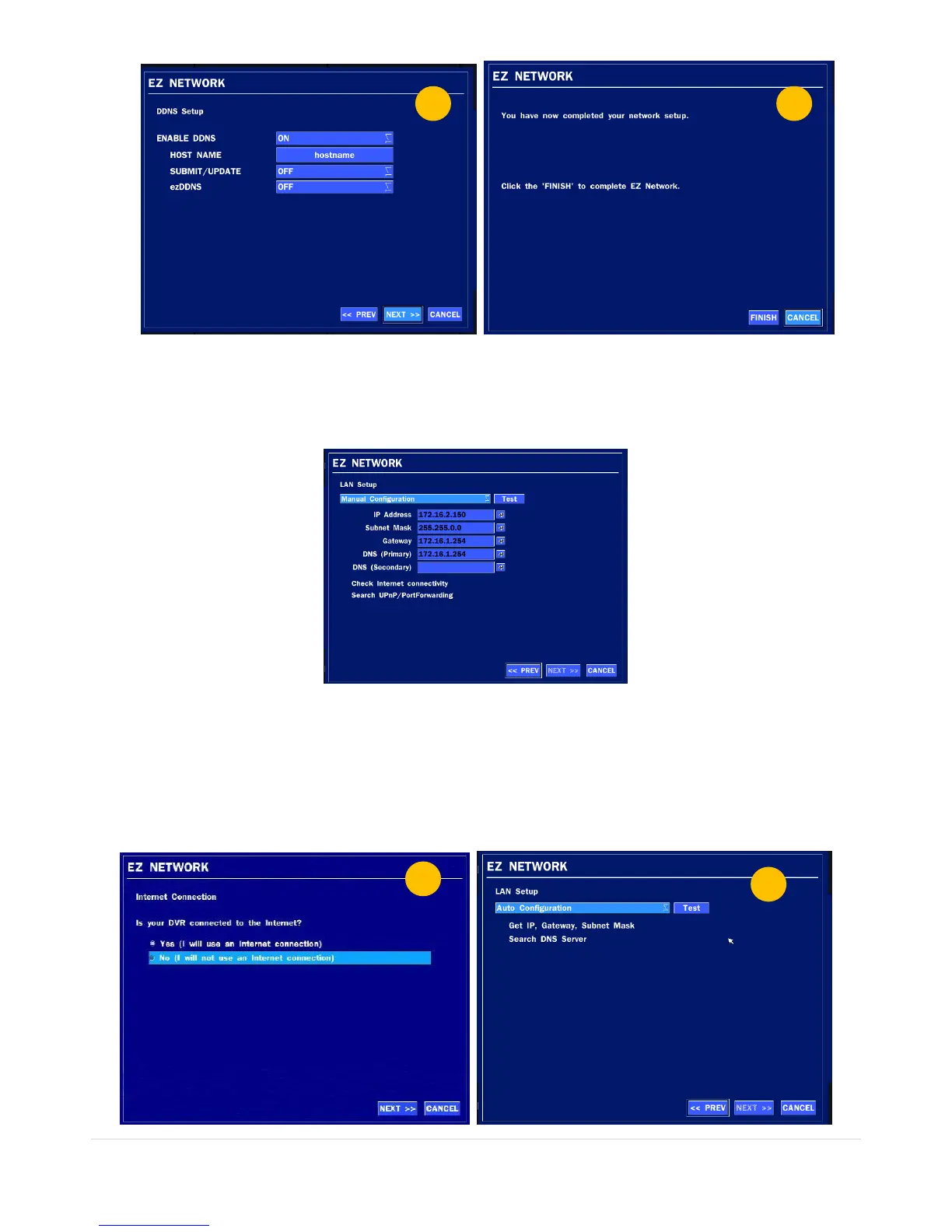
Figure 4.2.4. EZ NETWORK Setup Procedure
① Select YES in case of setting the network using an internet connection.
② Select Auto Configuration or Manual Configuration and then click TEST button.
Figure 4.2.5. EZ NETWORK Setup – Manual Configuration Screen
③ Setup DDNS setting. (Refer to “4.6.2 DDNS”)
④ Finish
4.2.1.3 Help user to setup NETWORK setting (Not using an internet connection)



 To Next Page