— 05.12.2017 —
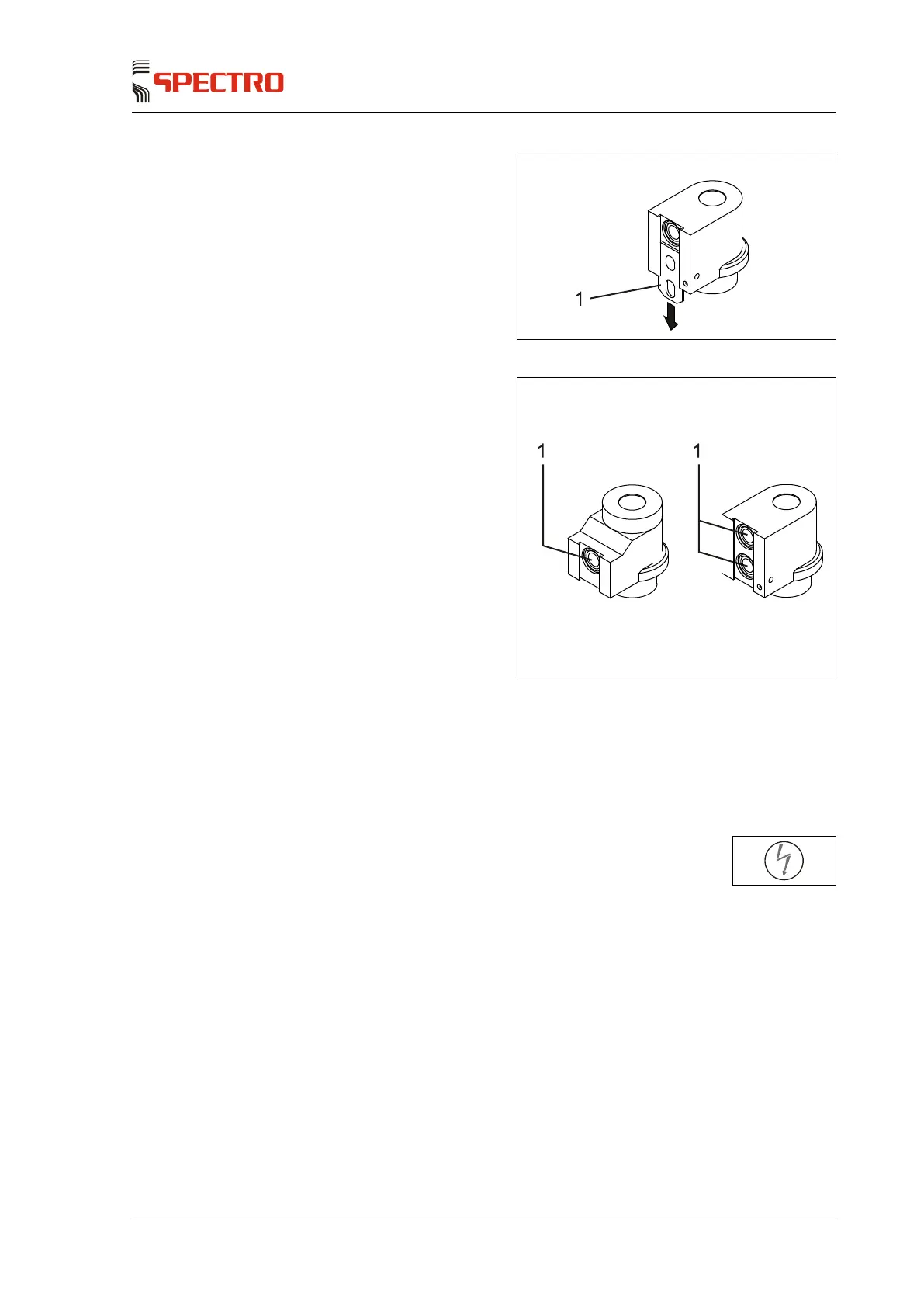
3. Hold the adapter and carefully
slide the window retainer (1) out
of the guide.
Fig. 9
4. Remove the light-sensitive
surface (1) and the exposed O-
ring.
Direct contact with the
optical surfaces must be
avoided.
The UV probe (right-hand
side) uses two light-
sensitive surfaces, both
must be cleaned.
5. Clean the light-sensitive surface
using optical paper or a lint-free
soft cloth.
Fig. 10
6. Reinstall the light-sensitive surface (two light-sensitive surfaces for the UV
probe).
Make sure that the O-rings are correctly positioned under the light-
sensitive surface.
7. Reinstall the adapter to the test probe.
8. To switch the plasma generator on, press the following switch:
The cleaning of the light-sensitive surfaces on the probe and adapter is
completed.



 To Next Page